




The Google Pixel 8a is another great phone from the Android maker (my review is coming soon) but after more than a week of using the handset, I’ve noticed plenty of the best features are hidden away, and many are even switched off by default.
Phones don’t come with instruction manuals and the setup process would be too lengthy if Google asked you which ones you wanted to use and taught you how to use them, but I have your back.
These eight hidden features I’ve uncovered will help you get the most out of your shiny new Pixel 8a – and many are available on older devices such as the Pixel 7a and Pixel 6a so go and have a look.
I’ve included their locations in the settings menu, but you can easily use the search bar to find them instead.

Circle to search
You might think that one of Google’s latest AI search features is exclusive to the flagship Pixel 8 range but it’s not. However, it’s not obvious how to use Circle to Search on the Pixel 8a.
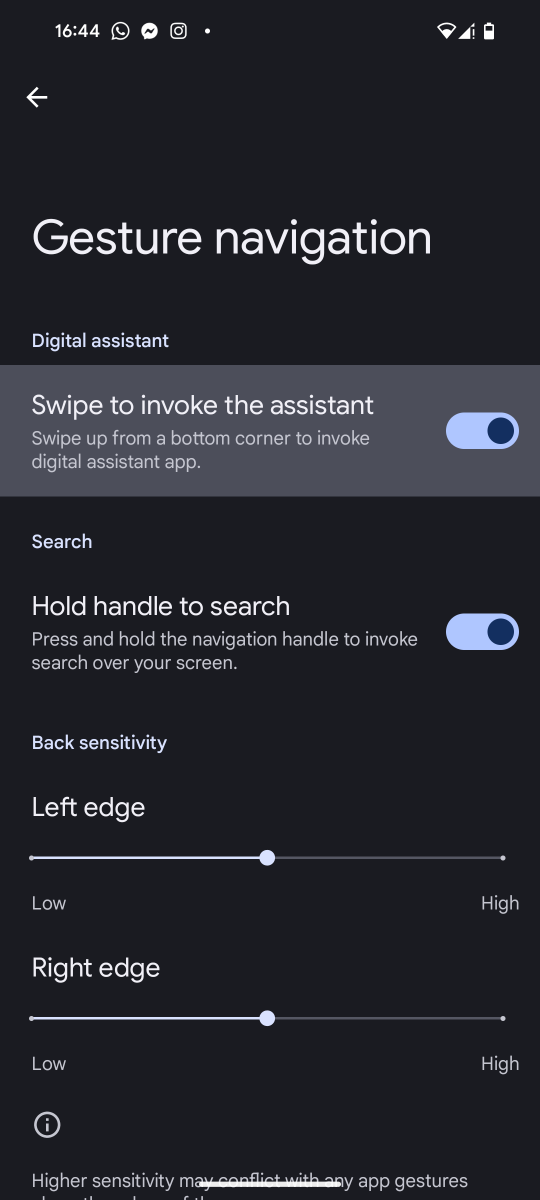
Make sure ‘Hold handle to search is switched’ on in the settings (details below) then hold the gesture bar or home button, tap ‘try circle to search’ if it’s the first time, and then circle the part of the screen you want to search.
It could be an image of some food you want to find out about, a landmark you want to visit, or an item of clothing you want to buy to name just three examples.
Settings > Display > Navigation mode > Cog wheel > Hold handle to search
Smooth display
Although it’s great that Google has bumped the Pixel 8a’s display to 120Hz, making it the highest refresh rate on an a-series phone to date, this feature is switched off!
Google is likely trying to save battery but with the device able to automatically switch between 60- and 120Hz when needed means you should switch it on for a slicker experience.
Settings > Display > Smooth display
Quick Tap
This brilliant feature is switched off by default and I’ve no idea why. Quick Tap actions let you tap the back of the phone twice with your finger to perform a customisable action including taking a screenshot, play/pause media, toggle the torch or even open an app of your choice. You can even choose for it to need stronger taps to register if you’re setting it off by accident.
Settings > System > Gestures > Quick tap to start actions
Swipe or press for Google Assistant
It’s no secret that Google has changed the microphone on the search bar, so it no longer summons the Google Assistant. I loved that and not everyone enjoys saying “Hey Google” to their phone, partly as it can set off various other devices around the home.
Well, on your Pixel 8a you can get the Google Assistant’s attention in a couple of convenient ways. Either by holding down the power button or swiping in from the bottom corners of the screen but make sure they are switched on.
Settings > System > Gestures > Press and hold power buttons
Settings > System > Navigation mode > Cog wheel > Swipe to invoke the assistant
Notification snoozing
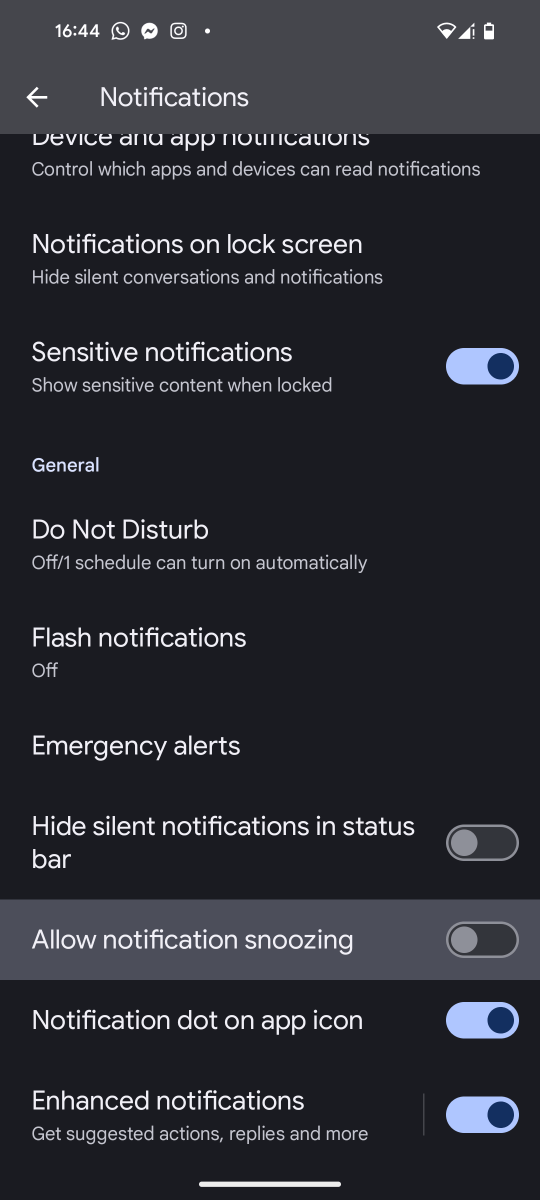
If you’re like me, you like to keep the notification panel clear but what if you get one you want to action later but you don’t want to swipe it away and risk forgetting about it. Well, you can snooze individual notifications for different lengths of time so they come back an appropriate time.
Settings > Notifications > Allow notification snoozing
Adaptive alert vibration
When your phone rings while on a flat surface, like your desk, the vibration is a noisy suprise but it doesn’t need to be like this.
Switch on adaptive alert vibration and the 8a will reduce the vibration strength when your phone is facing up and sill.
Settings > Sound and vibration > Vibration and haptics > Adaptive alert vibration
Quick phrases
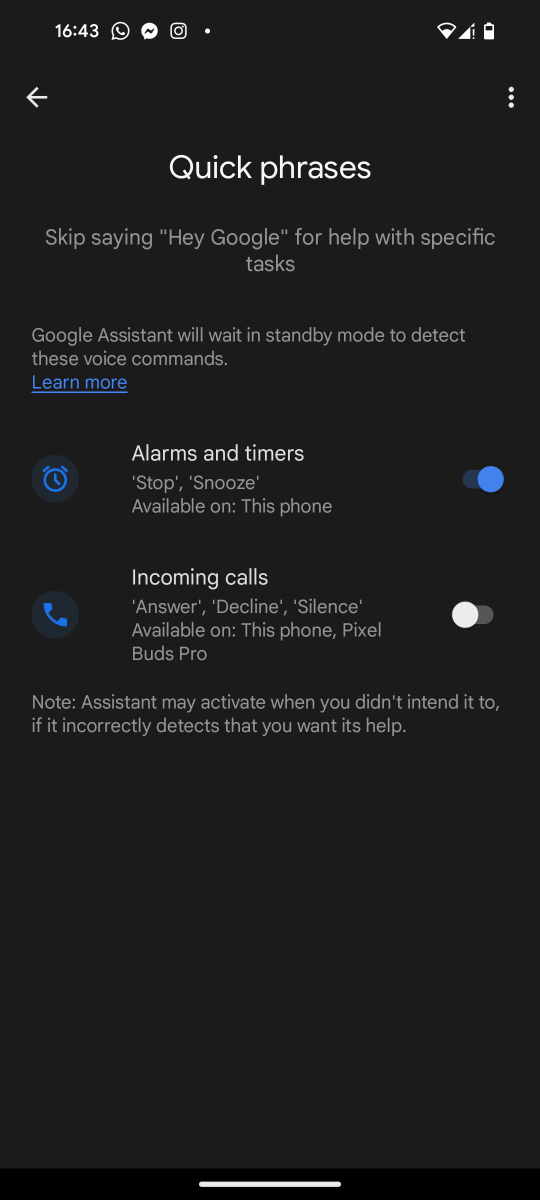
You might not even realise that you can speak to your phone to stop or snooze alarms and timers (with those keywords) but you can also use quick phrases for incoming phone calls.
This makes it super easy to respond to a phone call when your hands are tied up – perhaps you are making dinner. Respond using your voice with “Answer”, “Decline”, or “Silence”.
Settings > Google > Settings for Google apps > Search, Assistant and Voice > Google Assistant > Quick phrases
Now Playing
This isn’t a new feature and Google does ask you about it during the setup process but it’s easy to miss and one of my favourite Pixel features of all time.
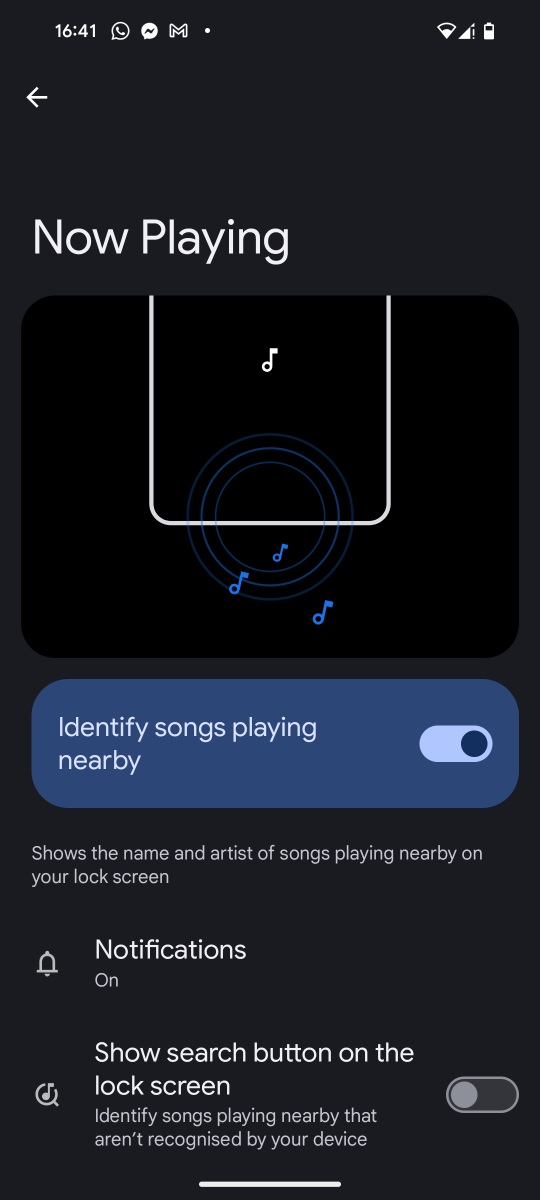
Now Playing is like having Shazam on your lock screen as the Pixel 8a can identify music playing nearby and display both the artist and track name at the bottom of the screen.
You can also see your Now Playing history to see all the songs that the phone has heard recently, meaning you can go back to try and find a particular one. You can even tap on the heart icon next to each one to create a list of favourites.
Settings > Sound and vibration > Now Playing
Related reading:

/origin-imgresizer.eurosport.com/2023/09/30/3794815-77186228-2560-1440.jpg?w=150&resize=150,150&ssl=1)


