




Samsung’s upcoming software update is generating a lot of buzz, with leaks and rumours that promise significant changes and new features.
The official beta is just starting to reach the first users, who can already test some of the latest features.
But when will the full version of the One UI 7 be released and what exactly will it offer?
Here’s everything you need to know.

When will my Galaxy get One UI 7?
At Samsung’s latest developer conference, the brand confirmed that the final version of One UI 7, including the Android 15 update, is expected to debut alongside the Galaxy S25 series in January or February 2025.
Following the initial release, the update should gradually roll out to other devices, including the Galaxy S24 series, the Galaxy S23 series and other recent models, throughout the remainder of the year.

Dominik Tomaszewski / Foundry
Recently, Samsung announced the One UI 7 Beta on 5 December 2024 for Galaxy S24 series users, and one report from the Community pages unveiled a roadmap that outlined three beta releases before the end of 2024.
The first beta was launched in India on 16 December 2024, while other participating countries, including Germany, Korea, Poland, the United Kingdom, and the United States, received their second release that day.
The roadmap reveals plans for subsequent versions to be rolled out on 23 December and 30 December.
Which version of Android is One UI 7?
One UI 7 is based on Android 15, which itself is shaping up to be a substantial update.
Android 15 has brought a host of new features and improvements, and Samsung’s One UI 7 will build on these with its own suite of enhancements and customisations.
What new features will One UI 7 have?
Second beta release
The second beta introduced new AI-powered tools, simplified controls, a preview of future AI-driven ecosystems and more.
Enhanced AI features
One UI 7 includes updates to Galaxy’s AI features, aiming to make everyday tasks more straightforward.
The new writing assist tools, integrated into the operating system, enable users to select, summarise, and format texts directly within apps, removing the need to switch between different programmes.
These tools also provide features for checking spelling and grammar and converting text into bullet points.
Elsewhere, the update enhances call functionality by introducing automatic call transcription in twenty languages. When call recording is enabled, the system transcribes the calls for future reference, reducing the need for manual note-taking.
Design changes
One UI 7 introduces a redesigned interface to give users greater control over their devices.
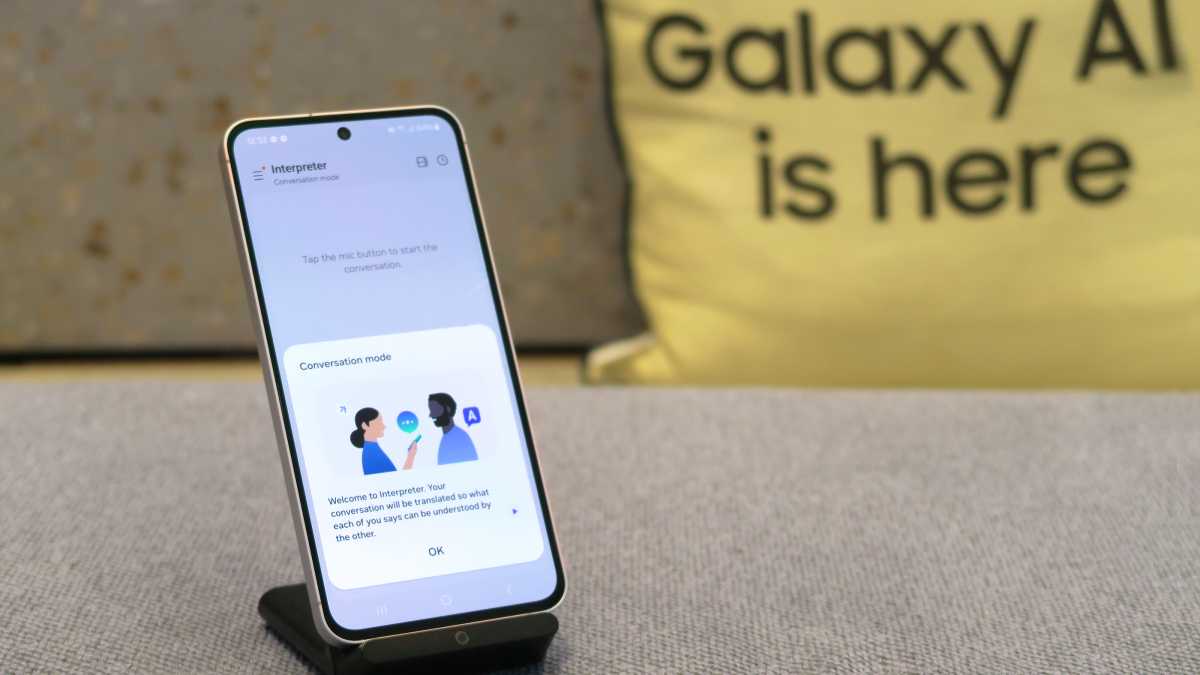
A new notification system called the ‘Now Bar’ offers quick access to essential activities such as Interpreter, Music, Recording, and Stopwatch, directly from the lock screen.
This reduces the need to unlock the device frequently and allows users to interact with key features more easily.
What’s more, the home screen, widgets, and lock screen have been redesigned to make customisation more accessible. The interface eliminates unnecessary visual elements, creating a cleaner and more functional layout.
Camera improvements
The camera interface has been reorganised to make it easier for users to access and adjust settings as well.
Buttons and controls are more intuitively placed, providing a clearer preview of photos and videos.
Additionally, Pro and Pro Video modes now feature simplified manual settings and a new zoom control, which allows users to adjust zoom speed for smoother transitions during video recording.
This is all that’s currently available, but the full version of One UI 7 is sure to bring even more improvements and new features. Below you will find all the latest leaks and rumours on what to expect.
Gaming Motion Smoothness
The update also features a notable change in refresh rate options for gaming. Previously, users could limit the frame rate to 48Hz to conserve power. In the updated version, the choices are now restricted to either 60Hz or 120Hz.
This new setting, referred to as ‘Gaming Motion Smoothness,’ is located in the Gaming Hub or Game Booster app. Samsung clarifies that the feature does not override a game’s native refresh rate setting, and games capped at 60Hz will not operate at 120Hz even if the higher option is selected.
Additionally, the Game Booster app now allows individual games to have tailored performance settings, enabling users to adjust factors such as maximum frame rate, resolution, and the overall optimisation level separately for each title.
System-level HDR content shut-off toggle
What’s more, it introduces a new feature allowing users to prevent the display from automatically adjusting to show HDR content system-wide on their Galaxy devices (via Android Authority).
This feature, accessible through the ‘Super HDR’ toggle in the ‘Advanced Features’ section of the Settings app, ensures a consistent screen brightness by preventing the display from showing the full range of colours and contrast in HDR content.
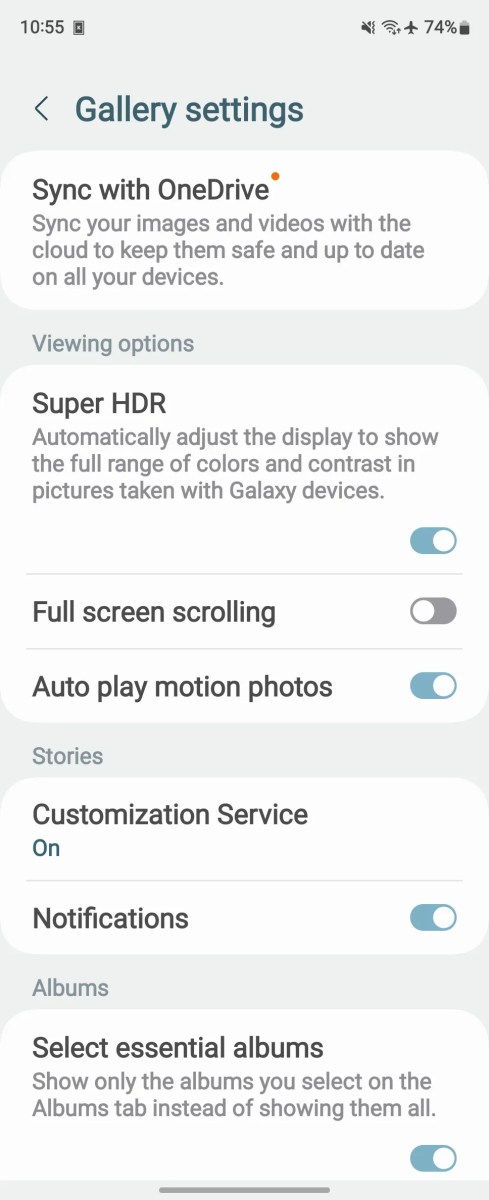
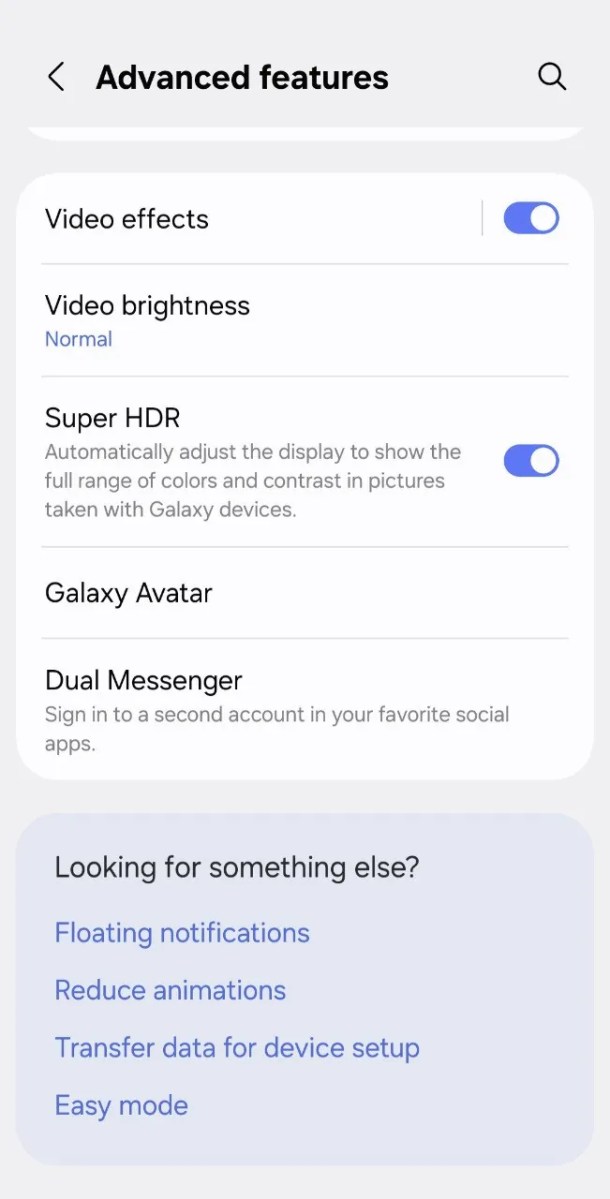
This can be particularly useful for avoiding sudden bright flashes from apps like Instagram or YouTube.
The Super HDR toggle utilises Google’s Ultra HDR format, enabling it to work with third-party apps and HDR content created on non-Samsung devices.
Leaks and rumours
Leaker Chun Bhai, as reported by SmartPrix, and Ice Universe have both shared details about what to expect from One UI 7.
A changelog shared on Weibo highlights various enhancements and visual updates.
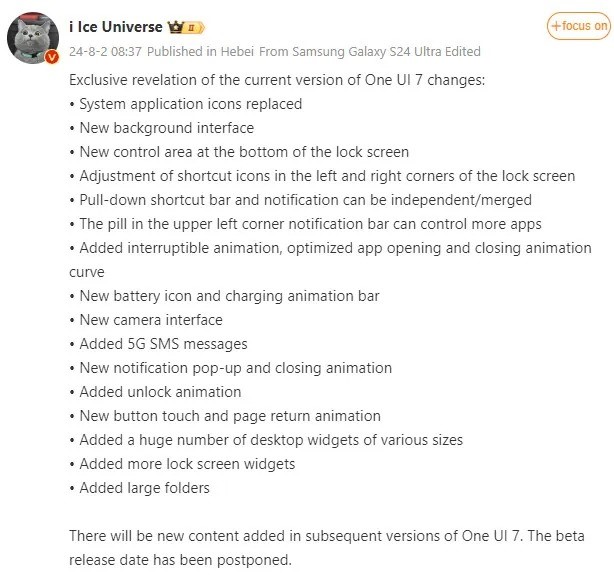
Additionally, Samsung Spain accidentally published information about One UI 7 on its website, which was quickly removed.
However, leaker Chunvn8888 on X captured the details, revealing updates to the Galaxy AI suite, a refreshed UI design, and the announcement that some AI features will require payment in the future.
Foundry | Alex Walker-Todd
Video previews provide further insights. These videos showcase refined animations, redesigned icons, and new ‘Live Activities’ notifications on the lock screen, which are reminiscent of iOS features.
One such video, highlighted by Android Authority, also showcases the impressive capabilities of a ‘Sketch to Image’ tool. Mobile Wala Bhai’s YouTube video offers a closer look at these updates, highlighting the new design elements on the Galaxy S24 Ultra.
Galaxy AI will be free until 2025
According to a leaked One UI 7 landing page from Samsung Spain, as reported by Android Headlines, Galaxy AI features will remain free for users until the end of 2025.
After this period, users might need to pay to access these advanced AI-powered features, although the pricing details have not yet been disclosed.
Removing ambient sounds during video recording
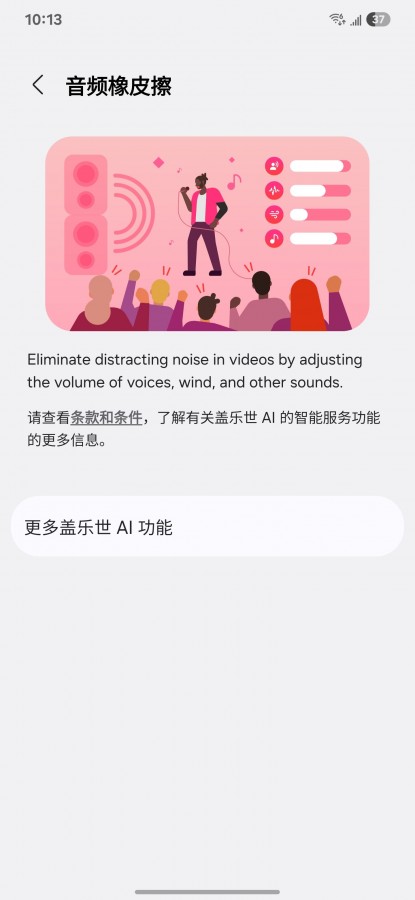
According Ice Universe on Weibo, the upcoming One UI 7.1 update is set to include an exciting new feature called the ‘AI Audio Eraser,’ which sounds very similar to Pixel’s ‘Audio Eraser’ feature.
This feature is reportedly designed to enhance audio quality in videos by eliminating unwanted sounds and allowing users to adjust the volume of voices or other audio elements.
Ice Universe / Weibo
A shared screenshot offers insight into the AI Audio Eraser’s capabilities. For example, it enables users to amplify voices in videos recorded in noisy environments, such as on a windy street, while reducing ambient sounds from moving air and traffic.
The AI also identifies common background noises, giving users the option to adjust their volume individually.
New icons and interface changes
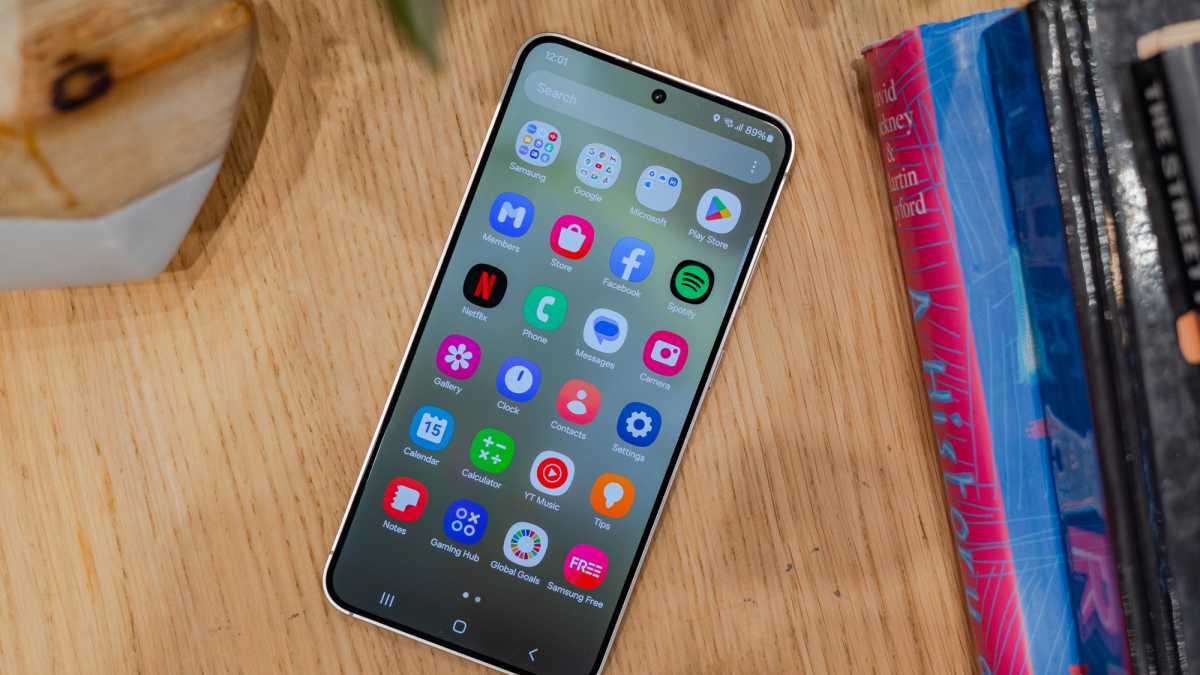
One UI 7 will introduce redesigned app icons with a modern and unified aesthetic. Additionally, several interface elements will receive functional and visual improvements.
The lock screen and home screen are expected to offer more customisation options and a cleaner overall design.
Dominik Tomaszewski / Foundry
Early beta leaks, as reported by SamMobile, faced criticism for the unusual design of stock app icons, especially for core apps like Camera, Contacts, and Samsung Notes.
However, Samsung appears to have addressed this feedback. Known leaker Ice Universe has reported that the latest internal version of One UI 7 includes significantly improved icons for these apps.
Other interface updates include revamped animations, a redesigned battery icon, a new charging animation, and a two-page layout for the Quick Panel.
Notifications are now larger, with rounded corners and circular icons, while the app drawer’s search bar has been moved to the bottom for easier one-handed access.
Lock screen redesign
Screenshots shared by Tarun Vats on X reveal a reimagined lock screen interface that emphasises customisation.
Users will be able to add pill-shaped widgets for features such as weather updates and battery statuses of connected devices, including Galaxy Watches.
These widgets are dynamic and adapt their functionality to the task being performed, aligning with the broader ‘Live Activities’ UI concept reported by SamMobile.
Clock customisation is another highlight of the lock screen redesign. Users can personalise the clock’s colors, font styles, and sizes to match their preferences, showcasing Samsung’s commitment to creating a flexible user experience.
Updated apps
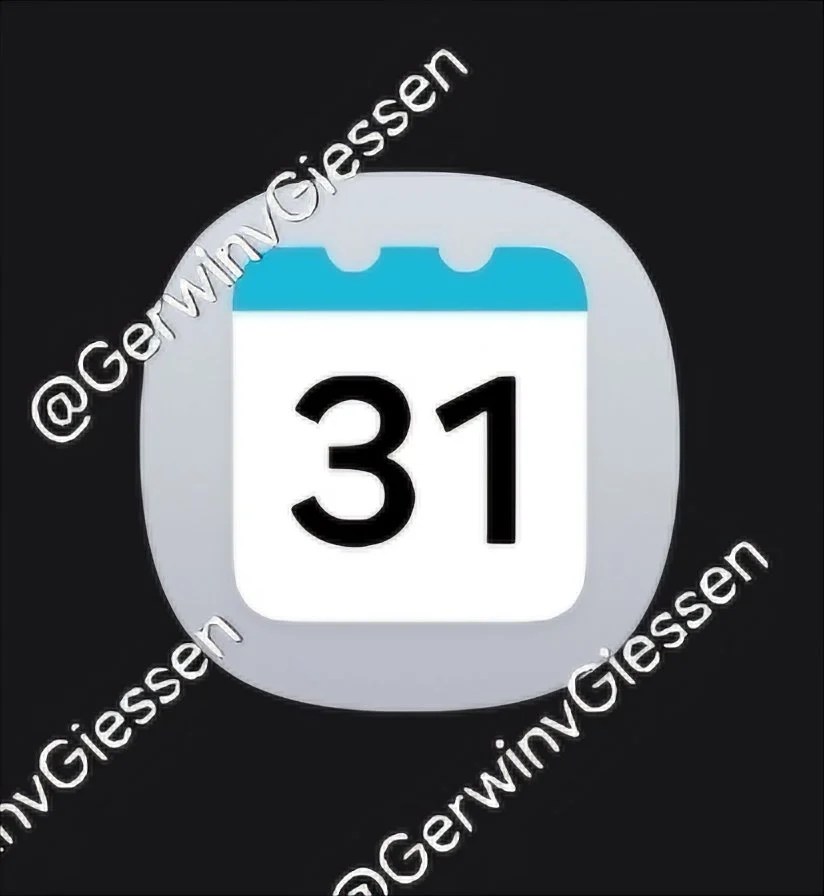
Screenshots of various Samsung apps have leaked online, thanks to Gerwin van Giessen on X. These images reveal updates to core apps including Samsung Reminder, Calendar, Voice Recorder, and Calculator.
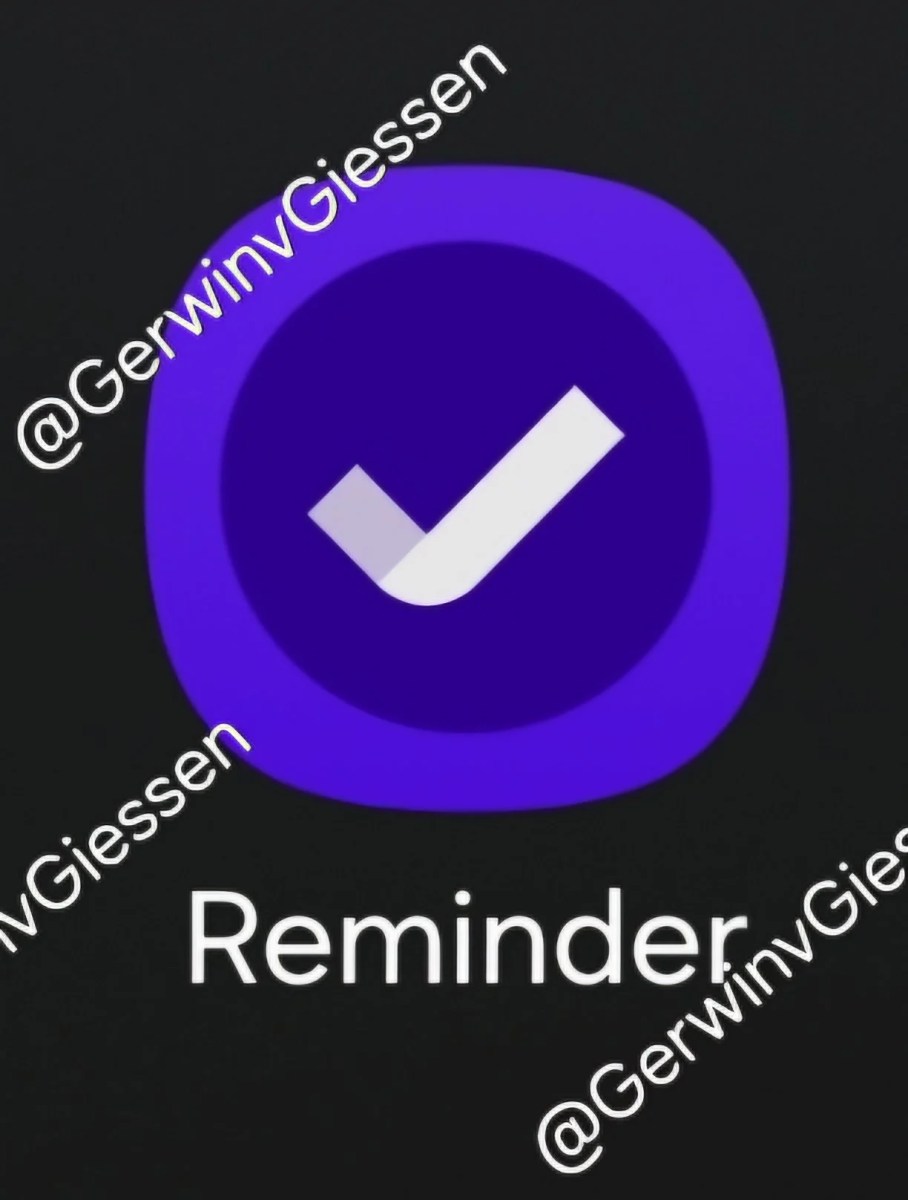
The Samsung Reminder app is already available for download from APKMirror website and reportedly works well on devices such as the Galaxy S24 Ultra and Galaxy Z Fold 6, according to SamMobile.
The Calendar app has seen significant updates, including customisable widgets with adjustable backgrounds and shapes. New colour options for full-screen alarms and event reminders also enhance the app’s visual appeal.
The Voice Recorder app has been redesigned with a cleaner layout, featuring the time and date on the left side and a play button on the right for recordings.
Similarly, the Clock app now offers universal alarm volume control and the ability to organise alarms into groups, making it easier to manage multiple alarms for different purposes.
App Lock and security enhancements
One UI 7 introduces a new ‘App Lock’ feature, allowing users to secure individual apps with a separate passcode or biometric authentication.
This addition enhances security by providing an extra layer of protection for sensitive apps and data.
Enhanced notification system
The notification system in One UI 7 sees significant upgrades, including the introduction of ‘Continuity Notifications.’
This feature ensures seamless synchronisation of notifications across connected Samsung devices, creating a more integrated and user-friendly experience.
Improved multitasking
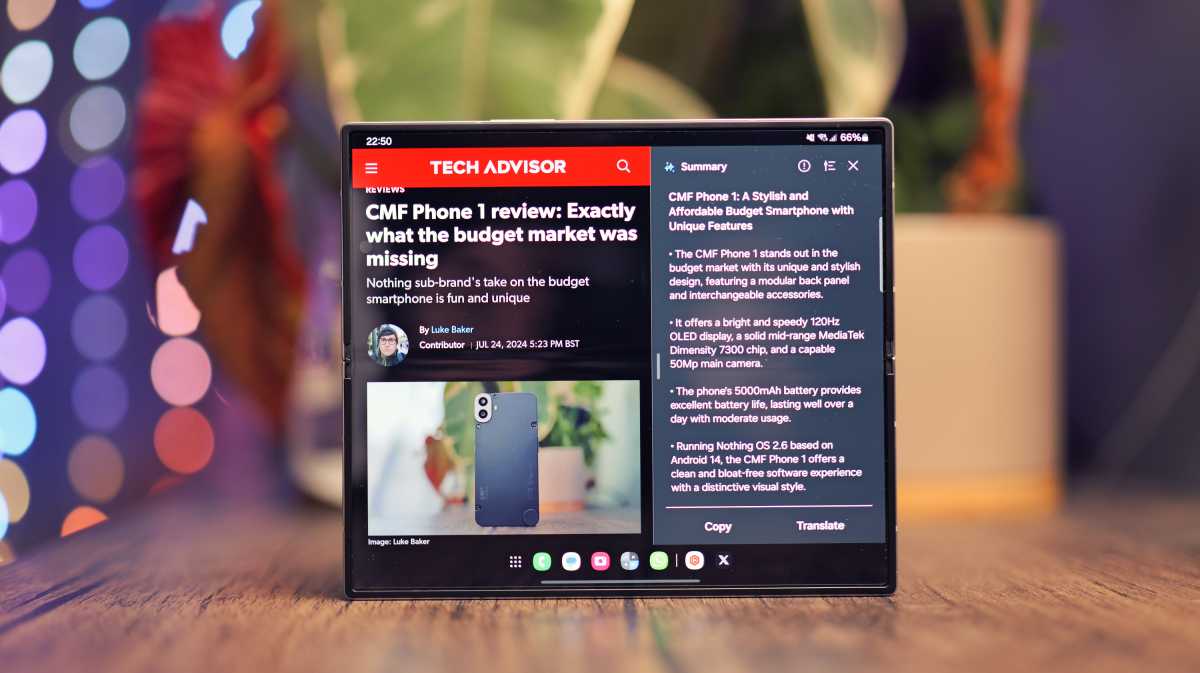
Samsung continues to enhance multitasking capabilities with One UI 7. The update improves support for split-screen and multi-window modes, making it easier to use multiple apps simultaneously.
Luke Baker
These improvements are particularly beneficial for foldable devices like the Galaxy Z Fold 6.
A revamped taskbar allows quicker access to frequently used apps and functions, streamlining multitasking further.
Dynamic Island-like feature
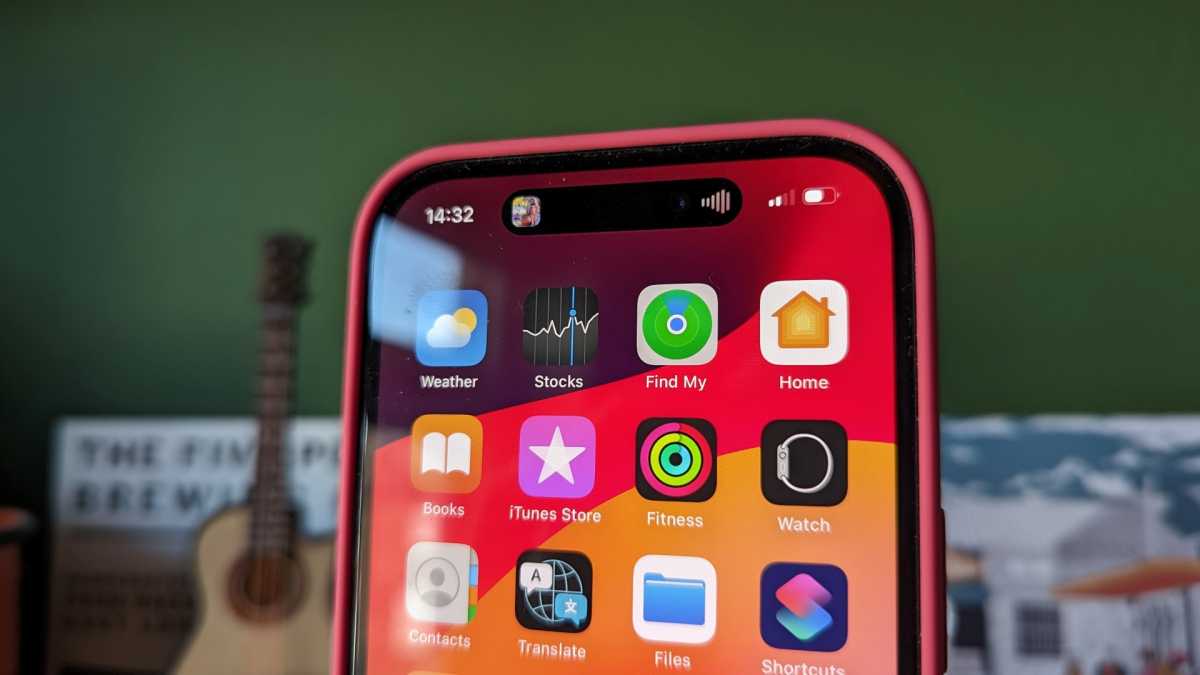
One of the standout additions to One UI 7 is a feature similar to Apple’s Dynamic Island.
Chris Martin / Foundry
This new feature provides a dynamic and interactive area on the screen that offers contextual information and shortcuts, enhancing the overall user experience.
The settings menu in One UI 7 has been redesigned to be more intuitive and easier to navigate.
It features a cleaner layout and improved search functionality, making key settings more accessible. The menu also offers more personalised options based on user behavior.
Camera improvements
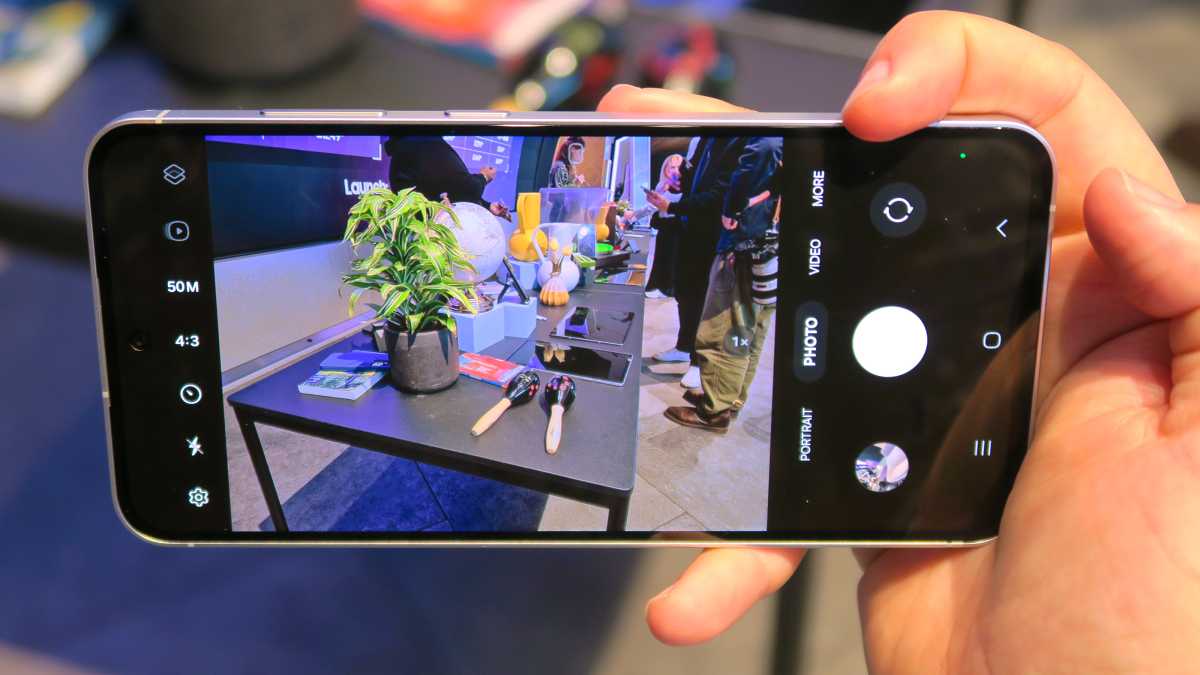
The Camera and Gallery apps are also receiving updates. The Camera app now places all controls at the bottom for easier one-handed use, reflecting a user-friendly approach.
Foundry | Alex Walker-Todd
The Gallery app will include new photo and video editing tools, enhanced organisation features, and improved options for sharing and storing media.
Accessibility features
Samsung is focusing on making its devices more accessible with One UI 7.
New features are expected to cater to users with disabilities, including enhanced voice control, improved screen reader capabilities, and more customisable accessibility settings.
Overall, One UI 7 looks to be a significant step forward for the software you can find on Samsung’s Galaxy phones. We will update this article when we learn something new.


