




Expert’s Rating
Pros
- Fun retro design
- Undercuts the competition
- Cheaper running costs than rivals
Cons
- Mixed image quality
- No option to preview images in the app
- No selfie mirror
Our Verdict
The Kodak Smile+ is one of the most versatile instant cameras from the brand that comes with an attractive price tag. That said, some competitors offer better-quality prints.
Instant cameras are most associated with being classic vintage items, but these days they’re a great gift for people who want physical, candid copies of memories.
Kodak has been in this space for a little while now, and the Smile+ is the latest camera from the brand. Like previous models, it’s a Zink camera, which produces inkless prints. However, it also doubles as a portable printer, adding more versatility.

Design & Build
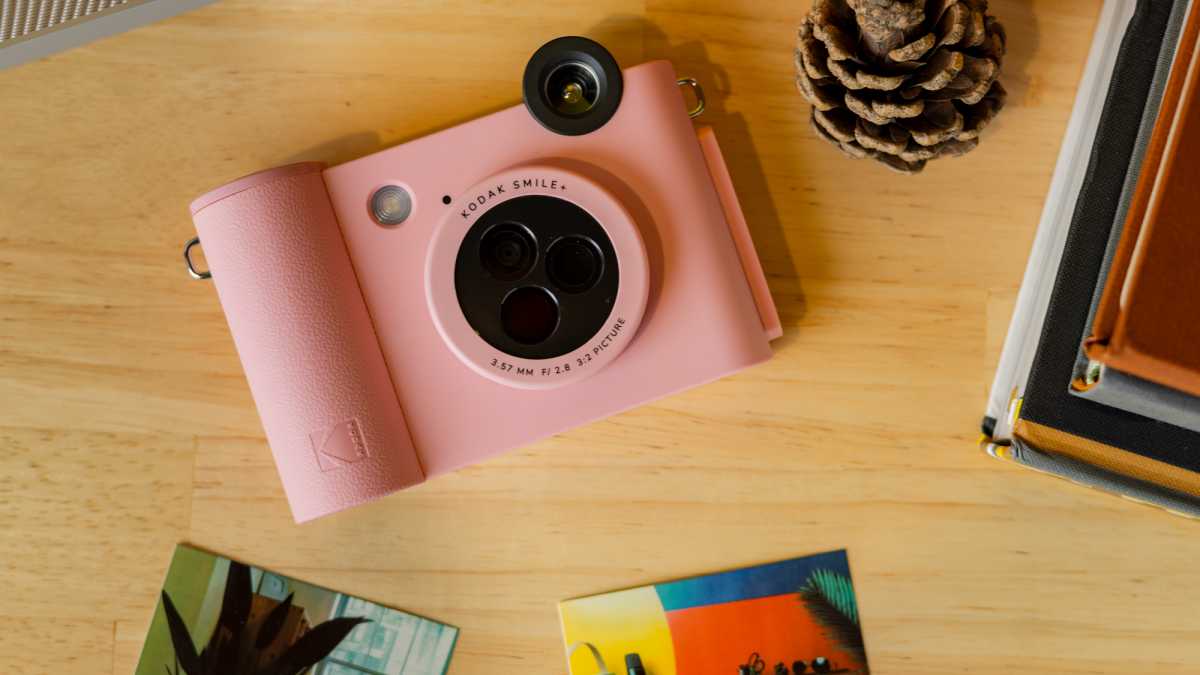
The Smile+ comes in a wide range of colours. The one pictured is the pink option, but you can also get it in white, black, green, blue and fuchsia.
Dominik Tomaszewski / Foundry
Dominik Tomaszewski / Foundry
Dominik Tomaszewski / Foundry
Unlike the Step Instant Camera, the Smile+ has a robust and chunky plastic build, but it’s still quite light. It’s reminiscent of old-school digital cameras and has a slight toy feel that reminds me of the Instax Mini line. It can still fit in a small bag, but it’s probably too big to slip into a tight jeans pocket.
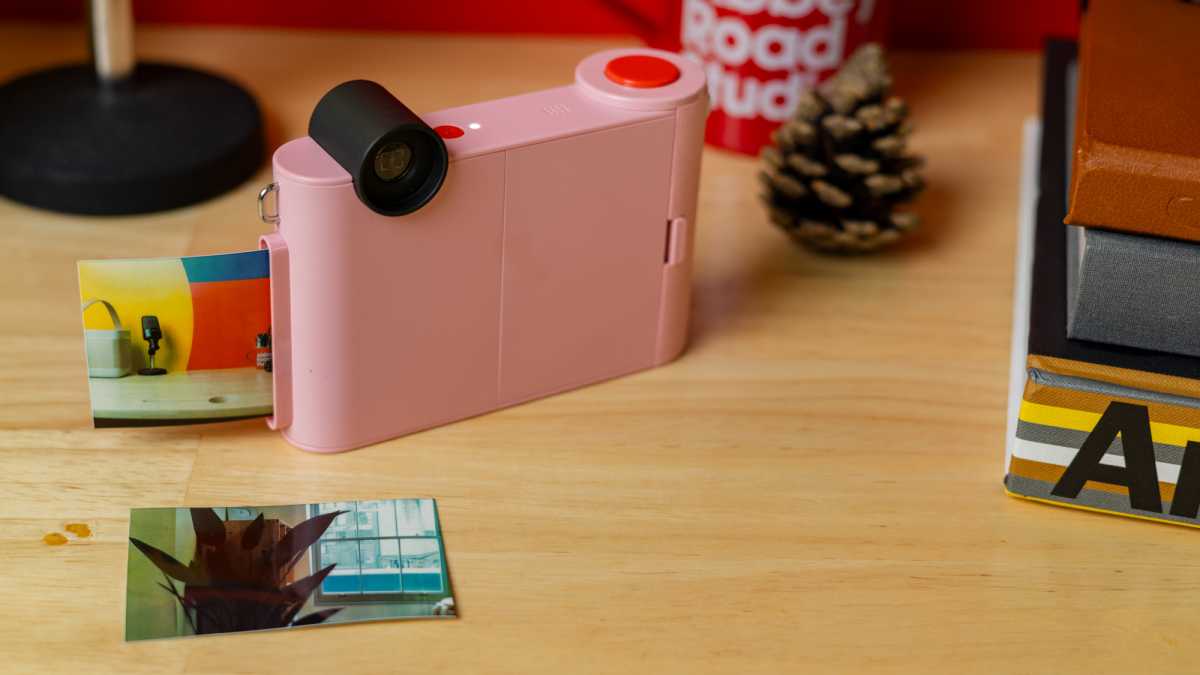
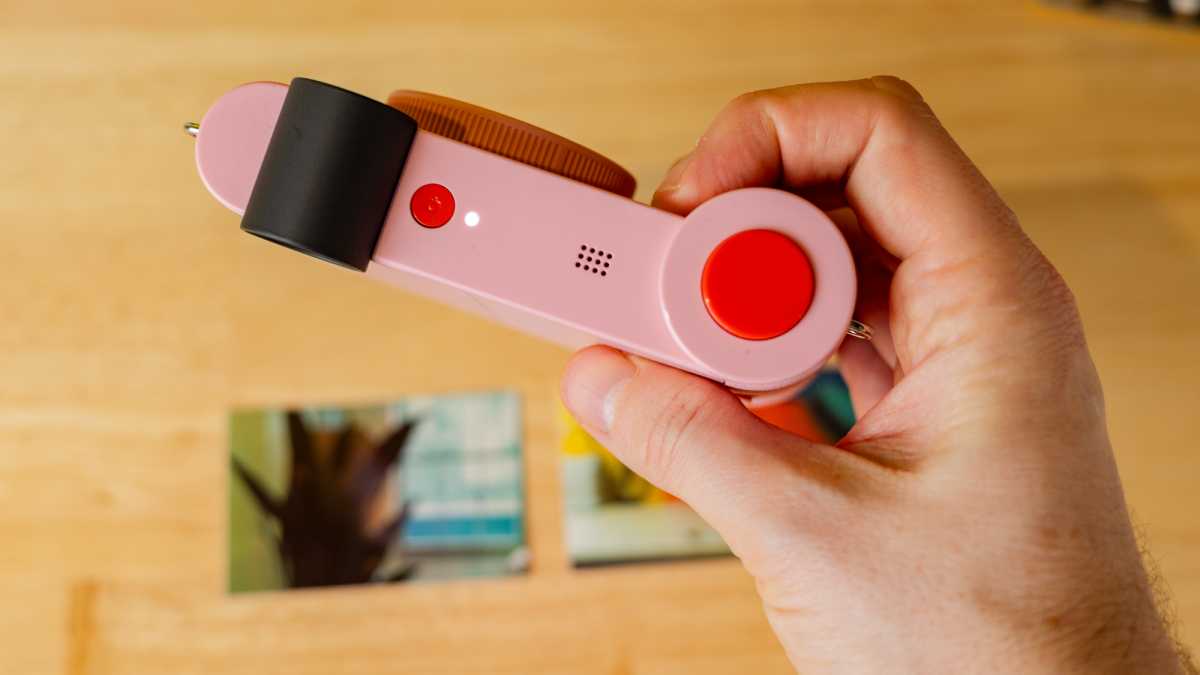
On the top, there’s the power button and the shutter button. The speaker sits on the top (mainly for sound effects when shooting), along with a big viewfinder. On either side are two hooks which you can use for hand straps, though oddly no such thing is included in the box.
As a point-and-shoot camera, it’s quite simple to use, making it an ideal gift for children
The round 5Mp lens dominates the front of the camera and can be twisted to change to one of three filters: standard, retro and star. As this is a manual camera, you can’t see the impact of this effect in the viewfinder, which is a little annoying.
The constant-firing flash is positioned just above the lens. Sadly, no selfie mirror is included for front-facing pictures.
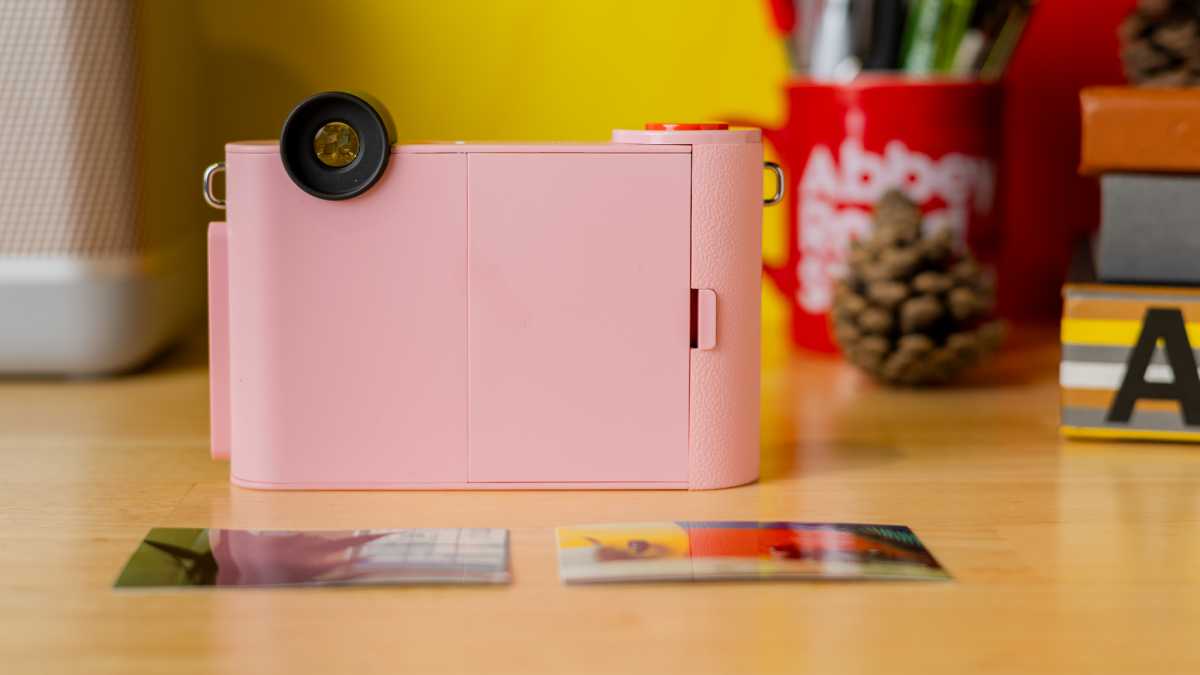
You can load prints at the back of your Smile+ camera – one pack of five prints comes included in the box as standard. Images come out of the side of the device, and it takes around a minute to print from clicking the shutter button. As a point-and-shoot camera, it’s quite simple to use, making it an ideal gift for children.
The bottom of the camera includes a microSD card slot. If you insert one, it will store images even if you run out of physical prints, which is a nice touch.
Dominik Tomaszewski / Foundry
Dominik Tomaszewski / Foundry
Dominik Tomaszewski / Foundry
Features & Image Quality
The images printed on the Kodak Smile+ are in keeping with other Zink devices Tech Advisor has reviewed: very hit-and-miss.
At 2×3-inches, Zink prints are around the size of a credit card, so quite small. The images take up the whole of the paper, rather than having the white border that you’ll find on some rival prints.
Photos taken in decent lighting conditions are sufficient, especially if you have bold colours such as pops of red in the shot. I found the retro filter useful on duller days, as it lifted tones such as pink blossom to a warmer hue. The star filter gives a sunburst effect to any bright lights included in a picture.
However, the images often have issues with colour banding and losing detail, with many lines becoming fuzzy and shadows dominating the pictures. Instax prints are noticeably superior in terms of clarity, glossiness and contrast.

Dominik Tomaszewski / Foundry
Dominik Tomaszewski / Foundry
Dominik Tomaszewski / Foundry
Like the Step, this camera also struggles with exposure. I had numerous instances where I got either a fully white or black sheet when I was in either a too-bright or too-dark environment. Using this camera at night is a fruitless exercise.
I should also note that the first model I tested was defective. Kodak was quick to replace this, and I’ve had no issues with the new model since.
One advantage the Smile+ has over previous Kodak models is its camera-printer hybrid build. You can download the official app on iOS and Android to print physical images of snaps taken on your smartphone. There’s support for your camera library, screenshots and ones you’ve uploaded to social media apps such as Instagram.
…images often have issues with colour banding and losing detail
Whilst the quality of these images doesn’t match up to what you’ll see on your screen, colours are more dynamic than the instant prints. However, again it must be emphasised that the quality of these images just can’t capture the same level of depth as Instax or Polaroid prints.
Zink prints have adhesive backs that peel off, so you can stick your images on scrapbooks, boards and surfaces. This is something that may appeal to younger photographers.
The app includes a dedicated camera mode, so you can snap images on your phone in the correct aspect ratio. You can also edit these photos and any other snaps you plan to print from your phone’s library through cropping, adding filters and frames.

Hannah Cowton / Foundry
Hannah Cowton / Foundry
Hannah Cowton / Foundry
Whilst simple to use, there could be some tweaks made to make the app more user-friendly. For example, you can’t edit or reorganise the folders on the home screen. That means that if you choose not to link a social account such as Facebook, it will just appear as a big ugly icon that takes up room.
Whenever you press the shutter button, images print instantly. That means if you do get a dud shot, you won’t know until afterwards which could result in some wasted prints. Considering you can print photos from your smartphone, it’s a shame that you don’t have the option to view your results in the app before you decide to print a sheet taken directly on the camera.
The Kodak Smile+ uses a lithium-ion battery pack. You can see how much juice is left in the app, so you know when you’re nearing your limit. Plus, you can also set shut-off timers for the camera if you’re worried about accidentally leaving it on and depleting the battery.
In the box, there’s a small USB cable. No charging brick is included, but I used the one for my phone and it worked just fine.
Dominik Tomaszewski / Foundry
Dominik Tomaszewski / Foundry
Dominik Tomaszewski / Foundry
Price & Availability
The Kodak Smile+ costs £119.99/$99.99. In the UK, you can get it from Kodak and Amazon, and in America, you can buy it from Kodak and Amazon as well.
The Kodak Smile+ has the benefit of being a portable printer as well, which makes it more appealing than the older Kodak Step. However, it still functions as an instant camera in that you can’t view images before they print as you can on a digital variant.
I’d recommend the Instax Mini LiPlay over this, or the Instax Mini Evo if your budget stretches far enough. Both have the option to examine your photos before printing, which is a huge win.
If the instant camera part of the product is what you’re looking for, then I’d instead recommend the Instax Mini 12 which comes in cheaper than Kodak’s camera and produces much higher quality prints, with fewer issues when it comes to lighting.
Dominik Tomaszewski / Foundry
Dominik Tomaszewski / Foundry
Dominik Tomaszewski / Foundry
The main advantage that the Smile+ has over these rivals is its cheaper running costs. Zink prints typically cost £17 for a pack of 20 in the UK and $10 for 10 prints in the US. Per sheet, they’re much more economical than both Instax and Polaroid prints.
For more options, check out our charts of the best instant cameras and the best portable printers.
Should you buy the Kodak Smile+?
The Kodak Smile+ sits at the cheaper end of the camera-printer hybrid space, so it may appeal to those on a budget. You can get some decent prints from your smartphone in the app, but the main instant camera doesn’t provide the same quality.
This has problems with exposure in environments that are too dark or light, and you may notice some colour banding and fuzziness on details that are commonplace amongst Zink prints.
If you’re not too precious about quality and just want the novelty of a hybrid instant camera, then this is simple to use and won’t break the bank. Plus, children may enjoy the sticky backs on the prints as they’re ideal for creative projects.
Specs
- 20 x 17.7 x 6cm
- 470g
- Twistable filter-changing lens
- Constant firing flash
- Approximate 1-minute shooting time
- Requires Zink sheets
- Film Size – 2x3in
- microSD card slot


