




BBC iPlayer is the streaming home of everything that airs on the BBC TV channels, and even more.
This on-demand streaming platform doesn’t require a subscription like Netflix does, but you can watch only if you pay a licence fee. Strangely enough, anyone can create a free iPlayer account without needing to prove you’ve paid for a licence – you just need a UK address.
For paid-up viewers, watching within the UK’s shores is a breeze. They can also download shows to watch offline anywhere in the world.
PROMOTION

Browse safely with a VPN & get 85% off
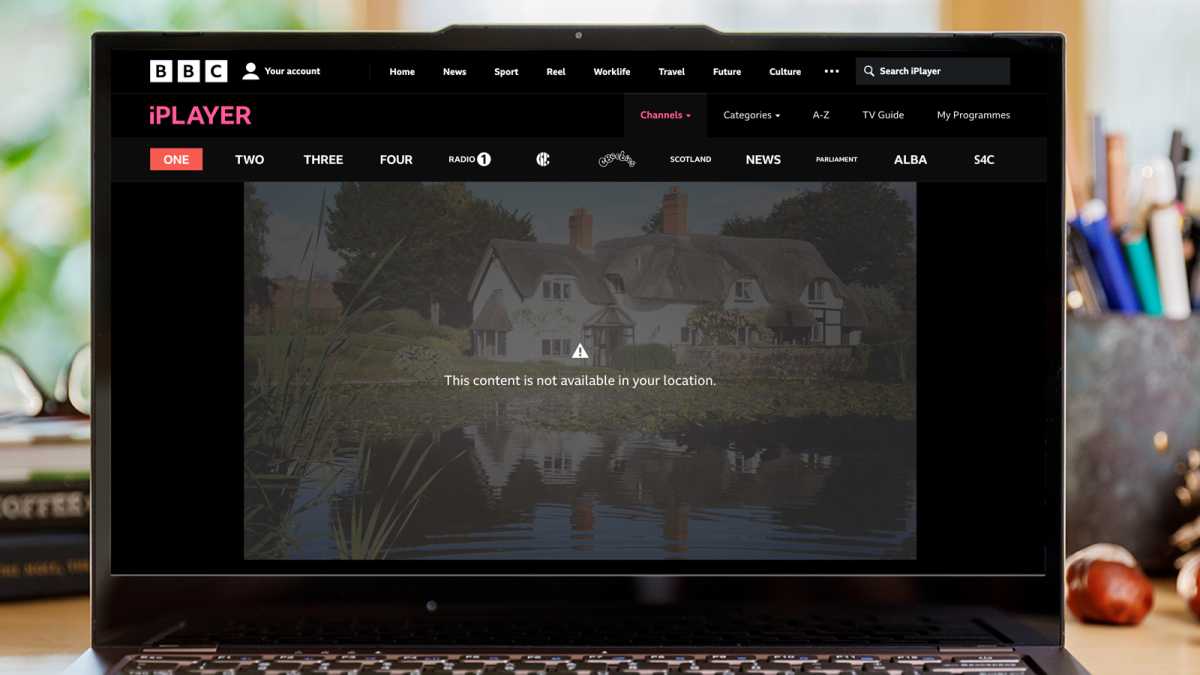
But if you’re abroad and want to watch Race Across the World, The Traitors or the Olympics, then you’ll find yourself faced with a message saying that you can’t. The short answer is, you need a VPN. Our top pick is NordVPN, but we’d recommend reading on for more information about using a VPN.
Dominik Tomaszewski / Foundry
Dominik Tomaszewski / Foundry
Dominik Tomaszewski / Foundry
The Beeb says the correct way to watch iPlayer content abroad is to “download a programme on BBC iPlayer when you’re in the UK, you can watch it anywhere in the world.”
That’s all well and good, but what if you’re abroad before the next episode of your favourite show is aired? You can’t download it, so you’ll have to wait until you return home.
Maybe the UK isn’t your home, but you still want to watch. We’re not going to get into the rights and wrongs: we’ll simply explain how you can do it if you so decide.
And the solution is simple: use a VPN.
For the uninitiated, a VPN is an app which routes your internet connection through a server somewhere on the internet before it goes to the website or service you want to use.
In this case, that server needs to be in the UK, and BBC iPlayer in the service. Using a VPN means your real location is hidden from the BBC, which sees that it’s streaming EastEnders to a viewer in the UK. In reality you could be in Australia, Spain or anywhere.
It’s important to know that steaming services, including the BBC, work hard to block VPNs. It doesn’t want people watching outside the UK, which is why the Beeb and VPN services play a cat-and-mouse game of blocking and evading those blocks.
Not all VPN apps will unblock iPlayer, which is why it’s a good idea to use one that has a good track record of being able to do so.
The bottom line is that if you want to watch from abroad, you need to install a VPN on your device (that could be a TV, Firestick, phone, laptop, tablet, Mac or PC), connect to a UK server. You may need to choose a specific server from the list that’s optimised for iPlayer.
Once connected, you then open the iPlayer app or website, sign in, and you can watch shows as if you were in the UK.
Which VPN services unblock iPlayer?
Lots of VPNs can unblock iPlayer. You can find out more in our guide to the best VPNs for iPlayer.
One VPN that has reliably unblocked BBC in the past (and still does) is NordVPN, which also tops our best VPN roundup.
It will unblock it if you use its apps for Windows, iPhone, Android and macOS, but you can also watch on an Android TV or using an Amazon Fire TV Stick as it also has apps for those too.
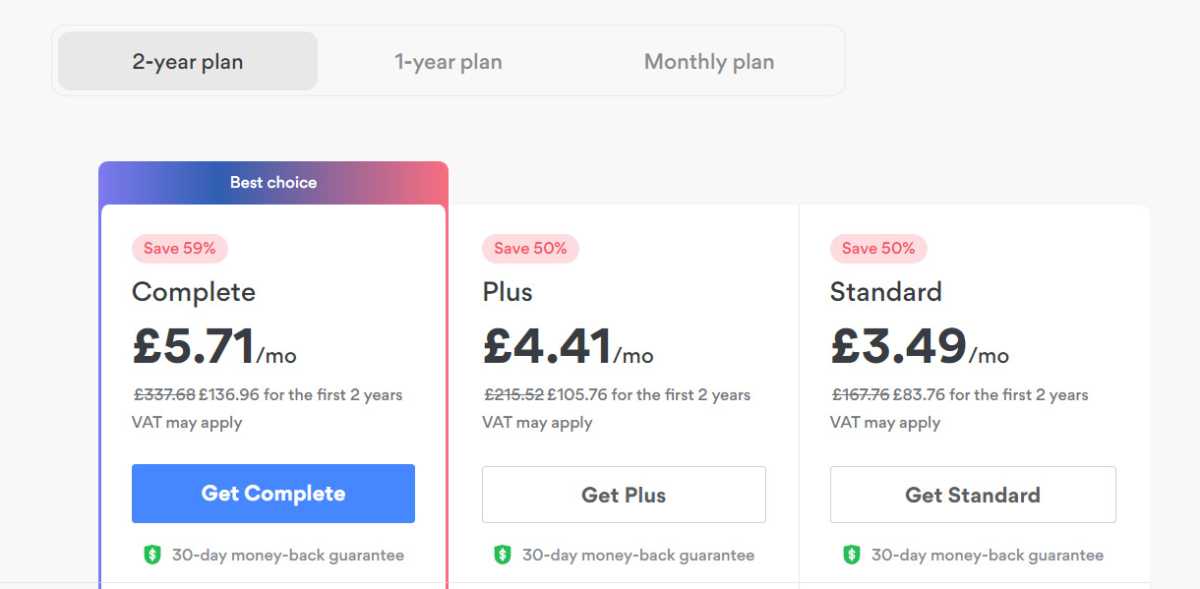
Whatever you’re using, the process is the same. First, go to NordVPN and sign up for the service. You can subscribe for one month at a time, but the best value is if you subscribe for two years. And NordVPN is useful for more than just iPlayer. To find out why, read what is a VPN and why would I want one.
Sign up for NordVPN
Jim Martin / Foundry
You can sign up here. By default, the Complete plan is selected, but if you only need the VPN, click on Get Standard. At the top, choose between a two-year, one-year and one-month plan.
Follow the prompts to create your account and pay.
Install the NordVPN app
Jim Martin / Foundry
If you’re using a phone or tablet, just head to its app store and search for NordVPN, then install it.
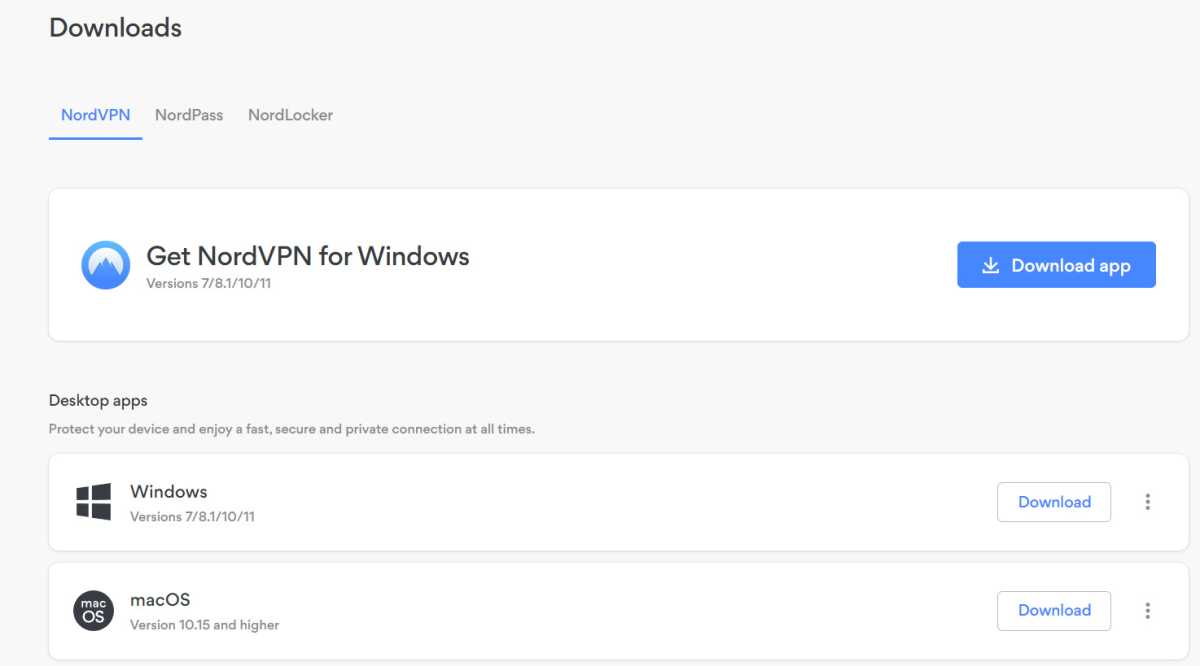
If you’re on Windows, then log into your NordVPN account in a web browser, go to the Downloads section and click Download app next to Get NordVPN for Windows. Run the downloaded file to install it.
Launch NordVPN
Jim Martin / Foundry
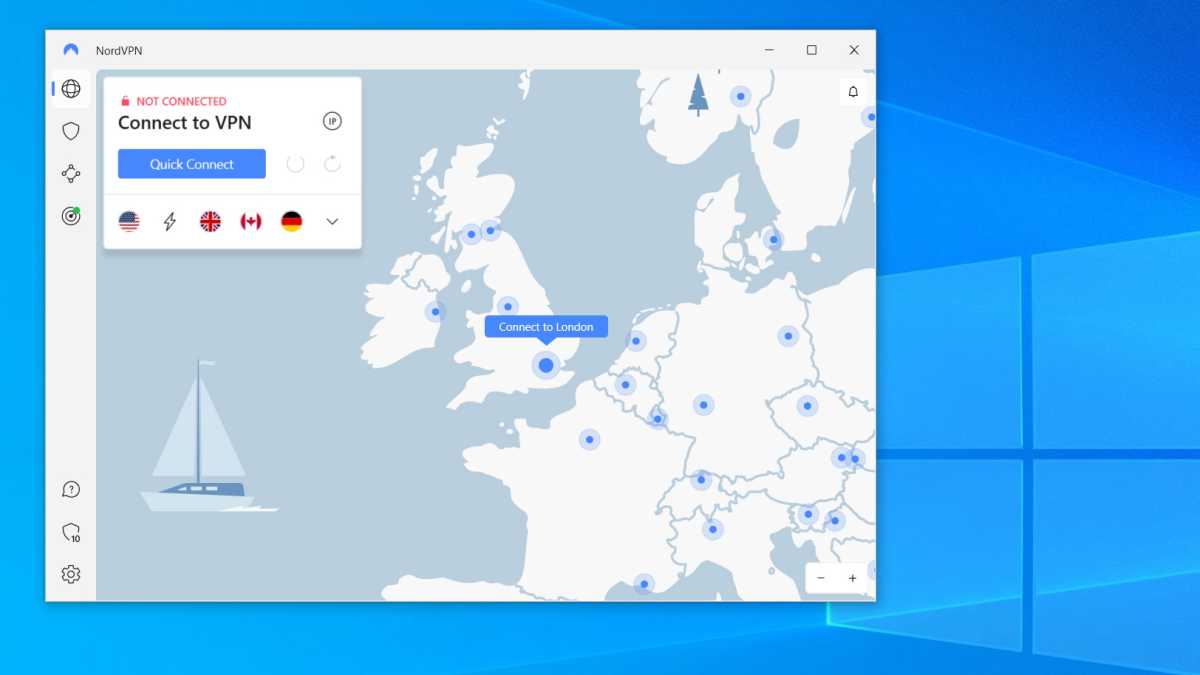
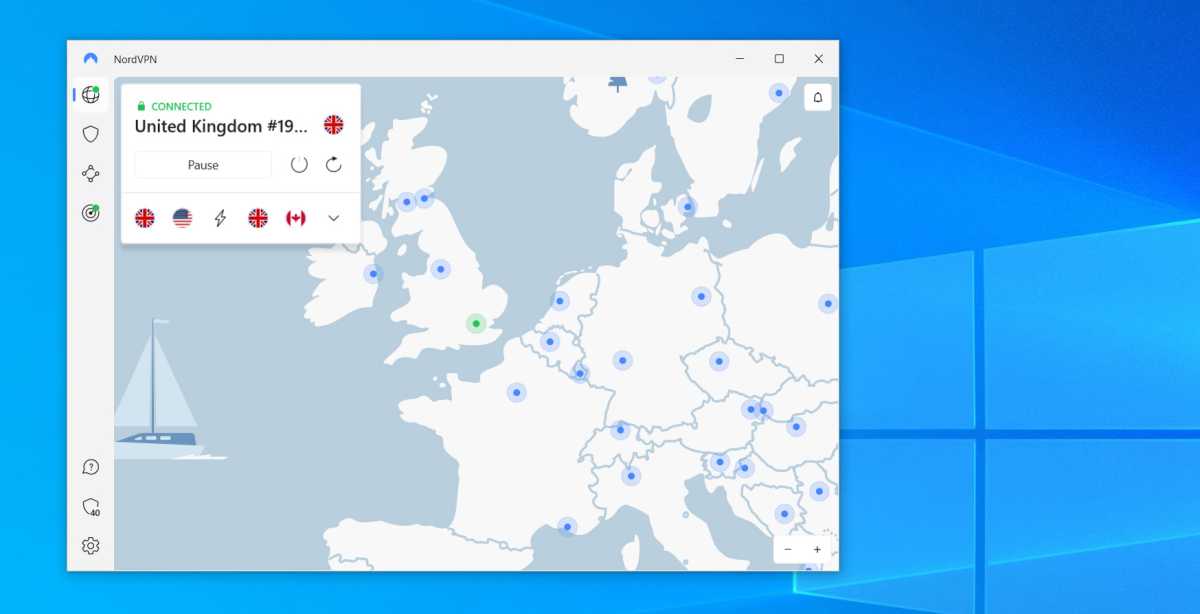
Launch the app, and sign in using the email address and password you entered when creating an account with NordVPN. On Windows you should see a screen like this, but other apps are very similar.
Either use the list of locations (the word icon at the top left) or scroll the map to the UK and tap on Connect to London. If prompted, allow NordVPN to set up a VPN connection. You might have to enter your Windows password or, on a mobile device, your passcode.
Wait until the VPN is connected
Jim Martin / Foundry
You should see a message to tell you the VPN is connected. You can see this with the green CONNECTED and a padlock above United Kingdom.
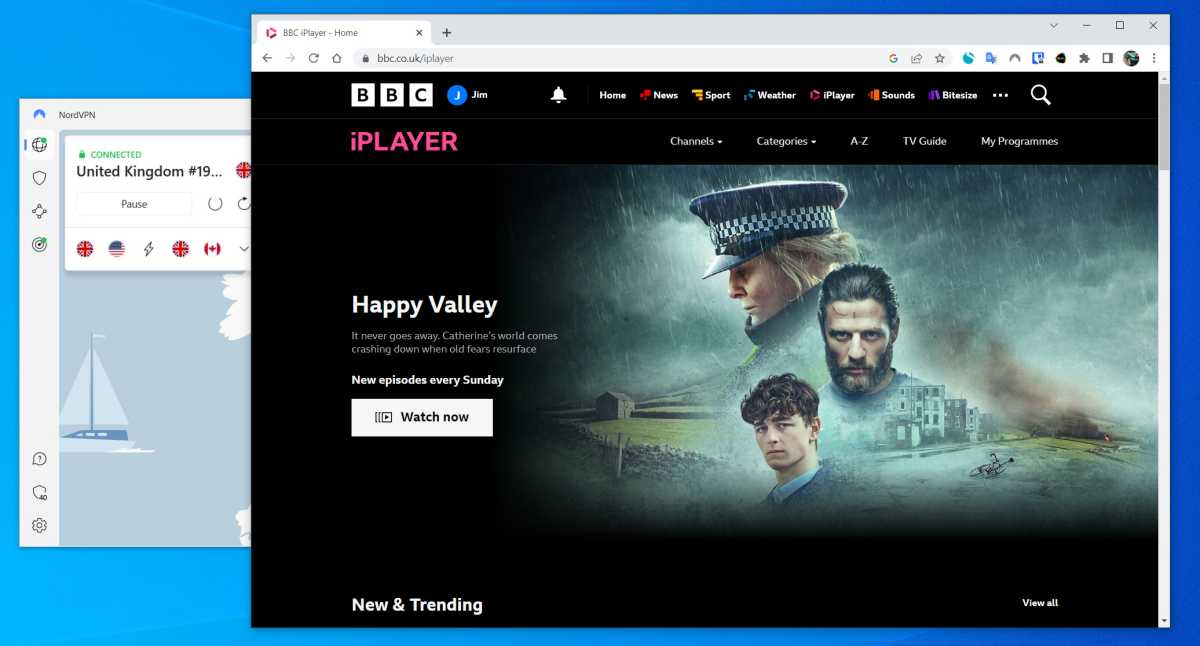
Open iPlayer
Jim Martin / Foundry
Sign in with your BBC account (create one if you haven’t got one) and then find something to watch. It should play just fine as the VPN makes it appear that you’re in the UK.
Watch iPlayer abroad on Xbox, PlayStation and Apple TV
If you want to watch iPlayer outside of the UK on an Xbox or PlayStation then you can change your console’s DNS settings to some which will unblock the service.
If you head to the network settings and manually enter the DNS addresses you might then find iPlayer will play videos for you.
You can search online for free DNS servers for streaming, but they’re typically overloaded and therefore slow.
That’s why it’s a better idea to subscribe to a VPN service which has its own DNS streaming servers. For this, NordVPN has a feature called SmartDNS. Other VPNs have a similar feature. For example, ExpressVPN has MediaStreamer.
Simply use the DNS addresses provided by these services and enter them in your console or media streamer’s network settings.
Another option is to configure your router to run a VPN, which will let all connected devices use the VPN’s UK server. But this method is more of a last resort because not all devices will work well when forced to connect to the internet via a VPN.
BBC iPlayer accounts and the UK TV Licence
The BBC requires that anyone using iPlayer is a UK TV Licence holder. We have a separate guide to who needs a TV Licence.
You also need a BBC account, which requires a UK postcode (and you need to be over 13 years old).
When you register for a BBC account (which is free) you’ll need to give your date of birth, gender, and email address, along with a valid UK postcode.
The BBC says that the aim of the account isn’t to pursue iPlayer users who haven’t paid for a TV Licence, but admitted that it will cross-reference the email addresses with people who’ve previously claimed not to need a licence.
If you’re a British resident with a paid-up licence fee, simply sign in to your BBC account and use a VPN service as described above. You’re still breaking the Ts and Cs by watching via a VPN, just like anyone abroad who signs up with a fake UK address.


