
By using this site, you agree to the Privacy Policy and Terms of Use.
Accept
Viral Trending contentViral Trending content
  • Home
  • World News
  • Politics
  • Sports
  • Celebrity
  • Business
  • Crypto
  • Gaming News
  • Tech News
  • Travel
Reading: How to Turn on a Phone With a Broken Power Button
Notification Show More
Viral Trending contentViral Trending content
  • Home
  • Categories
    • World News
    • Politics
    • Sports
    • Celebrity
    • Business
    • Crypto
    • Tech News
    • Gaming News
    • Travel
  • Bookmarks
© 2024 All Rights reserved | Powered by Viraltrendingcontent
Viral Trending content > Blog > Tech News > How to Turn on a Phone With a Broken Power Button
Tech News

How to Turn on a Phone With a Broken Power Button

By Viral Trending Content 4 Min Read
Share
SHARE

A broken power button can be frustrating, especially when it prevents you from turning on your phone.

Contents
Plug in your charger Use a key combination Use USB debugging Download an app Seek professional repair 

Fortunately, there are several methods you can use to power on your device without the power button.

Plug in your charger 

One of the simplest methods is to connect your phone to a charger. Many smartphones will automatically power on when plugged in.

If your phone has some battery left, connecting it to a charger may wake it up even if the power button is broken. Wait a few moments to see if the phone turns on by itself.

Use a key combination 

Most modern phones allow you to use other hardware buttons to power on the device. Typically, you can try the following combinations:

  • Volume Down + Home Button + Volume Up 
  • Volume Down + Volume Up + Home Button 
  • Volume Down + Volume Up 

Hold these buttons together for a few seconds until you see the boot screen. If your phone has a physical home button, that’s usually part of the combination.
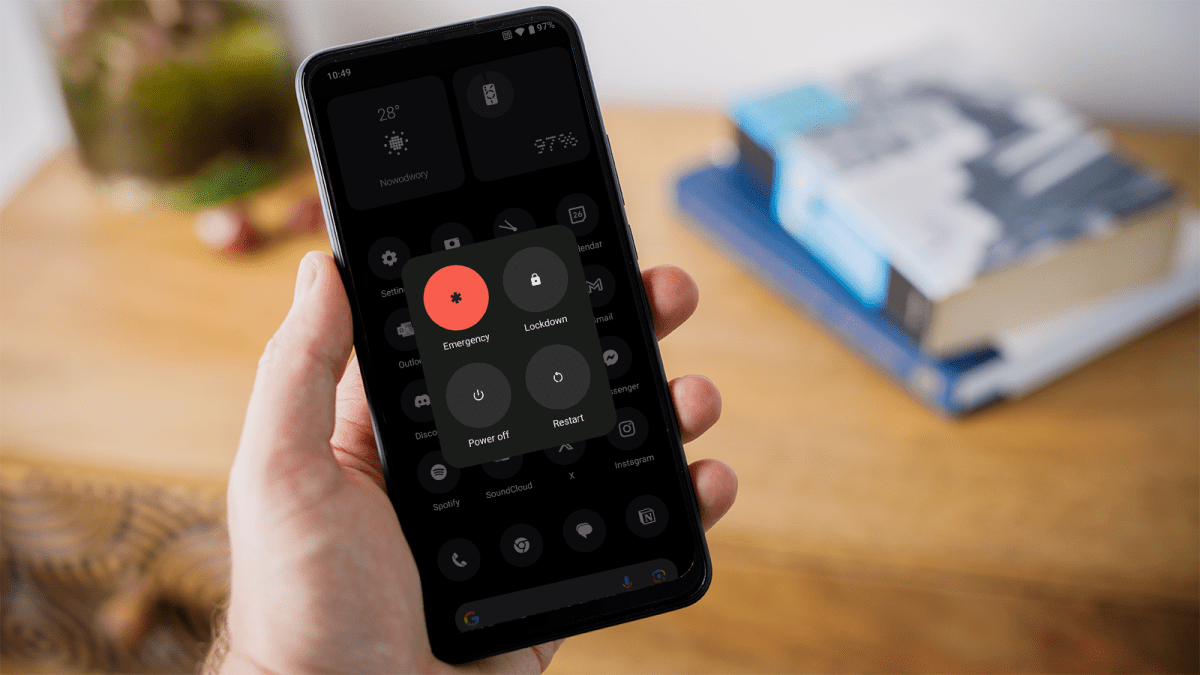
How to speed up Android

How to speed up Android

Dominik Tomaszewski / Foundry

How to speed up Android

Dominik Tomaszewski / Foundry

Dominik Tomaszewski / Foundry

Use USB debugging 

If you’ve enabled USB debugging on your phone before the power button broke, you can turn it on using ADB (Android Debug Bridge) from your computer. Follow these steps: 

  1. Connect your phone to your computer via a USB cable. 
  2. Open a command prompt or terminal on your computer. 
  3. Type the command adb devices to ensure your phone is recognised. 
  4. Enter the command adb reboot to turn on your phone. 

This method requires prior setup of USB debugging, so it’s only effective if the feature was enabled before the power button malfunctioned. 

Here are our guides on how to root your Android phone or tablet and how to get your Android phone out of safe mode, which covers USB debugging. You should also download and install Minimal ADB & Fastboot on your computer. 

Download an app 

If your phone is still functional but the power button is unreliable, you can download an app like Power Button to Volume Button from the Google Play Store.

This app allows you to use the volume button to turn on the screen instead of the power button. 

There are also apps like Gravity Screen that wake your phone screen when you pick up the device, and Shake Screen On Off that does something similar. 

Seek professional repair 

If none of the above methods work, it may be time to seek professional help. A repair shop can either fix or replace the broken power button, restoring full functionality to your phone. 

If you get away with it this time, consider backing up your data regularly to avoid losing important information if the device becomes completely unresponsive. 

You Might Also Like

Apple AI Pin Specs Leak: Dual Cameras, No Screen & More

The diverse responsibilities of a principal software engineer

OpenAI Backs Bill That Would Limit Liability for AI-Enabled Mass Deaths or Financial Disasters

Google’s Fitbit Tease has me More Excited for Garmin’s Whoop Rival

Why the TCL NXTPAPER 14 Is One of the Best Tablets for Musicians and Sheet Music Reading

TAGGED: cool tech, latest technology, latest technology news, new technology, science and technology, tech, Tech News, tech review, technews, technological advances, technology definition, technology reviews, what is technology
Share This Article
Facebook Twitter Copy Link
Previous Article Israeli settlers are seizing Palestinian land under cover of war – they hope permanently
Next Article Mosquito carried Bluetongue virus, threat to livestock
Leave a comment

Leave a Reply Cancel reply

Your email address will not be published. Required fields are marked *

- Advertisement -
Ad image

Latest News

JPMorgan CEO Jamie Dimon says he’s ‘learned and relearned’ to not make big decisions when he’s tired on Fridays
Business
Apple AI Pin Specs Leak: Dual Cameras, No Screen & More
Tech News
A ‘glass-like’ battlefield: German Army chief on the future of warfare
World News
Polymarket Sees Record $153M Daily Volume After Chainlink Integration
Crypto
Natasha Lyonne Then & Now: See Before & After Photos of the Actress Here
Celebrity
Cult Hit Doki Doki Literature Club Fights Removal From Google Play Store Over ‘Depiction Of Sensitive Themes’
Gaming News
Dead as Disco Launches Into Early Access on May 5th, Groovy New Gameplay Released
Gaming News

About Us

Welcome to Viraltrendingcontent, your go-to source for the latest updates on world news, politics, sports, celebrity, tech, travel, gaming, crypto news, and business news. We are dedicated to providing you with accurate, timely, and engaging content from around the globe.

Quick Links

  • Home
  • World News
  • Politics
  • Celebrity
  • Business
  • Home
  • World News
  • Politics
  • Sports
  • Celebrity
  • Business
  • Crypto
  • Gaming News
  • Tech News
  • Travel
  • Sports
  • Crypto
  • Tech News
  • Gaming News
  • Travel

Trending News

cageside seats

Unlocking the Ultimate WWE Experience: Cageside Seats News 2024

Investing £5 a day could help me build a second income of £329 a month!

JPMorgan CEO Jamie Dimon says he’s ‘learned and relearned’ to not make big decisions when he’s tired on Fridays

cageside seats
Unlocking the Ultimate WWE Experience: Cageside Seats News 2024
May 22, 2024
Investing £5 a day could help me build a second income of £329 a month!
March 27, 2024
JPMorgan CEO Jamie Dimon says he’s ‘learned and relearned’ to not make big decisions when he’s tired on Fridays
April 10, 2026
Brussels unveils plans for a European Degree but struggles to explain why
March 27, 2024
© 2024 All Rights reserved | Powered by Vraltrendingcontent
  • About Us
  • Contact US
  • Disclaimer
  • Privacy Policy
  • Terms of Service
Welcome Back!

Sign in to your account

Lost your password?