
By using this site, you agree to the Privacy Policy and Terms of Use.
Accept
Viral Trending contentViral Trending content
  • Home
  • World News
  • Politics
  • Sports
  • Celebrity
  • Business
  • Crypto
  • Gaming News
  • Tech News
  • Travel
Reading: How do I Get my Android Phone Out of Safe Mode?
Notification Show More
Viral Trending contentViral Trending content
  • Home
  • Categories
    • World News
    • Politics
    • Sports
    • Celebrity
    • Business
    • Crypto
    • Tech News
    • Gaming News
    • Travel
  • Bookmarks
© 2024 All Rights reserved | Powered by Viraltrendingcontent
Viral Trending content > Blog > Tech News > How do I Get my Android Phone Out of Safe Mode?
Tech News

How do I Get my Android Phone Out of Safe Mode?

By Viral Trending Content 4 Min Read
Share
SHARE

Safe mode is a useful feature for troubleshooting issues with your device.

Contents
Restart your phoneManual restartUse notification centreUninstall apps

When your Android phone is in safe mode, it only runs the essential system apps, which can help identify whether a third-party app is causing problems. However, once you’ve resolved the issue or if you accidentally activated safe mode, you’ll want to know how to exit it.

Here’s a guide on how to get out of safe mode.

Restart your phone

The simplest way to exit safe mode is to restart your phone. Here’s how:

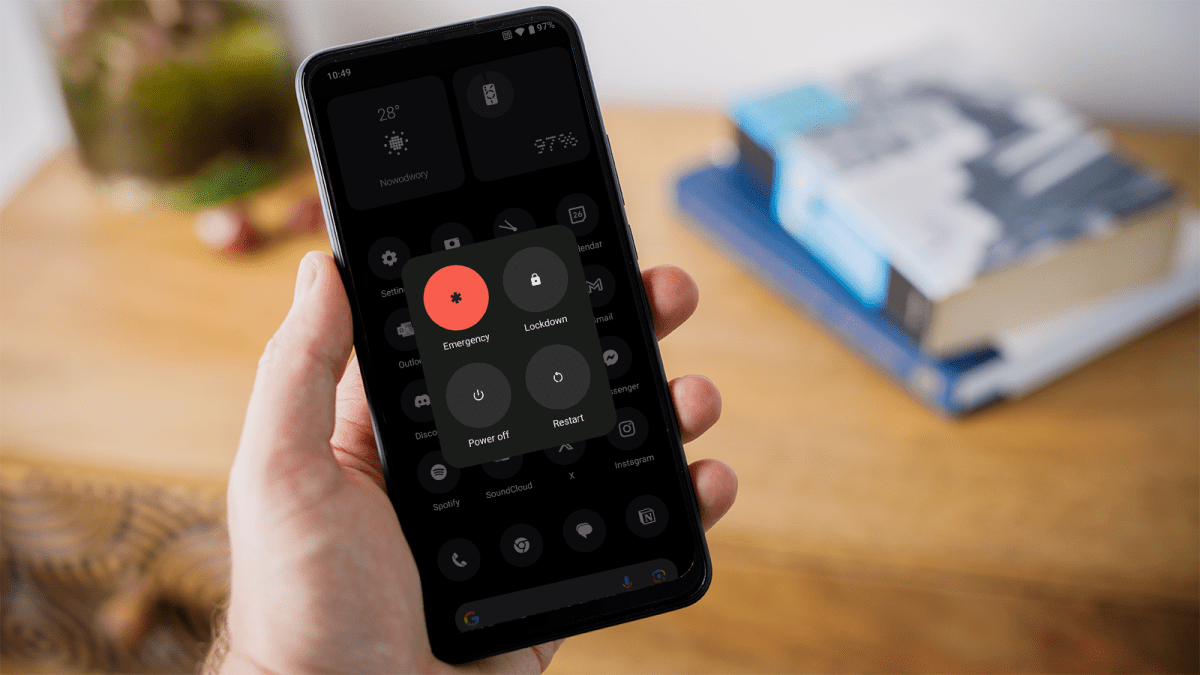
  1. Hold down the power button on your phone until the power menu appears on the screen. You may also need to hold the volume up or down button, depending on the phone you have.
  2. In the power menu, you’ll see an option to restart your device. Tap on it.
  3. Your phone will turn off and then turn back on. It should boot up in normal mode.

Manual restart

If your phone does not have a restart option, you can turn it off and then turn it back on manually:

  1. Press and hold the power button (and volume up/down if needed) until the power off menu appears, then tap ‘Power off’ or similar.
  2. Ensure the phone is completely turned off by waiting a few seconds.
  3. Press and hold the power button to turn on your phone.
  4. When the manufacturer’s logo appears, release the power button and immediately press and hold the volume button down until the phone finishes restarting.

This method may vary slightly depending on your phone model. If holding the volume down button doesn’t work, try holding the volume up button instead.
How to speed up Android

How to speed up Android

Dominik Tomaszewski / Foundry

How to speed up Android

Dominik Tomaszewski / Foundry

Dominik Tomaszewski / Foundry

Use notification centre

Some Android phones allow you to exit safe mode directly from the notification centre:

  1. Swipe down from the top of your screen to pull down the notification centre.
  2. Look for a notification that says ‘Safe mode is on’ or similar.
  3. Tapping this notification should give you an option to restart your phone in normal mode.

Uninstall apps

If your phone repeatedly boots into safe mode, a problematic app might be causing the issue:

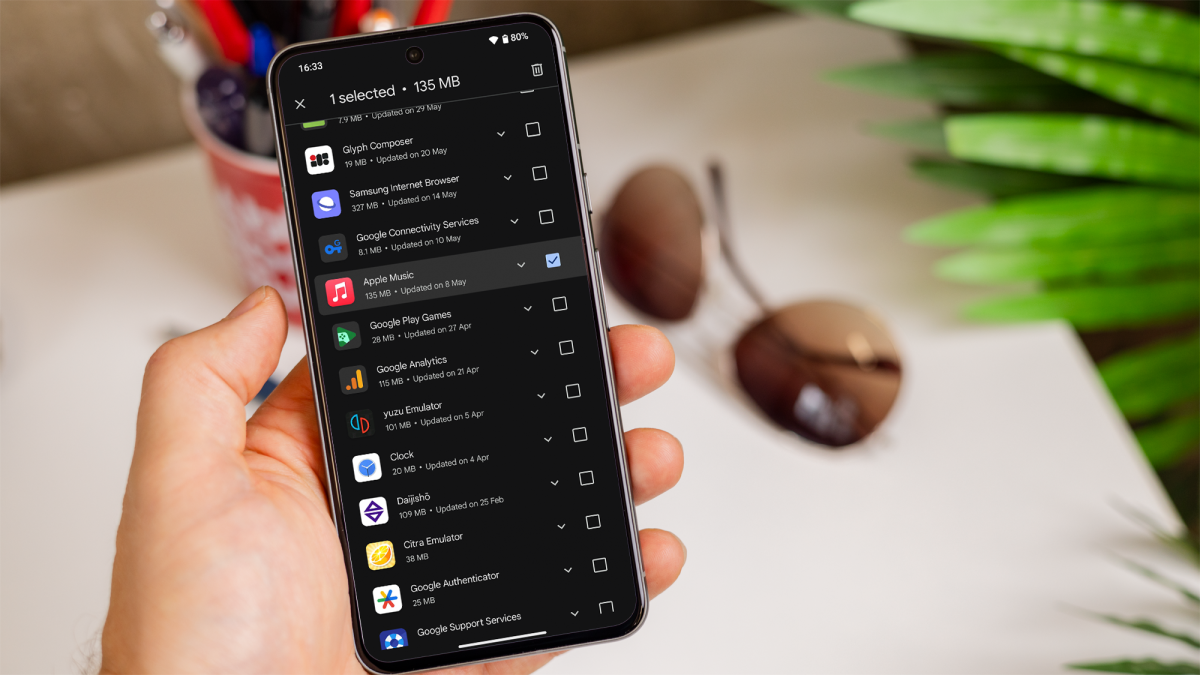
  1. Open the settings menu and navigate to ‘Apps’ or ‘Applications’.
  2. Look for apps you installed around the time the issue began.
  3. Select the app and uninstall it. Repeat this for any other suspicious apps.
  4. Use the methods above to restart your phone and see if it boots normally.

If you’re unsure how to do it, you can follow our guide on how to delete apps on Android.
How to delete apps on Android

How to delete apps on Android

Dominik Tomaszewski / Foundry

How to delete apps on Android

Dominik Tomaszewski / Foundry

Dominik Tomaszewski / Foundry

Exiting safe mode on your Android phone can be straightforward with a simple restart, but sometimes you may need to use other methods, if your phone persistently re-enters safe mode.

By following the steps outlined above, you should be able to get your device back to normal.

You Might Also Like

Meta Pauses Work With Mercor After Data Breach Puts AI Industry Secrets at Risk

What impact might Medtronic’s new lab have on Galway’s medtech ecosystem?

Casio’s AI Pet Moflin Review

iPhone 18 Pro Max Leaks: Smaller Dynamic Island and More

Irish Government approves ‘next-generation sites’ for industry

TAGGED: cool tech, latest technology, latest technology news, new technology, science and technology, tech, Tech News, tech review, technews, technological advances, technology definition, technology reviews, what is technology
Share This Article
Facebook Twitter Copy Link
Previous Article The end of buffet breakfasts? Hotels are getting experimental to delight guests while wasting less
Next Article Trump and Wilson in tense title battle in Xi'an Grand Prix final
Leave a comment

Leave a Reply Cancel reply

Your email address will not be published. Required fields are marked *

- Advertisement -
Ad image

Latest News

Dying Light: The Beast Restored Land Hotfix Makes Kyle Less Hangry, Addresses Multiple Issues
Gaming News
Meta Pauses Work With Mercor After Data Breach Puts AI Industry Secrets at Risk
Tech News
Liverpool among frontrunners to sign the next Alexander Isak for £100m
Sports
Food inflation to continue if West Asia war goes on: UN
Business
Cambodian lawmakers propose severe prison time for crypto scammers
Crypto
Is this market correction a once-in-a-decade chance to buy ultra-high-yield income stocks?
Business
What impact might Medtronic’s new lab have on Galway’s medtech ecosystem?
Tech News

About Us

Welcome to Viraltrendingcontent, your go-to source for the latest updates on world news, politics, sports, celebrity, tech, travel, gaming, crypto news, and business news. We are dedicated to providing you with accurate, timely, and engaging content from around the globe.

Quick Links

  • Home
  • World News
  • Politics
  • Celebrity
  • Business
  • Home
  • World News
  • Politics
  • Sports
  • Celebrity
  • Business
  • Crypto
  • Gaming News
  • Tech News
  • Travel
  • Sports
  • Crypto
  • Tech News
  • Gaming News
  • Travel

Trending News

cageside seats

Unlocking the Ultimate WWE Experience: Cageside Seats News 2024

Investing £5 a day could help me build a second income of £329 a month!

Brussels unveils plans for a European Degree but struggles to explain why

cageside seats
Unlocking the Ultimate WWE Experience: Cageside Seats News 2024
May 22, 2024
Investing £5 a day could help me build a second income of £329 a month!
March 27, 2024
Brussels unveils plans for a European Degree but struggles to explain why
March 27, 2024
Trump evokes more anger and fear from Democrats than Biden does from Republicans, AP-NORC poll shows
March 28, 2024
© 2024 All Rights reserved | Powered by Vraltrendingcontent
  • About Us
  • Contact US
  • Disclaimer
  • Privacy Policy
  • Terms of Service
Welcome Back!

Sign in to your account

Lost your password?