
By using this site, you agree to the Privacy Policy and Terms of Use.
Accept
Viral Trending contentViral Trending content
  • Home
  • World News
  • Politics
  • Sports
  • Celebrity
  • Business
  • Crypto
  • Gaming News
  • Tech News
  • Travel
Reading: Has Your Android Phone Been Blocked By a Contact?
Notification Show More
Viral Trending contentViral Trending content
  • Home
  • Categories
    • World News
    • Politics
    • Sports
    • Celebrity
    • Business
    • Crypto
    • Tech News
    • Gaming News
    • Travel
  • Bookmarks
© 2024 All Rights reserved | Powered by Viraltrendingcontent
Viral Trending content > Blog > Tech News > Has Your Android Phone Been Blocked By a Contact?
Tech News

Has Your Android Phone Been Blocked By a Contact?

By Viral Trending Content 4 Min Read
Share
SHARE

If your texts and calls aren’t getting through to friends, family or colleagues, your number might be blocked. However, it’s likely that the blocker won’t inform you, or you just may have no way to ask. Sometimes, blocking also happens by accident and that’s why it’s good to know how to block a number on Android to undo the process.

Contents
What happens when your number is blocked?How to check whether you’re on a person’s ‘Blocked Number’ listHow to check if you’ve been blocked from your own Android phone

But what if you’re the one that’s been blocked?

Here’s the way to check.

What happens when your number is blocked?

The first thing to know is what actually happens when someone has blocked your number.

If you try to call them, you’ll likely find that you hear one or two rings, and are then told that their number is unavailable. This happening doesn’t necessarily mean you’ve been blocked – they may just have ‘Do Not Disturb’ mode enabled – but it’s one clue. If instead their phone keeps ringing, you’re not blocked, they’re simply not picking up for some other reason.

If you’re trying to send them text messages, there’s no obvious hint unfortunately. Your message will appear to deliver fine, the recipient simply won’t receive it.

How to check whether you’re on a person’s ‘Blocked Number’ list

If you are on speaking terms with the person that might have blocked you, it’s easy enough to check whether you’re blocked using their phone – with their permission of course.

If they also use an Android phone, they need to open their ‘Contacts’ app, access its settings menu (this will be located slightly differently depending on their phone), and tap on ‘Blocked numbers’.
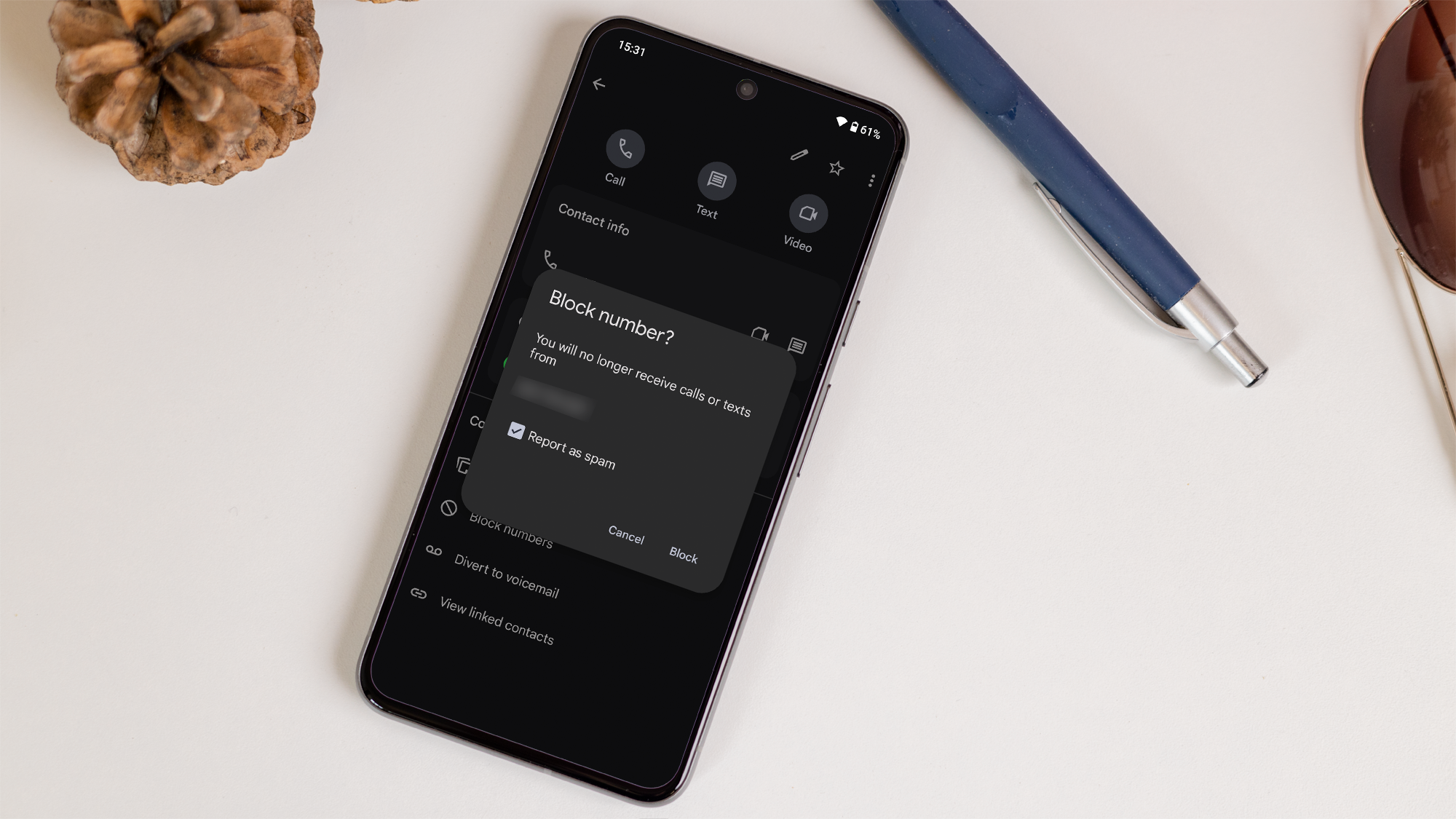
How to block a number on Android

How to block a number on Android

Dominik Tomaszewski / Foundry

How to block a number on Android

Dominik Tomaszewski / Foundry

Dominik Tomaszewski / Foundry

If they’re an iPhone user then instead they need to go to Settings > Phone > Blocked Contacts.

If your number is on the list, that means you’ve been blocked by their device. By removing it from the list, your calls and messages should make it to their device again.

How to check if you’ve been blocked from your own Android phone

What if you don’t have a line of communication to the person who you think has blocked you? On Android devices, there’s an alternative workaround to tell whether your number’s been blocked:

  1. Open the ‘Contacts’ app on your phone.
  2. Find the contact who you think has blocked your number.
  3. Back up their contact details or make a note of their phone number and anything other information.
  4. Tap the three dots in the top corner of the screen.
  5. Tap ‘Delete’.
  6. Close the ‘Contacts’ app by long-pressing the home button/swiping up from the bottom of the screen and holding until all open apps are visible, then swipe ‘Contacts’ up and off the screen.
  7. Re-open ‘Contacts’.
  8. Search for the deleted contact using the search bar at the top of the screen.

If the contact in question – the one you just deleted – shows up as a suggested contact, then chances are they haven’t blocked your number. On the other hand, if they don’t show up, there’s a good chance that they have blocked you.

This advice only applies if someone has blocked your actual phone number through their phone. If you’re worried you’ve been blocked on another specific platform, check our guides to finding out if you’ve been blocked on WhatsApp, Instagram, and Facebook Messenger.

You Might Also Like

Apple AI Pin Specs Leak: Dual Cameras, No Screen & More

The diverse responsibilities of a principal software engineer

OpenAI Backs Bill That Would Limit Liability for AI-Enabled Mass Deaths or Financial Disasters

Google’s Fitbit Tease has me More Excited for Garmin’s Whoop Rival

Why the TCL NXTPAPER 14 Is One of the Best Tablets for Musicians and Sheet Music Reading

TAGGED: cool tech, latest technology, latest technology news, new technology, science and technology, tech, Tech News, tech review, technews, technological advances, technology definition, technology reviews, what is technology
Share This Article
Facebook Twitter Copy Link
Previous Article North Korean Hackers Target Developers with Malicious npm Packages
Next Article Marquez dominates to claim win in Aragon Sprint Race
Leave a comment

Leave a Reply Cancel reply

Your email address will not be published. Required fields are marked *

- Advertisement -
Ad image

Latest News

JPMorgan CEO Jamie Dimon says he’s ‘learned and relearned’ to not make big decisions when he’s tired on Fridays
Business
Apple AI Pin Specs Leak: Dual Cameras, No Screen & More
Tech News
A ‘glass-like’ battlefield: German Army chief on the future of warfare
World News
Polymarket Sees Record $153M Daily Volume After Chainlink Integration
Crypto
Natasha Lyonne Then & Now: See Before & After Photos of the Actress Here
Celebrity
Cult Hit Doki Doki Literature Club Fights Removal From Google Play Store Over ‘Depiction Of Sensitive Themes’
Gaming News
Dead as Disco Launches Into Early Access on May 5th, Groovy New Gameplay Released
Gaming News

About Us

Welcome to Viraltrendingcontent, your go-to source for the latest updates on world news, politics, sports, celebrity, tech, travel, gaming, crypto news, and business news. We are dedicated to providing you with accurate, timely, and engaging content from around the globe.

Quick Links

  • Home
  • World News
  • Politics
  • Celebrity
  • Business
  • Home
  • World News
  • Politics
  • Sports
  • Celebrity
  • Business
  • Crypto
  • Gaming News
  • Tech News
  • Travel
  • Sports
  • Crypto
  • Tech News
  • Gaming News
  • Travel

Trending News

cageside seats

Unlocking the Ultimate WWE Experience: Cageside Seats News 2024

Investing £5 a day could help me build a second income of £329 a month!

JPMorgan CEO Jamie Dimon says he’s ‘learned and relearned’ to not make big decisions when he’s tired on Fridays

cageside seats
Unlocking the Ultimate WWE Experience: Cageside Seats News 2024
May 22, 2024
Investing £5 a day could help me build a second income of £329 a month!
March 27, 2024
JPMorgan CEO Jamie Dimon says he’s ‘learned and relearned’ to not make big decisions when he’s tired on Fridays
April 10, 2026
Brussels unveils plans for a European Degree but struggles to explain why
March 27, 2024
© 2024 All Rights reserved | Powered by Vraltrendingcontent
  • About Us
  • Contact US
  • Disclaimer
  • Privacy Policy
  • Terms of Service
Welcome Back!

Sign in to your account

Lost your password?