




Ever since the Pixel made its debut in 2016, cameras have been a big deal.
For the last decade, the latest Google flagships have consistently offered among the best photography experiences of any phone.
The four-strong Pixel 10 series offers plenty of premium camera hardware, including some notable upgrades from year. But the software side is arguably even more impressive, as that’s where Google has added lots of exciting new features.
If you’re considering buying a Pixel 10, 10 Pro, 10 Pro XL or 10 Pro Fold, make sure you try these five features to get the most out of your cameras.

Camera Coach
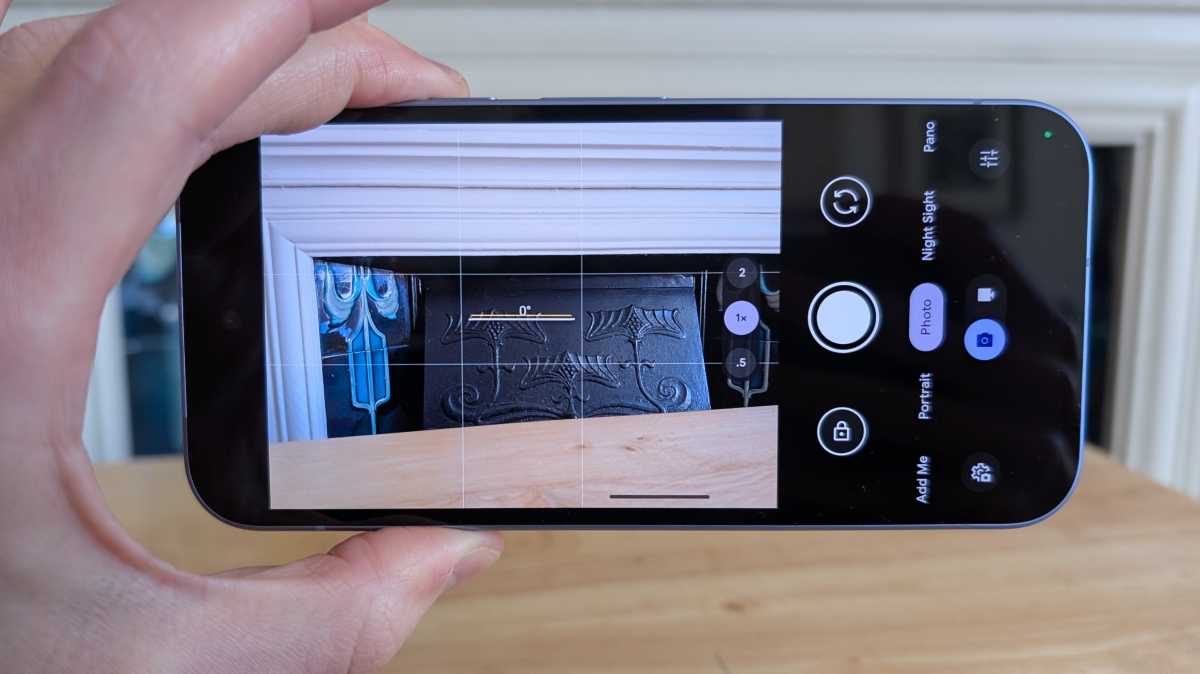
The Pixel 10 phones have great cameras, but only if you know how to use them. While I like to think of myself as a decent amateur photographer, there’s plenty of room for improvement, so I’m excited to try Camera Coach.
As the name suggests, it offers tips and tricks to help you improve your photos, directly within the Camera app.
Pop-up prompts show you how to adjust the likes of framing, angle, lighting and even how the subject should position themselves
How? Google has built Gemini models that can read the scene you’re planning to capture, allowing it to understand the photo before you hit the shutter button. After a few seconds of analysis, it’ll offer you a few choices, including a ‘Get Inspired’ mode.
Anyron Copeman / Foundry
Once you decide, pop-up prompts show you how to adjust the likes of framing, angle, lighting and even how the subject should position themselves for the best shot. If it works as intended, this could be a game-changer.
Guided Frame
Smart glasses are still a niche product, but they have a killer feature: they can describe your surroundings to you. While primarily an accessibility feature for the visually impaired, it can be useful for anyone.
On the Pixel 10, Google is bringing this technology to your phone. With Guided Frame, you can simply open the camera app and have it to describe your surroundings in detail.
Google hasn’t provided full details for Guided Frame but, presumably, you can point the camera at things and ask Gemini questions about them. If it works quickly and accurately, it’ll be a very powerful feature.
Auto Best Take
Best Take has been a feature on Pixel phones since 2023, allowing you to swap faces in a group photo to ensure everyone is looking their best. However, having to go in and do this manually for each one is a hassle, to the extent that I usually don’t bother.


However, with the Pixel 10 series, Google is automating the process. The aptly named Auto Best Take means your phone will find and combine group shots into the best final image without you having to lift a finger.
My Google Photos is always creating edits, collages and slideshows of my memories. Adding an Auto Best Take here and there feels like a logical next step – provided it works as intended.
AI editing help
Google has lots of powerful AI photo editing tools, but getting the result you want can be fiddly and time-consuming. With the Pixel 10 series, things are getting much easier.
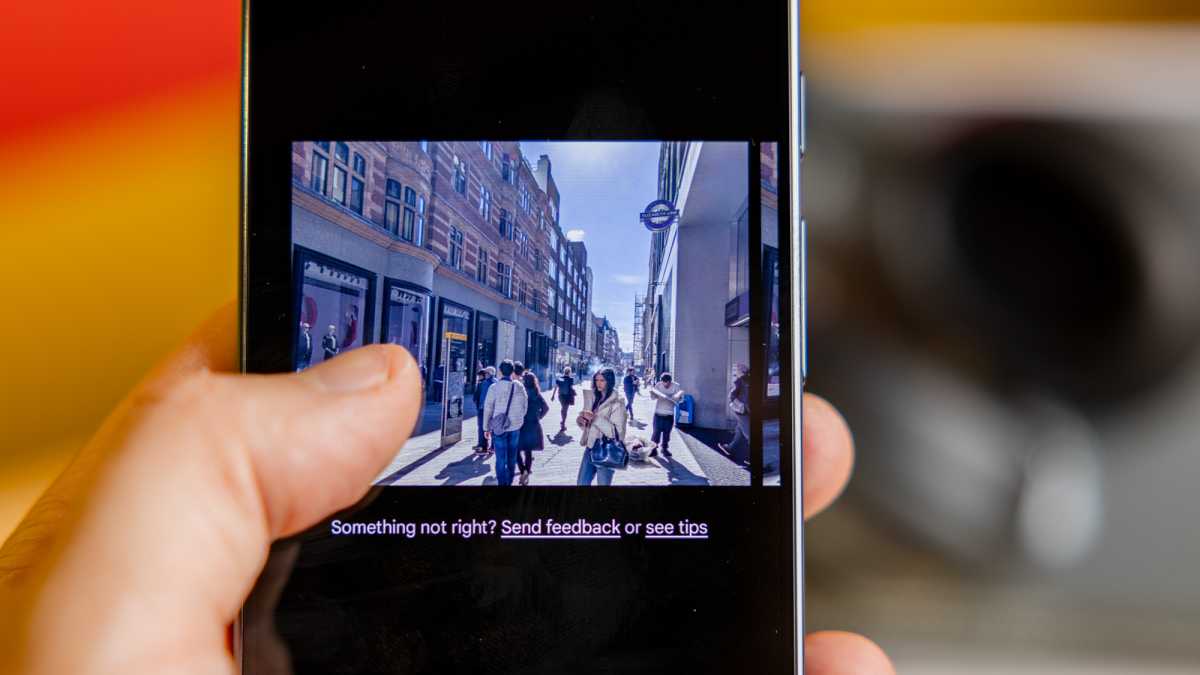
Instead of manually triggering the AI edits, which are often hidden deep within menus, you can simply ask in Google Photos for it to be completed.
Whether you want to remove someone from the background, move a subject to a different location, add a portrait effect or something else, you’ll just have to ask – at least in theory.
Dominik Tomaszewski / Foundry
It’s not always obvious which subject or object in the background you’re referring to, so it’ll be interesting to see how well this works.
100x zoom (Pro phones only)
Pixel phones have had advanced camera systems for many years, but their zoom abilities have always been curiously limited. Even on last year’s flagship Pixel 9 Pro and 9 Pro XL, so-called ‘Super Res Zoom’ couldn’t go beyond 30x.
Super Res Zoom can now go all the way to 100x
However, Google has delivered a big upgrade on the Pixel 10 series, even if it’s still exclusive to the Pro phones. Super Res Zoom can now go all the way to 100x, just like the Samsung Galaxy S25 Ultra.
During a briefing attended by Tech Advisor, Google showed off a demo of some incredible 100x quality, but it remains to be seen how it’ll perform in real life. Either way, look out for a significant upgrade to zoom capabilities, even if the 5x optical from the telephoto lens remains the same.
Each of these new features is exciting in its own right. Combined, they deliver a whole new photography experience that has the potential to return Google to the summit of camera phones.
But we won’t know for sure until we test them, so look out for our full reviews soon.
See more news and opinions on the Pixel 10 phones in our dedicated 2025 Google Event hub.


