




Nearly ten years after Tom Hiddleston first burst onto our screens as special ops agent Jonathan Pine, the legendary British actor is back in the role for a second round.
Despite Pine seemingly ‘getting out’ of his highly secretive life, a run-in with a dangerous individual makes him realise that there’s a much greater threat that could put the whole country in jeopardy. To stop it, he must go deep within the criminal circle, deceiving and seducing those around him while being ready to endure any threats that come his way.
In the UK, The Night Manager is a staple of the BBC – but internationally it’s syndicated on Amazon Prime Video. UK viewers get priority viewing of the drama, but fans of The Night Manager in the US and abroad must wait a little longer for it to hit their local streaming service.
If you wish to avoid spoilers and kick off 2026 with some high-octane action, then there is a way to watch The Night Manager season 2 as soon as it releases in the UK, no matter where you are in the world. You can watch the first full trailer below:

When does The Night Manager season 2 release?
UK viewers will be able to watch The Night Manager season 2 on New Year’s Day, 1 January 2026 on BBC One and BBC iPlayer.
We’re still waiting on the BBC to confirm the exact time, but it is expected to drop at 9:05pm – after the launch of The Traitors series 4.
For everyone else globally (including America), The Night Manager will drop on Sunday 11 January on Amazon Prime Video, with the exact time TBC – ten days after UK viewers first get it.
BBC iPlayer is free if you have TV licence, while new users of Prime Video can grab a 30-day free trial of the service to watch episodes at no extra cost.

BBC/Ink Factory/Des Willie
How to watch The Night Manager season 2 early in the US and abroad
Ten days of avoiding The Night Manager spoilers from UK Tom Hiddleston fans may sound like a challenge. If that’s something you want to avoid, there is way: use a VPN.
VPNs (virtual private networks) can essentially make you appear to be online from another country. They can be used to keep your digital footprint secure but also have the additional benefit of being able to access geoblocked websites, which includes streaming content on BBC iPlayer from outside of the UK.
We have plenty of VPN providers that we recommend, but the one we use regularly (and that successfully unblocks iPlayer) is NordVPN. This also has affordable pricing, a great user interface and a wide range of servers to choose from.
Once you’ve downloaded your VPN, here’s what you need to do to watch The Night Manager season 2 early:
Sign up for NordVPN
Jim Martin / Foundry
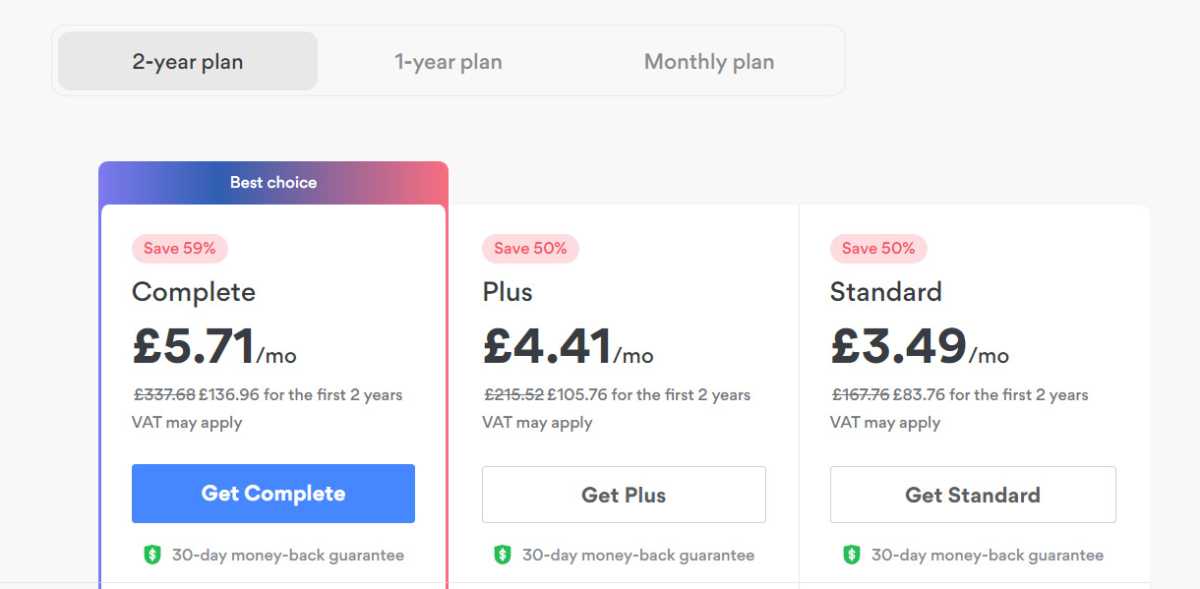
You can sign up here. By default, the Complete plan is selected, but if you only need the VPN, click on Get Standard. At the top, choose between a two-year, one-year and one-month plan.
Follow the prompts to create your account and pay.
Install the NordVPN app
Jim Martin / Foundry
If you’re using a phone or tablet, just head to its app store and search for NordVPN, then install it.
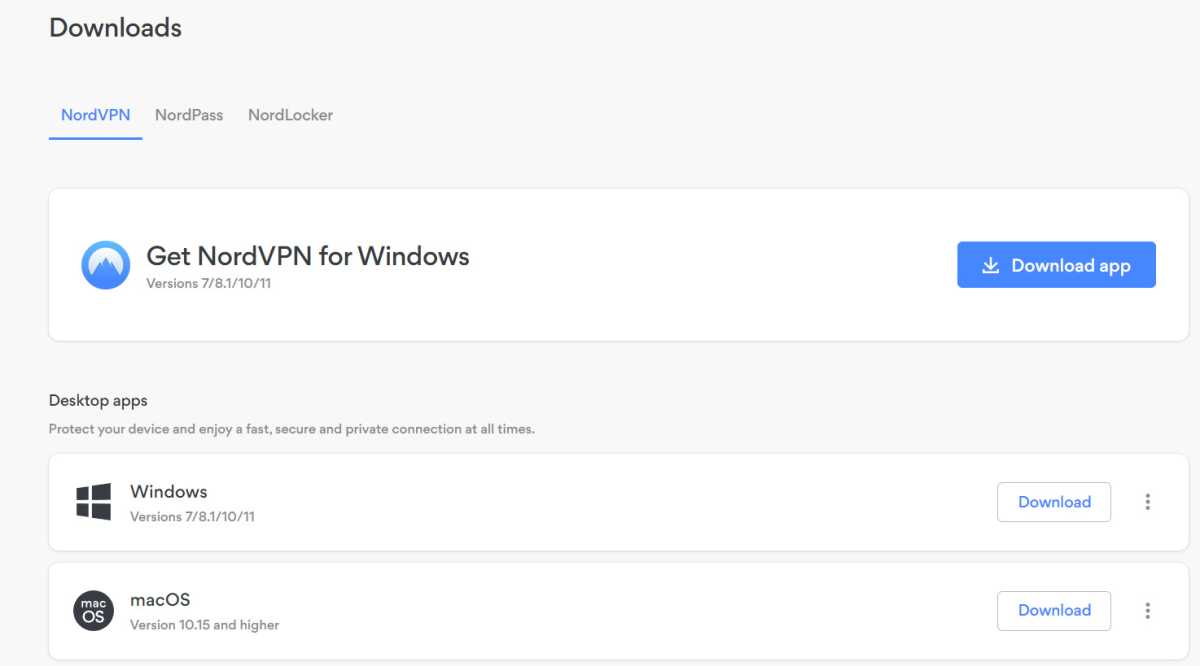
If you’re on Windows, then log into your NordVPN account in a web browser, go to the Downloads section and click Download app next to Get NordVPN for Windows. Run the downloaded file to install it.
Launch NordVPN
Jim Martin / Foundry
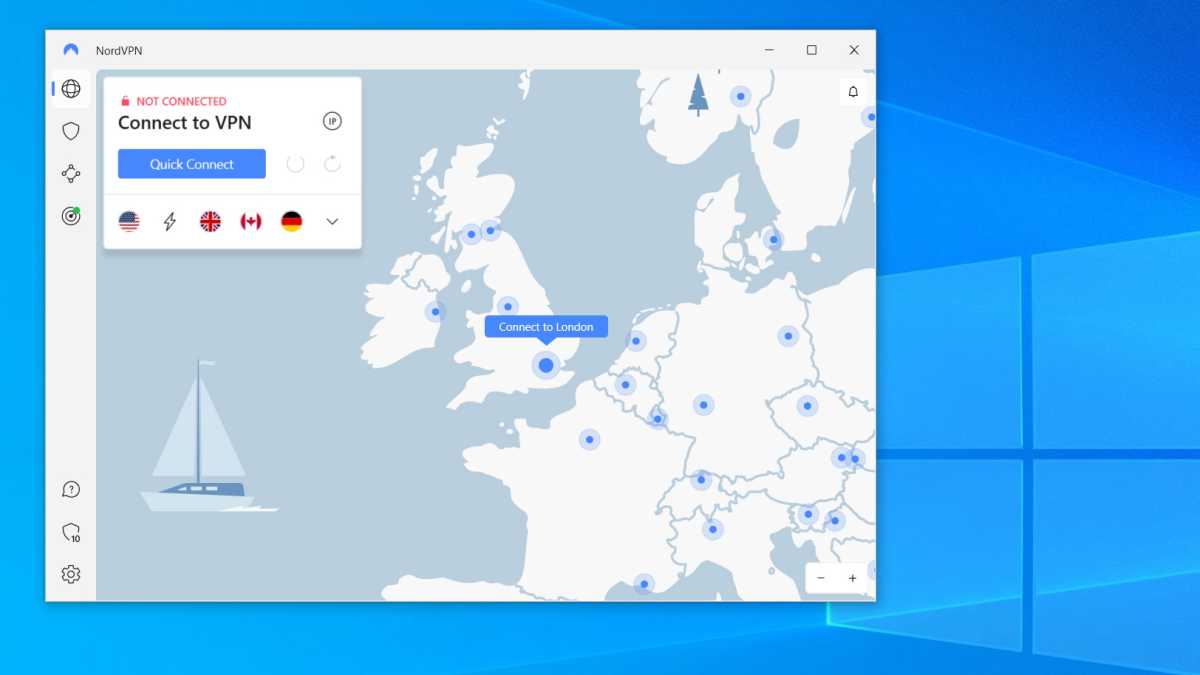
Launch the app, and sign in using the email address and password you entered when creating an account with NordVPN. On Windows you should see a screen like this, but other apps are very similar.
Either use the list of locations (the word icon at the top left) or scroll the map to the UK and tap on Connect to London. If prompted, allow NordVPN to set up a VPN connection. You might have to enter your Windows password or, on a mobile device, your passcode.
Wait until the VPN is connected
Jim Martin / Foundry
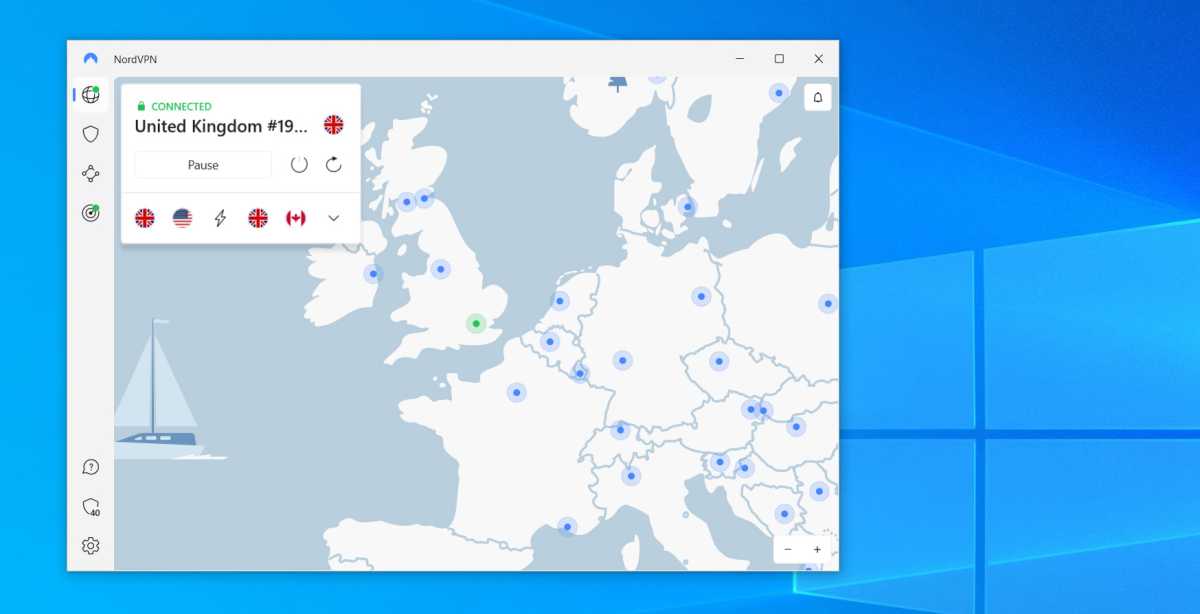
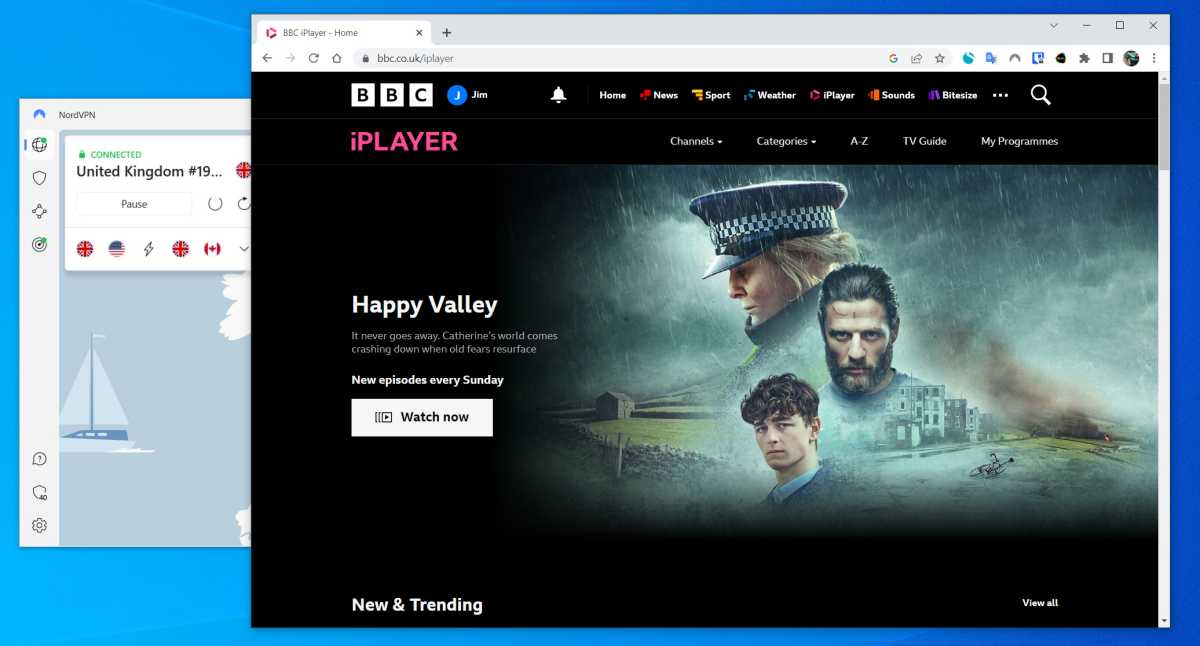
You should see a message to tell you the VPN is connected. You can see this with the green CONNECTED and a padlock above United Kingdom.
Open iPlayer
Jim Martin / Foundry
Sign in with your BBC account (create one if you haven’t got one) and then find something to watch. It should play just fine as the VPN makes it appear that you’re in the UK.
If you’re a British resident with a paid-up licence fee, simply sign in to your BBC account and use a VPN service as described above. You’re still breaking the Ts and Cs by watching via a VPN, just like anyone abroad who signs up with a fake UK address.
You can find more details in our guide to watching BBC iPlayer abroad.


