




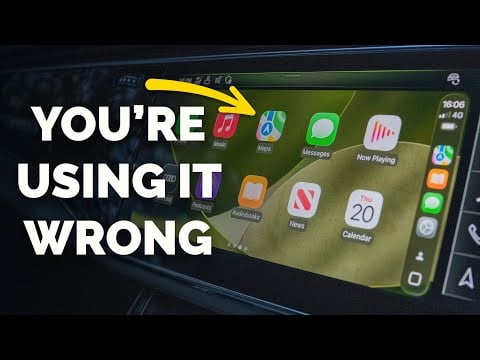
Apple CarPlay transforms your car’s infotainment system into a seamless extension of your iPhone, offering enhanced navigation, communication, and entertainment while keeping safety at the forefront. Whether you’re a first-time user or looking to optimize its features, this guide will help you make the most of what CarPlay has to offer. By integrating your smartphone with your vehicle, CarPlay ensures that essential tools are always within reach, making every drive more efficient, enjoyable, and safe. The video below from Proper Honest Tech shows us how to get the most out of Apple CarPlay in 2025.
What Is Apple CarPlay?
Apple CarPlay integrates your iPhone with your car’s infotainment system, displaying a familiar and user-friendly interface on your dashboard touchscreen. Depending on your vehicle, you can connect your iPhone via a USB cable or wirelessly. The interface mirrors your iPhone’s layout, making sure an intuitive experience. With Siri voice control, you can operate CarPlay hands-free, allowing you to stay focused on the road. This integration simplifies access to apps like navigation, music, and messaging, creating a streamlined and distraction-free driving environment.
CarPlay is compatible with a wide range of vehicles and iPhone models, making it accessible to a broad audience. Its ability to adapt to different car systems ensures a consistent experience, regardless of the make or model of your vehicle.

Customizing Your CarPlay Interface
CarPlay offers a range of customization options to tailor the interface to your preferences. Using your iPhone’s settings, you can:
- Reorder app icons to prioritize frequently used apps, making sure they are easily accessible while driving.
- Remove apps you don’t need to declutter the interface and focus on essential tools.
- Enable widgets (introduced in iOS 26) for quick access to vital information like weather updates, calendar events, or music controls.
These adjustments allow you to create a personalized dashboard that enhances convenience and usability. For example, if you frequently use navigation and music apps, you can position them prominently for quick access. Additionally, the ability to switch between light and dark modes or customize wallpapers adds a touch of personalization to your driving experience.
Navigation and Traffic Management
Navigation is one of CarPlay’s standout features, with Apple Maps serving as the default app. It provides real-time traffic updates, route customization, and hands-free navigation through Siri. Key navigation features include:
- Voice-activated directions, allowing you to add stops, report road conditions, or adjust routes without taking your hands off the wheel.
- ETA sharing, which lets you notify others of your estimated arrival time, keeping them informed of your progress.
- Dynamic route adjustments to help you avoid delays caused by traffic congestion or road closures.
For those who prefer alternatives, CarPlay supports third-party navigation apps like Google Maps and Waze, giving you the flexibility to choose the platform that best suits your needs. These tools ensure that you reach your destination efficiently and safely, whether you’re commuting to work or embarking on a road trip.
Entertainment at Your Fingertips
CarPlay enhances your in-car entertainment experience by integrating Apple Music, podcasts, audiobooks, and third-party media apps. Its interface is designed for quick and easy access to:
- Recently played content and pinned playlists, allowing you to resume your favorite tracks or podcasts effortlessly.
- SharePlay, which enables passengers to contribute to collaborative playlists, creating a shared listening experience for everyone in the car.
Whether you’re on a short commute or a long journey, CarPlay ensures your entertainment options are always within reach. The system also supports streaming services like Spotify and Pandora, giving you access to a vast library of content to suit any mood or occasion.
Streamlined Communication
Staying connected while driving is simple and safe with CarPlay’s communication tools. Siri enables hands-free messaging, allowing you to send and receive texts without taking your hands off the wheel. Additional features include:
- The Calendar app, which displays upcoming appointments and events, helping you stay organized while on the go.
- Voice-activated calls and message dictation, making sure seamless communication without compromising your focus on the road.
These tools allow you to stay productive and connected, whether you’re coordinating with colleagues or catching up with friends. By prioritizing hands-free functionality, CarPlay minimizes distractions and promotes safer driving habits.
Driving Focus Mode: Reducing Distractions
Driving Focus Mode is a customizable feature designed to minimize distractions while you’re on the road. You can configure it to:
- Silence non-essential notifications, making sure that only important alerts come through.
- Automatically send auto-replies to incoming messages, letting others know you’re driving and unable to respond immediately.
- Allow only critical alerts, such as navigation updates or emergency notifications, to break through the silence.
This feature helps you maintain concentration, making sure a safer driving experience. By reducing interruptions, Driving Focus Mode allows you to stay attentive and focused on the road ahead.
Accessibility and Safety Features
CarPlay includes a variety of accessibility features to accommodate diverse user needs. You can:
- Adjust text size for better readability, making sure that information is easy to see at a glance.
- Enable color filters or sound recognition for alerts, catering to users with specific visual or auditory requirements.
- Switch between light and dark modes or customize wallpapers to suit your preferences and reduce eye strain.
Safety is central to CarPlay’s design. The system includes features that promote safer driving habits, such as:
- Disabling the keyboard while the car is in motion, encouraging the use of voice commands for tasks like messaging or navigation.
- Separate volume controls for music and navigation instructions, making sure you never miss important directions while enjoying your favorite tunes.
These features work together to create a secure and distraction-free driving environment, making CarPlay an invaluable tool for modern drivers.
Enhancing Your Driving Experience
Apple CarPlay is more than just a convenience—it’s a comprehensive tool that enhances your driving experience. By integrating your iPhone with your car, CarPlay provides intuitive navigation, seamless communication, and engaging entertainment, all while prioritizing safety. With its customizable interface, robust feature set, and commitment to reducing distractions, CarPlay is an indispensable companion for drivers looking to stay connected, productive, and focused on the road. Whether you’re navigating a busy city or cruising on the highway, CarPlay ensures that every journey is efficient, enjoyable, and safe.
Here are more guides from our previous articles and guides related to Apple CarPlay tutorial that you may find helpful.
Source & Image Credit: Proper Honest Tech
Latest viraltrendingcontent Gadgets Deals
Disclosure: Some of our articles include affiliate links. If you buy something through one of these links, viraltrendingcontent Gadgets may earn an affiliate commission. Learn about our Disclosure Policy.


