
By using this site, you agree to the Privacy Policy and Terms of Use.
Accept
Viral Trending contentViral Trending content
  • Home
  • World News
  • Politics
  • Sports
  • Celebrity
  • Business
  • Crypto
  • Gaming News
  • Tech News
  • Travel
Reading: How to Find Your IP Address on Android or iPhone
Notification Show More
Viral Trending contentViral Trending content
  • Home
  • Categories
    • World News
    • Politics
    • Sports
    • Celebrity
    • Business
    • Crypto
    • Tech News
    • Gaming News
    • Travel
  • Bookmarks
© 2024 All Rights reserved | Powered by Viraltrendingcontent
Viral Trending content > Blog > Tech News > How to Find Your IP Address on Android or iPhone
Tech News

How to Find Your IP Address on Android or iPhone

By Viral Trending Content 4 Min Read
Share
SHARE

When ensuring the security of your devices, one key piece of information you might need is your IP address.

Contents
What is an IP address?How to find your IP address on AndroidThrough network settingsUsing ‘About phone’ sectionUsing a third-party appHow to find your IP address on iPhoneThrough network settingsUsing a third-party app

Whether you’re troubleshooting network issues, setting up a new device or simply curious, knowing how to find your IP address on your Android phone or iPhone can be incredibly useful.

This guide will walk you through the steps to locate your IP address on both types of device, making the process quick and easy.

What is an IP address?

An IP (Internet Protocol) address is a unique identifier assigned to each device connected to a network. It functions much like a home address, directing data to and from the correct locations on the internet.

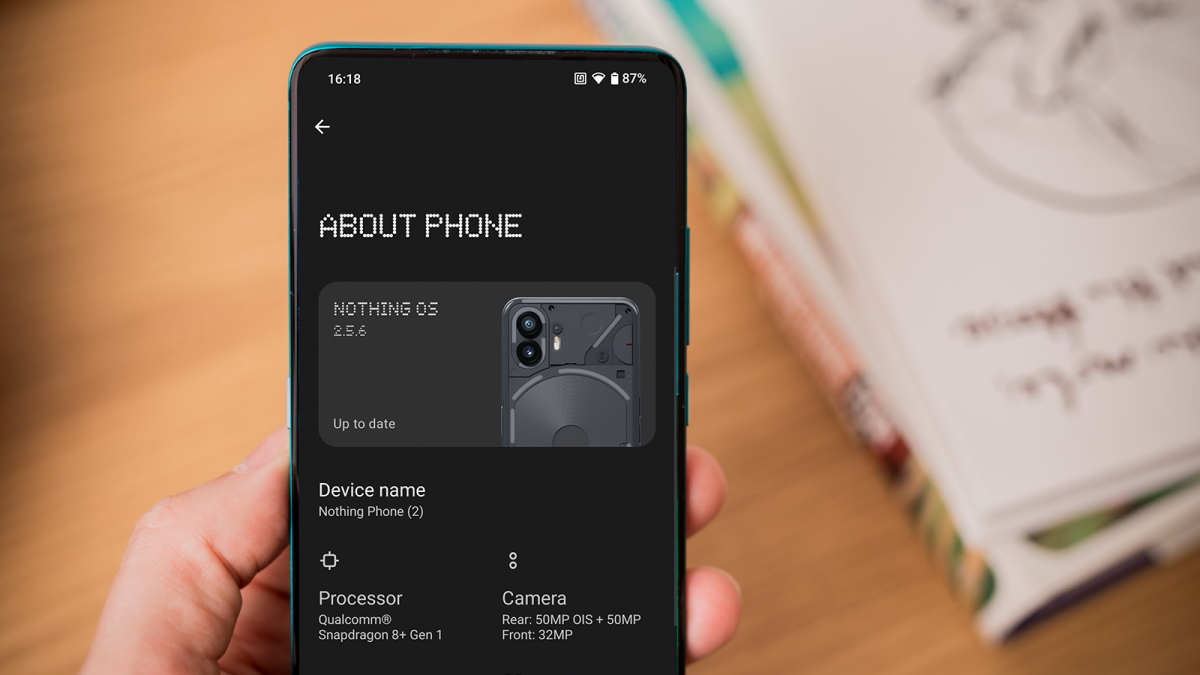
How to find out which Android phone you have

How to find out which Android phone you have

Dominik Tomaszewski / Foundry

How to find out which Android phone you have

Dominik Tomaszewski / Foundry

Dominik Tomaszewski / Foundry

There are two types of IP addresses: IPv4, which consists of four sets of numbers separated by periods (e.g., 192.168.1.1), and IPv6, a newer format designed to replace IPv4, with a more complex structure to accommodate more devices.

IP addresses are essential for network communication, allowing devices to send and receive information accurately. Knowing your IP address can be useful for various reasons, such as troubleshooting network issues, setting up a network or managing security settings.

How to find your IP address on Android

Finding your IP address on an Android phone or tablet is a straightforward process. Here’s how you can do it:

Through network settings

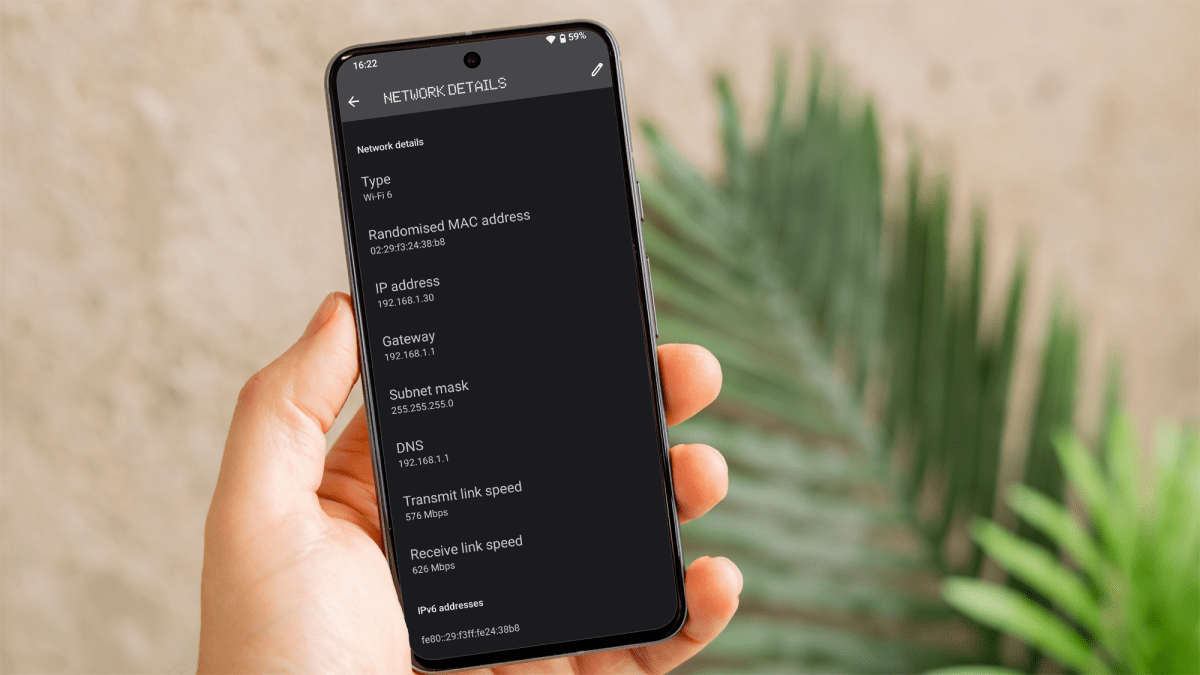
One method involves accessing your network settings. Open the ‘Settings’ menu by tapping the gear icon on your home screen or app drawer.
How to find your IP address on Android or iPhone

How to find your IP address on Android or iPhone

Dominik Tomaszewski / Foundry

How to find your IP address on Android or iPhone

Dominik Tomaszewski / Foundry

Dominik Tomaszewski / Foundry

From there, navigate to ‘Network & Internet’ and select ‘Wi-Fi’ or ‘Internet’ to view the list of available networks, then tap on the name of the network to which you’re connected.

Scroll down to the ‘IP address’ section to find your device’s IP address.

Using ‘About phone’ section

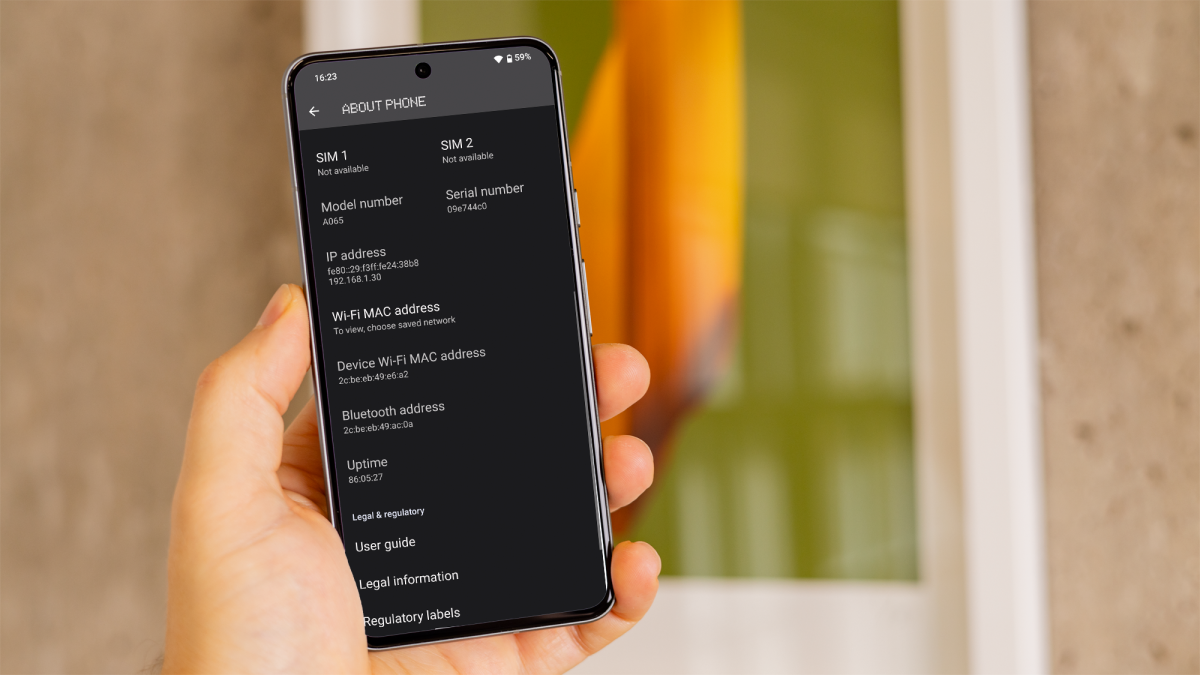
Another method is through the ‘About phone’ section in your device’s settings.
How to find your IP address on Android or iPhone

How to find your IP address on Android or iPhone

Dominik Tomaszewski / Foundry

How to find your IP address on Android or iPhone

Dominik Tomaszewski / Foundry

Dominik Tomaszewski / Foundry

Open ‘Settings’ and scroll down to select ‘About phone’. Various details about your device will be displayed there, including the IP address.

Using a third-party app

If you prefer using third-party apps, you can download one from the Google Play Store by searching for ‘IP address’.

Choose, install and open the app. It should display your IP address prominently on the main screen.

How to find your IP address on iPhone

Finding your IP address on an iPhone is equally simple. Follow these steps:

Through network settings

You can start by opening the ‘Settings’ menu, which you can access by tapping the gear icon on your home screen.
How to find your IP address on Android or iPhone

How to find your IP address on Android or iPhone

Dominik Tomaszewski / Foundry

How to find your IP address on Android or iPhone

Dominik Tomaszewski / Foundry

Dominik Tomaszewski / Foundry

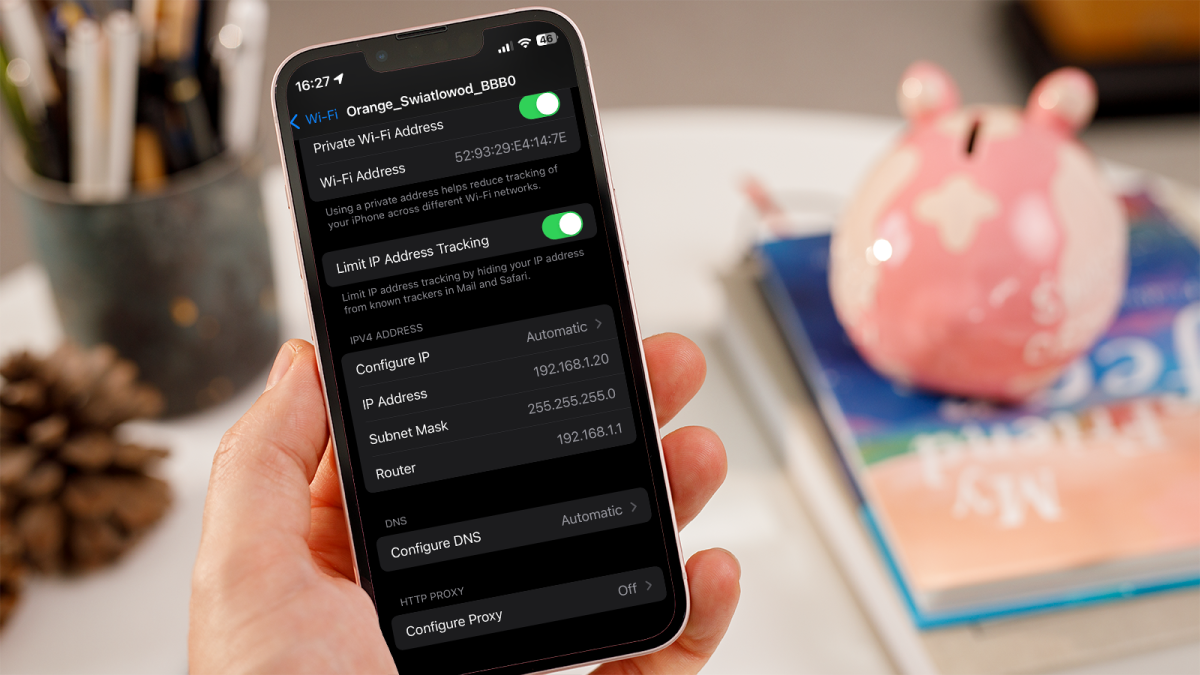
Navigate to ‘Wi-Fi’ and select it to view the list of available networks. Tap the ‘i’ icon next to the Wi-Fi network you are connected to.

Your IP address will be listed under the ‘IP Address’ section.

Using a third-party app

Alternatively, you can use a third-party app from the App Store.

Open the App Store and search for ‘IP address’ to find a suitable app.

Install the app and open it to view your IP address, which is usually displayed prominently on the main screen.

And that’s it. By following the simple methods outlined above, you can quickly and easily locate your Android phone or iPhone IP address.

You Might Also Like

OpenAI closes larger than expected funding round of $122bn

Galaxy Z Fold 8 Camera Rumors: Possible 50MP Ultra-Wide Upgrade

Samsung Galaxy Phones Tipped for Price Rises

California Suspends Enforcement of Law Requiring VCs to Report Diversity Data

Irish drone delivery firm Manna confirms $50m raise, plans 400 new jobs

TAGGED: cool tech, latest technology, latest technology news, new technology, science and technology, tech, Tech News, tech review, technews, technological advances, technology definition, technology reviews, what is technology
Share This Article
Facebook Twitter Copy Link
Previous Article Weekly markets recap: Losses deepen as risk-off sentiment prevails
Next Article Star Wars Outlaws – Living Space Events and Space Stations Receive New Details
Leave a comment

Leave a Reply Cancel reply

Your email address will not be published. Required fields are marked *

- Advertisement -
Ad image

Latest News

Iran strikes tanker off Qatar coast as Tehran’s attacks on Gulf states persist
World News
Chainlink Is Being Quietly Targeted By Large Players. Find Out What The On-Chain Data Is Showing
Crypto
Down 19%! Here’s why Barclays shares look a serious bargain to me right now
Business
Where Winds Meet Hexi Expansion Trailer Showcases Chapter 2’s Counter-Focused Heng Blade
Gaming News
Super Mario Galaxy Movie’s Charlie Day Ranks Luigi Mangione As His 2nd Favorite Luigi
Gaming News
Game on in Sin City: How Las Vegas is betting big on sports tourism and major events
Travel
Trump will address the nation about the Iran war on Wednesday. Here’s what to expect
Business

About Us

Welcome to Viraltrendingcontent, your go-to source for the latest updates on world news, politics, sports, celebrity, tech, travel, gaming, crypto news, and business news. We are dedicated to providing you with accurate, timely, and engaging content from around the globe.

Quick Links

  • Home
  • World News
  • Politics
  • Celebrity
  • Business
  • Home
  • World News
  • Politics
  • Sports
  • Celebrity
  • Business
  • Crypto
  • Gaming News
  • Tech News
  • Travel
  • Sports
  • Crypto
  • Tech News
  • Gaming News
  • Travel

Trending News

cageside seats

Unlocking the Ultimate WWE Experience: Cageside Seats News 2024

Iran strikes tanker off Qatar coast as Tehran’s attacks on Gulf states persist

Investing £5 a day could help me build a second income of £329 a month!

cageside seats
Unlocking the Ultimate WWE Experience: Cageside Seats News 2024
May 22, 2024
Iran strikes tanker off Qatar coast as Tehran’s attacks on Gulf states persist
April 2, 2026
Investing £5 a day could help me build a second income of £329 a month!
March 27, 2024
Brussels unveils plans for a European Degree but struggles to explain why
March 27, 2024
© 2024 All Rights reserved | Powered by Vraltrendingcontent
  • About Us
  • Contact US
  • Disclaimer
  • Privacy Policy
  • Terms of Service
Welcome Back!

Sign in to your account

Lost your password?