




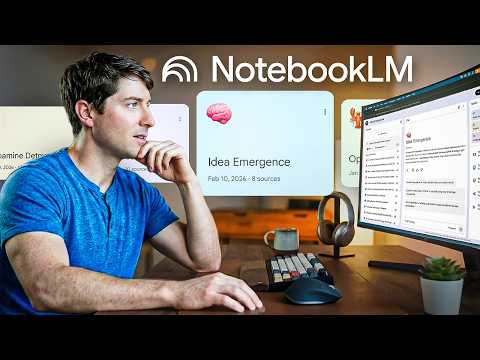
Google’s NotebookLM offers a structured way to manage and synthesize large volumes of information, as explored by Nick Milo. Designed for researchers, students, and professionals, NotebookLM allows you to upload up to 50 sources, ranging from PDFs to web pages, while maintaining a combined limit of 25 million words. Its AI-powered chat function provides answers based solely on your uploaded materials, making sure responses remain relevant and transparent through source citations.
In this tutorial, you’ll learn how to effectively use features like source organization to improve the AI’s accuracy, as well as how to create tailored outputs such as summaries and mind maps for clearer insights. Additionally, it covers strategies for managing source limits and avoiding common mistakes, such as mixing unrelated files in a single notebook. By applying these techniques, you can streamline your research process and make the most of NotebookLM’s capabilities.
Key Features of NotebookLM
TL;DR Key Takeaways :

- NotebookLM is an AI-powered tool designed to help users manage, synthesize, and organize large volumes of information, offering features like source management, AI-powered chat, and output generation.
- It supports up to 50 sources with a combined limit of 25 million words, allowing users to centralize research materials and generate outputs such as summaries, infographics, and overviews.
- Privacy and security are prioritized, as NotebookLM does not use uploaded content to train its models and adheres to the same standards as Google Docs and Gmail.
- Customization options include configuring the AI’s personality, mobile integration for on-the-go access, and collaboration tools for team-based projects.
- NotebookLM is best suited for research and information synthesis but can be integrated with other tools like Obsidian for long-term knowledge management and creative brainstorming.
Privacy and Security: Protecting Your Data
NotebookLM is equipped with a range of features that make it a versatile and powerful tool for handling extensive data. These features are designed to deliver accurate, transparent, and actionable results, making sure that you can focus on what matters most, your work.
- Source Management: Upload and manage up to 50 sources, including PDFs, documents, videos, and websites, with a combined limit of 25 million words. This centralizes all your research materials, making them easily accessible and organized in one place.
- AI-Powered Chat: Ask questions and receive answers based solely on your uploaded sources. Each response is accompanied by citations, making sure transparency and relevance to your specific research context.
- Output Generation: Create a variety of outputs such as summaries, infographics, mind maps, overviews, and quizzes. These formats help break down complex information into more digestible and actionable insights.
These features make NotebookLM a valuable tool for synthesizing information, allowing you to generate insights quickly and effectively.
NotebookLM is designed with robust privacy measures to ensure your data remains secure. Unlike many AI tools, it does not use your uploaded content to train its models. Instead, it adheres to the same privacy standards as Google Docs and Gmail, offering a secure environment for handling sensitive or proprietary information. This commitment to privacy makes NotebookLM a trustworthy choice for professionals and researchers managing confidential data.
Give Me 13 Minutes. I’ll Teach You 80% of NotebookLM
Advance your skills in NotebookLM by reading more of our detailed content.
Maximizing NotebookLM: Strategies for Effective Use
To fully use the capabilities of NotebookLM, it is essential to use its features strategically. Here are some practical strategies to enhance your experience:
- Organize Sources: Group related materials into separate notebooks to improve the AI’s ability to provide accurate and relevant responses tailored to specific topics.
- Manage Sources Efficiently: Save responses, rename files, and toggle sources on or off to refine your research process and maintain focus on your objectives.
- Stay Within Limits: Combine or summarize sources to stay under the 50-source limit, making sure smooth functionality and optimal performance.
By following these strategies, you can enhance the clarity and precision of the AI’s outputs, making your research process more streamlined and effective.
Customization and Collaboration
NotebookLM offers a range of customization and collaboration features, allowing you to tailor the tool to your unique needs and workflows. These features enhance its versatility and usability for both individual and team-based projects.
- AI Personality: Configure the AI to respond in specific roles or tones, such as a technical expert or a conversational guide, to align with your research style and objectives.
- Mobile Integration: Use the mobile app to add sources and access your notebooks on the go, making sure your research remains up-to-date and accessible at all times.
- Collaboration Tools: Share notebooks with colleagues or peers to assist teamwork, knowledge sharing, and collaborative problem-solving.
These features make NotebookLM a flexible and adaptable tool for a wide range of use cases, from individual research to collaborative projects.
Limitations and Integration with Other Tools
While NotebookLM excels at synthesizing and organizing information, it is not designed for every task. It functions best as a focused research assistant, helping you quickly orient yourself and generate insights. However, it is not ideal for creative brainstorming or long-term knowledge management. For these purposes, integrating NotebookLM with complementary tools like Obsidian can provide a more comprehensive solution. Obsidian, for instance, is better suited for connecting ideas over time and building a long-term knowledge repository.
Common Mistakes to Avoid
To optimize your experience with NotebookLM, it is important to avoid certain common pitfalls that can hinder its effectiveness:
- Uploading Unrelated Files: Mixing unrelated files in a single notebook can confuse the AI and reduce the quality of its responses. Keep your notebooks focused and organized for better results.
- Using It as a Creative Tool: Treating NotebookLM as a brainstorming partner rather than a research assistant may lead to unmet expectations. Use it for its intended purpose, synthesizing and organizing information.
By steering clear of these mistakes, you can ensure that NotebookLM delivers accurate and relevant results tailored to your needs.
Applications and Use Cases
NotebookLM is particularly valuable for individuals and teams managing large volumes of information. Its applications span a variety of fields and disciplines, making it a versatile tool for different user groups.
- Students and Researchers: Quickly synthesize complex topics, fact-check information, and generate concise summaries for academic or professional purposes.
- Professionals: Organize and distill data for overviews, presentations, and decision-making processes, saving time and improving efficiency.
- Educators: Create quizzes, mind maps, and other learning aids to enhance teaching and training efforts, making learning more engaging and effective.
These use cases highlight how NotebookLM can streamline workflows and improve productivity across various domains.
Unlocking the Potential of NotebookLM
Google’s NotebookLM is a powerful and versatile tool for research and organization. By using its advanced features for information synthesis, source management, and output generation, you can simplify complex tasks and enhance your productivity. When used strategically and integrated with complementary tools, NotebookLM becomes an invaluable resource for students, researchers, professionals, and educators. Its focus on privacy and security further ensures that your data remains protected, making it a reliable choice for managing sensitive information.
Media Credit: Linking Your Thinking with Nick Milo
Disclosure: Some of our articles include affiliate links. If you buy something through one of these links, viraltrendingcontent Gadgets may earn an affiliate commission. Learn about our Disclosure Policy.


