





At a glance
Expert’s Rating
Pros
- Powerful and quiet
- On-device thermostat
- Genuinely useful smart features, including scheduling
Cons
- Fairly pricey to run: 2000W UK, 1500W US
Our Verdict
This heater has a lot going for it. Apart from the fact that it’s quiet and can heat up a room quickly, its app controls and eco setting make it easy to ensure you only use as much heat as you need to keep yourself comfortable, which is invaluable if you’re keeping an eye on your energy spend.
Price When Reviewed
This value will show the geolocated pricing text for product undefined

Best Pricing Today
Best Prices Today: Dreo smart whole-room heater 714s

Dreo is a relatively new home technology brand that launched in 2021, with a focus on air care appliances, such as cooling fans, humidifiers and heaters.
We’ve tested a number of its devices: its air circulator fan, portable oil-filled radiator and ChefMaker combi air fryer among them.
They tend to be sturdy, reasonably priced products – but its smart whole-room heater is a step up from other models we’ve tested, with a design, features and a level of quality that set it apart from rivals.
Bear in mind that if you’re buying in the US, the available model does not have app controls, which gives you less control over use. You can’t set up schedules, but you can still use the on-device timer.
Design and Build
- Heater plus fan for year-round use
- On-device controls, remote and app
- Compact, oscillating design
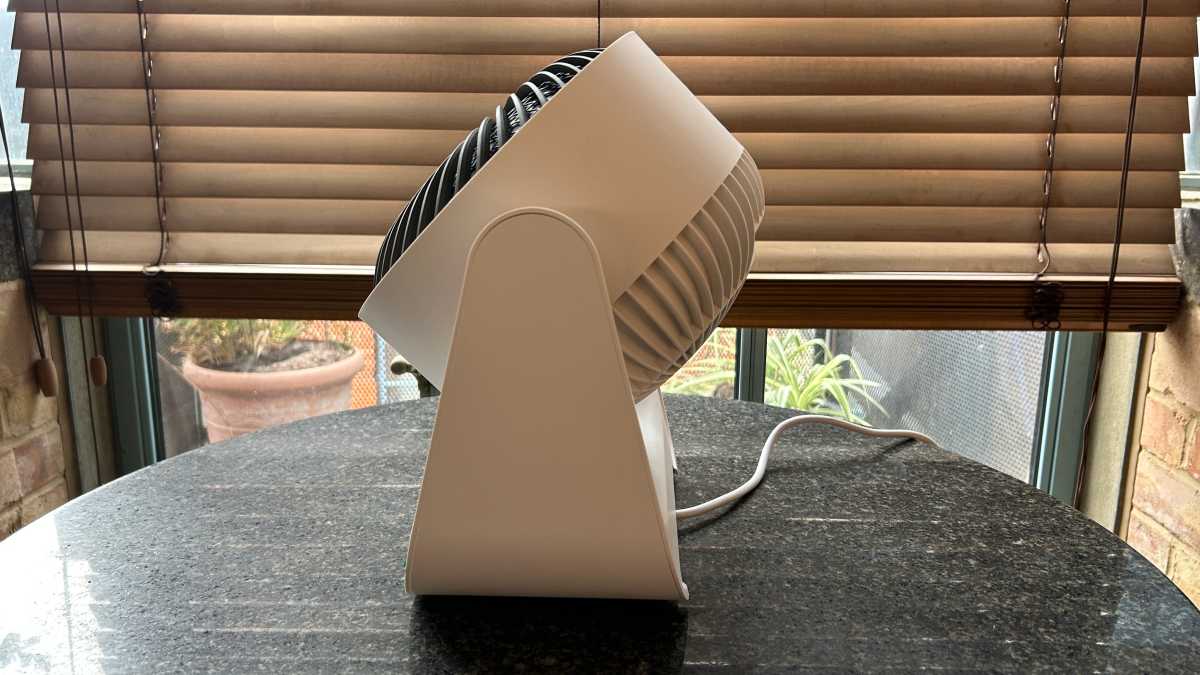
This Dreo heater has an unusual design: it looks more like a cooling fan than your average plug-in heater, with a circular air outlet on a rectangular base. Its surround and base are made of matt plastic and it comes in off-white (which is the colourway I’m testing) or black.
What’s more, you can use it as a heater, or in fan-only mode, so it’ll be useful year round: as a heater, as a cooling fan, or as a way to circulate the air in a stuffy room. And you won’t need to find a place to store it for half the year. It even has a carry handle so it’s easily portable. But there’s no spot to store the remote.
At 28 x 18 x 31.5cm, it’s compact enough that you could stand it on a desk or table, but the best spot for it is on the floor – and probably not under your desk.
That’s because the fan oscillates both vertically and horizontally, and can pump out a lot of air, so the best spot for it is somewhere open. It has 60° vertical and 90° horizontal oscillation, which means you can warm up a much larger area, much faster.
Emma Rowley / Foundry
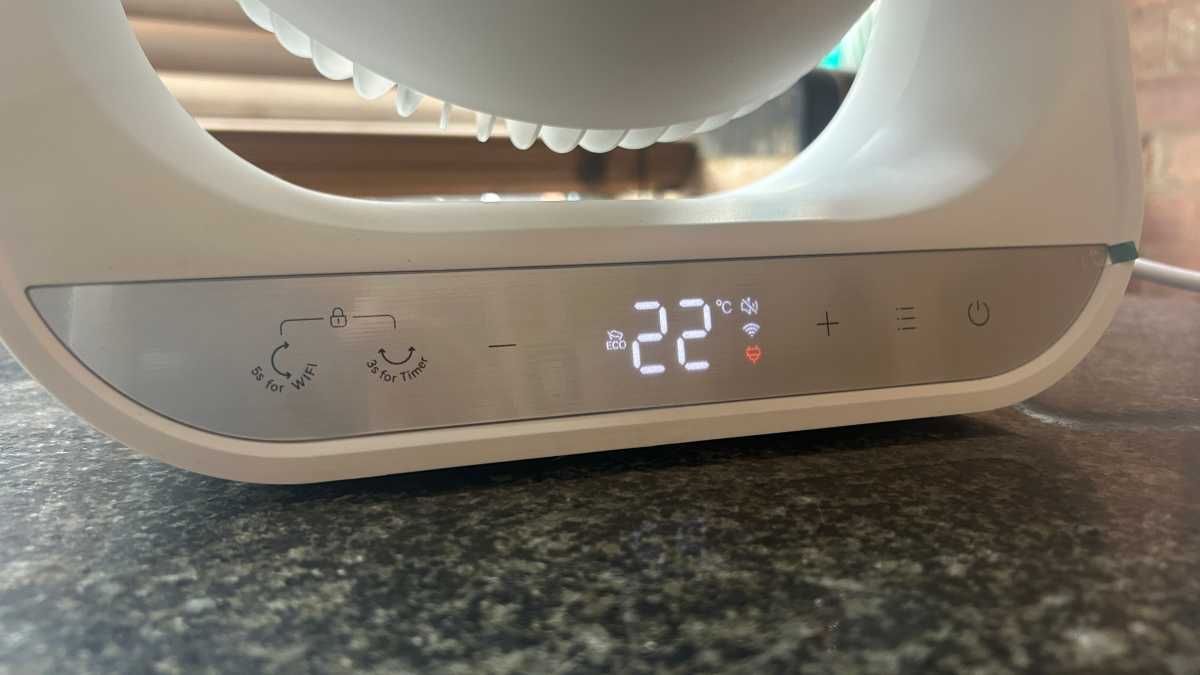
At the front are LED icons on a silver touchscreen panel, which gives it a pleasingly retro look. There are also full on-device controls, which I like. You can switch the power on and off (and there’s a useful safety indicator that shows whether or not it’s plugged in), change the mode, control oscillation, adjust the heat level, set the timer and more.
While smart features can be an annoying add-on for many types of home appliances… they’re a money-saving addition to a heater
Apart from secondary functions, such as Wi-Fi pairing and child lock, the on-device controls are easy to use and intuitive. There are few multifunction buttons and therefore no complicated button combinations to remember – which is a particular bugbear of mine in minimalist control panels.
Emma Rowley / Foundry
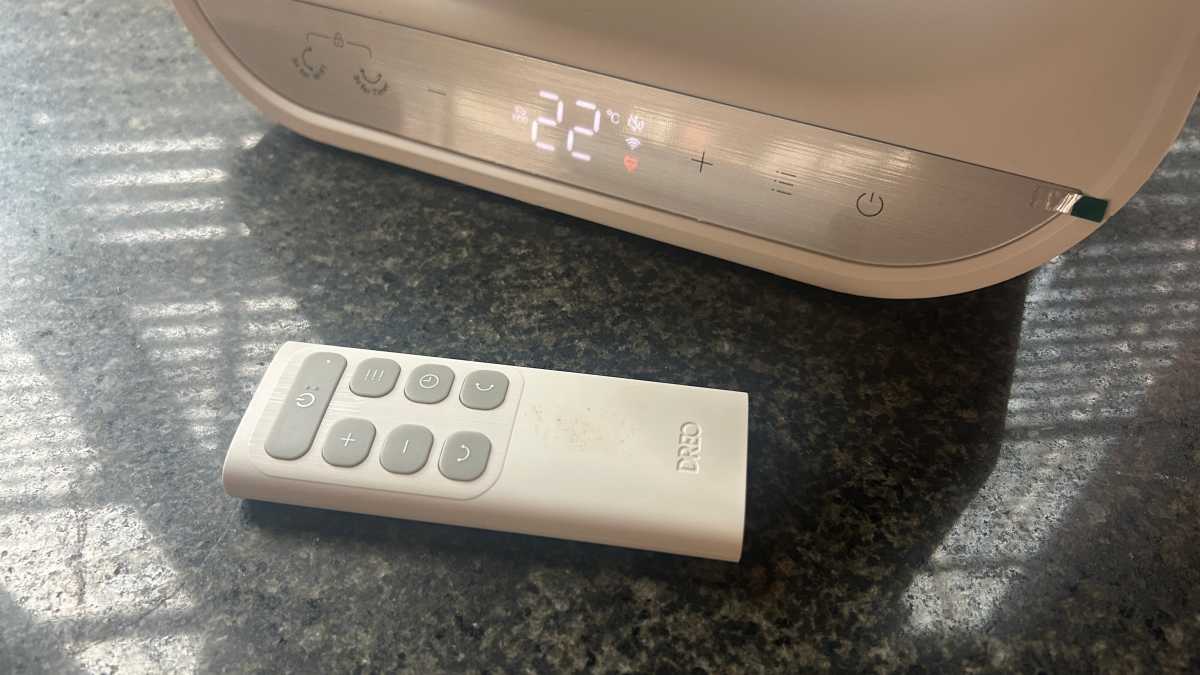
But as the control panel is right at the base of the appliance, it’s not easy to change settings unless you’re prepared to crawl around on the floor. But fortunately, there’s no need. The heater comes with a fairly comprehensive remote control (which does have some multifunction buttons) and, even better, smart features.
While smart features can be an annoying add-on for many types of home appliances (almost all types of kitchen equipment, for example – food and remote operation just don’t mix), they’re a money-saving addition to a heater.
Emma Rowley / Foundry
For one, if you lose or damage the remote, you’ll seriously impact the usefulness of your appliance unless you replace it.
But more importantly, you can tailor settings and schedule heating to ensure you maximise heat while minimising spend.
Plug-in heaters can be expensive to run and this one has a maximum operating wattage of 2000W (the US model is 1500W, making it slightly cheaper). On the current UK price-capped tariff for October 2025, this could cost you up to 53p per hour to run.
It won’t be operating at this level all the time, so that’s the maximum amount it could cost you. You’ll get a much more accurate idea if you use it with a smart plug that has energy monitoring.
But, in any case, it’s a high-wattage appliance, which means you don’t want to just switch it on and leave it running. You need to make the most of it when you have it switched on.
For longer periods of use, it’ll likely be cheaper to switch on your central heating. But if you use a plug-in heater efficiently, it can save you money overall. It can be useful for heating up outdoor offices, little-used spare bedrooms or a dining room, or providing a burst of heat to warm up a room when you come home.
But to be energy efficient, you need a heater with an onboard thermostat, so that you can specify a room temperature and the heater will switch off when it reaches this point, and smart features, so you can easily set up and tweak scheduled heating. Dreo’s smart whole-room heater has both of these.
Performance and Features
- Powerful airflow
- Quiet performance
- Easy-to-use app
Behind the fan-like exterior sits a ceramic heater, which means it’ll heat up a room much faster than an oil-filled radiator.
On the minus side, an oil-filled radiator is more or less silent. Fan heaters are noisier. In the case of Dreo’s whole-room heater, it really is only very slightly so. Dreo rates it at 34dB.
I’m not sure if I agree with that as a the hum of a fridge tends to be rated at around 55dB, but the heater does only emit a rushing-air, white noise that won’t interfere with conversation or TV viewing, and won’t disturb you if you’re trying to fall asleep.
And if you’re trying to heat up a large room, the oscillation does help to spread the warm air around more quickly and help to avoid cold spots. This is handy if you’re trying to make an icy spare room hospitable for a guest, but in general, I’d advise against it.
To save money on heating in the winter, you should always follow the maxim: heat the person, not the room. There’s no point ensuring that every corner of a room is toasty unless you’re going to crouch in it.
But it is a powerful heater. In most cases, you’ll want to use it on eco mode so it’s as cheap to run as possible, but if you need a blast of hot air to cut through a chill, this heater will deliver it. Bear in mind that, when you first switch it on, there is a synthetic smell that fades away during use.
The Dreo app is simply designed and intuitive to use. In my test, the heater and app paired instantly. Once it’s set up, you can control the heater via the app, add it to your smart home set-up and use simple voice commands, via Alexa or Google Assistant, or Siri – the last with limited commands.
I tested it with Siri, and the results were mixed. Turning the heater off was a piece of cake, but Siri wasn’t able to help further. On the other hand, Siri can be like that, so let’s not judge too harshly.
In most cases, you’ll want to use it on eco mode so it’s as cheap to run as possible, but if you need a blast of hot air to cut through a chill, this heater will deliver it
But where the app is most useful is for setting up schedules. You can set up different heating schedules for weekdays and weekends, and specify a set temperature, or choose a fan speed.
The benefit of this is that you can have a room ready to work in, or warm enough to inhabit by the time you want to use it, and know that you’re not leaving your heater running any longer than necessary – and that you’ll never forget about it and leave it switched on. You can also enable open window detection, so you won’t wind up wasting money trying to heat your entire garden.
There’s also a handy usage chart in the app that shows when you ran the heater, how long for and what mode it was in, which should help you track your spending.
It has a good range of safety features as well: apart from the child lock, there’s tip-over protection, overheating protection, it’s flame retardant, has cool-touch housing, thermal insulation and a CE mark.
Price and Availability
Dreo’s whole-room heater is available in the UK from Dreo and from Amazon for £99.99. Okay, this isn’t the cheapest heater around but I do think it’s good value.
In our round-up of the best plug-in heaters we’ve tested, there’s a De’Longhi ceramic fan heater for £69.99 that’s nicely designed and will do the job of keeping you warm. But it lacks the on-device thermostat that allows it to switch off when the room reaches your desired temperature, or the smart features that’ll ensure you only use it when you really need it. Altogether, I think you’ll make back the extra £30 you spend at the outset in use.
In the US, the model without smart features is $99.99 from Dreo, but at the time of writing, you can buy it from Amazon for $89.99. Without the ability to schedule heating times, it’s not quite as good value, but we’d still rate it highly.
Should you buy the Dreo smart whole-room heater?
If you can afford it, this is one of the best compact heaters we’ve tested. It’s versatile, operating as a fan as well as a heater, and can be used to quickly heat up a room or keep it at a steady temperature.
Although it’s a fairly power-hungry appliance at 2000W, its on-device thermostat and smart controls mean that you can ensure you monitor your use and only use it as much as you need to. It’s much better than dusting off whichever elderly fan heater you have lying around in a cupboard and blasting away.
Plus, it’s quiet in use and powerful. Altogether, it’s a recommended buy.


