




Have you ever spent hours searching for a screen recorder, only to be bombarded with options that slap a watermark on your work or lock essential features behind a paywall? It’s frustrating, right? In a world where screen recording has become a staple for everything from creating tutorials to capturing gaming highlights, finding a truly free tool that doesn’t compromise on quality feels like striking gold. The good news? You don’t need to settle for second-best. This piece cuts through the noise to reveal the top five free screen recorders of 2025 that not only deliver exceptional performance but also leave your videos watermark-free.
Whether you’re a content creator looking to polish your next masterpiece, a professional needing to record presentations, or just someone who wants to save a quick how-to for a friend, this guide has you covered. From built-in tools that require zero downloads to feature-packed open source solutions, you’ll discover options tailored to your specific needs. Some are perfect for beginners seeking simplicity, while others cater to tech-savvy users craving advanced customization. As you explore these tools introduced by Kevin Stratvert and team, you might just find the perfect balance between ease of use and professional-grade functionality, without spending a dime. So, what makes these tools stand out in a crowded market? Let’s uncover the possibilities.
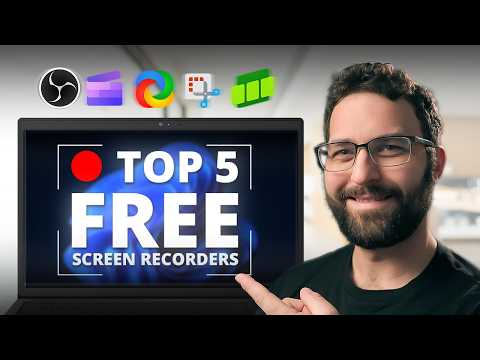
Best Free Screen Recorders 2025
TL;DR Key Takeaways :

- Free screen recording tools in 2025 cater to diverse users, offering cost-effective solutions for high-quality recordings without expensive software.
- Windows Built-in Tools provide simple, pre-installed options for basic recording tasks but lack advanced features like multi-source recording and editing.
- Clipchamp combines screen recording with video editing, featuring AI-powered tools, but the free version limits recording duration and resolution.
- Boom is a browser-based tool offering 4K recording and cloud integration, though it requires a stable internet connection and lacks advanced editing capabilities.
- OBS Studio and ShareX are powerful, open source tools ideal for professionals and tech-savvy users, offering extensive customization and advanced features but with steep learning curves.
1. Windows Built-in Tools
Windows offers built-in screen recording options, such as the Snipping Tool and Game Bar, which are pre-installed on most Windows devices. These tools are designed for users who need quick and straightforward screen recording solutions without the hassle of downloading additional software.
- Pros: No installation required, easy-to-use interface, and suitable for basic recording tasks.
- Cons: Limited functionality, no multi-source recording, and lacks advanced editing features.
These tools are ideal for casual users or those with minimal recording needs. However, their simplicity comes at the cost of advanced capabilities, making them less suitable for users requiring features like full-screen capture or post-production editing.
2. Clipchamp
Clipchamp, now integrated into Microsoft’s ecosystem, is a versatile tool that combines screen recording with a comprehensive video editing suite. It includes advanced features such as AI-powered auto-captioning and noise removal, making it a popular choice for users who need both recording and editing capabilities in one platform.
- Pros: Built-in editing tools, AI features for transcription and noise reduction, and the ability to record system audio.
- Cons: Free version limits recordings to 30 minutes and exports to 1080p resolution. The editing interface may take time to master for new users.
Clipchamp is particularly well-suited for users who want an all-in-one solution for creating polished videos. However, its restrictions on recording duration and resolution in the free version may not meet the needs of users with more demanding projects.
Free Screen Recorders
Find more information on Screen Recording by browsing our extensive range of articles, guides and tutorials.
3. Boom
Boom is a browser-based screen recording tool that emphasizes accessibility and quality. It supports high-resolution recordings, including 4K, and offers features like silence trimming and cloud storage integration, making it a convenient option for users who value simplicity and efficiency.
- Pros: Free 4K recording, customizable layouts, AI-powered transcription, and seamless cloud storage integration.
- Cons: Requires a stable internet connection, performance depends on the browser, and lacks advanced editing tools.
Boom is an excellent choice for users who prioritize high-quality recordings and cloud-based workflows. However, its reliance on an internet connection and limited offline functionality may pose challenges for some users.
4. ShareX
ShareX is a powerful, open source screen recording tool designed for advanced users. It offers extensive customization options, video conversion capabilities, and direct uploads to platforms like YouTube and Google Drive, making it a favorite among tech-savvy users.
- Pros: Highly customizable, supports multiple video formats, and allows direct uploads to various platforms.
- Cons: Windows-only, complex interface, and requires familiarity with FFmpeg for advanced encoding tasks.
ShareX is best suited for users who need a flexible and feature-rich tool. While its interface and advanced features may be intimidating for beginners, its robust capabilities make it a valuable asset for professional workflows.
5. OBS Studio
OBS Studio is a widely recognized, open source tool for screen recording and live streaming. Known for its advanced scene management and multi-platform compatibility, it is a go-to solution for content creators, streamers, and professionals who require high-quality recordings and live broadcasts.
- Pros: Fully customizable, supports plugins, compatible with multiple platforms, and offers advanced scene management.
- Cons: Steep learning curve, requires plugins for certain features, and occasional stability issues.
OBS Studio is ideal for users who demand professional-grade recording and streaming capabilities. While it requires time and effort to master, its extensive features and flexibility make it a top choice for serious users.
Choosing the Right Tool for Your Needs
Each of these free screen recording tools offers unique features and benefits, catering to a variety of user requirements:
- Windows Built-in Tools: Best for quick, simple tasks with minimal setup.
- Clipchamp: A versatile option for users needing both recording and editing in one platform.
- Boom: Perfect for high-quality, browser-based recordings with cloud integration.
- ShareX: A powerful choice for tech-savvy users seeking extensive customization.
- OBS Studio: The ultimate tool for professionals requiring advanced features and flexibility.
By assessing your specific needs, whether it’s simplicity, advanced editing, or professional-grade features, you can select the tool that best aligns with your goals. With the right screen recorder, you can streamline your workflow, enhance productivity, and achieve high-quality results without spending a dime.
Media Credit: Kevin Stratvert
Latest viraltrendingcontent Gadgets Deals
Disclosure: Some of our articles include affiliate links. If you buy something through one of these links, viraltrendingcontent Gadgets may earn an affiliate commission. Learn about our Disclosure Policy.


