




To make the most of everything Amazon has to offer, you’ll want a Prime membership.
It offers free, fast (often same- or next-day) delivery on millions of items, plus access to all the great movies and TV shows on Prime Video.
However, there are lots of other benefits, including free access to many games, e-books and access to millions of songs and podcasts via Amazon Music Prime.
Another big one is exclusive access to deals, which usually happens as part of Amazon Prime Day. Despite the name, Prime Day takes place over two full days in 2024 – 16 and 17 July.

If you’ve never signed up before, you can get a free 30-day trial, meaning you’ll get all the discounts without paying any extra. After that, it costs £8.99/$14.99 per month or £95/$139 per year.
It also makes now a great time to share your Prime membership with other people in your household. Here’s how to do just that, plus everything that can be shared.
How does Amazon know who’s in my family?
It doesn’t. You choose this yourself in the Amazon Household section of your Amazon account.
But that doesn’t mean you can easily split the cost of Prime with other households, as you have to share payment information too. If you’re at all hesitant about friends or members of your extended family being able to buy things using your card, it’s not a good idea.
The one exception here is buying physical products from Amazon; each person sharing a Prime subscription will use their own payment methods instead.
However, for things like rented or purchased videos on Amazon Prime Video, and other digital goods, the single, shared payment method will be used. Despite this, Prime Video still allows you to set up separate viewing profiles (just like Netflix).
Note that you can’t share benefits if you’re a Prime Student (or aged between 18-22), Prime Video-only user, or an invited guest of a Prime member (the member is the person who pays for Prime).
How to share Prime using Amazon Household
The instructions here assume you have already signed up to Amazon Prime and that you want to share that membership with one other adult and up to four children. If not, sign up in the UK or US first.
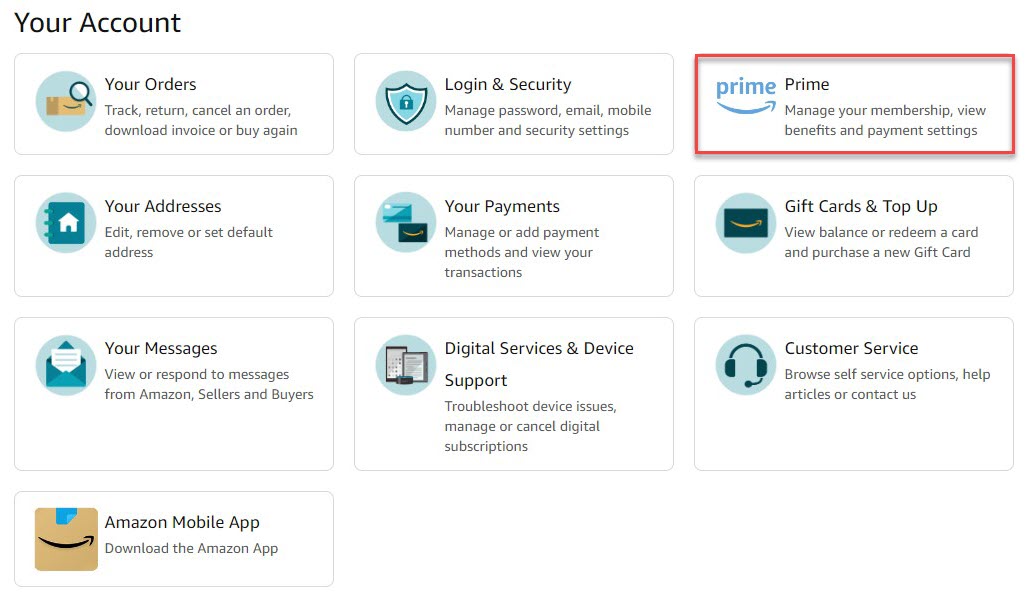
Sign in and open Prime settings
Anyron Copeman / Foundry
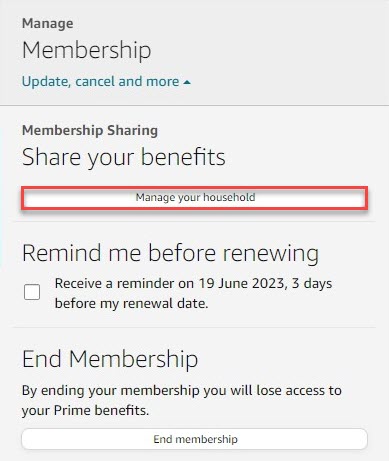
Open the Amazon Household page
Anyron Copeman / Foundry
Under ‘Manage membership’ at the top of the page, click ‘Update, cancel and more’ followed by ‘Manage your household’.
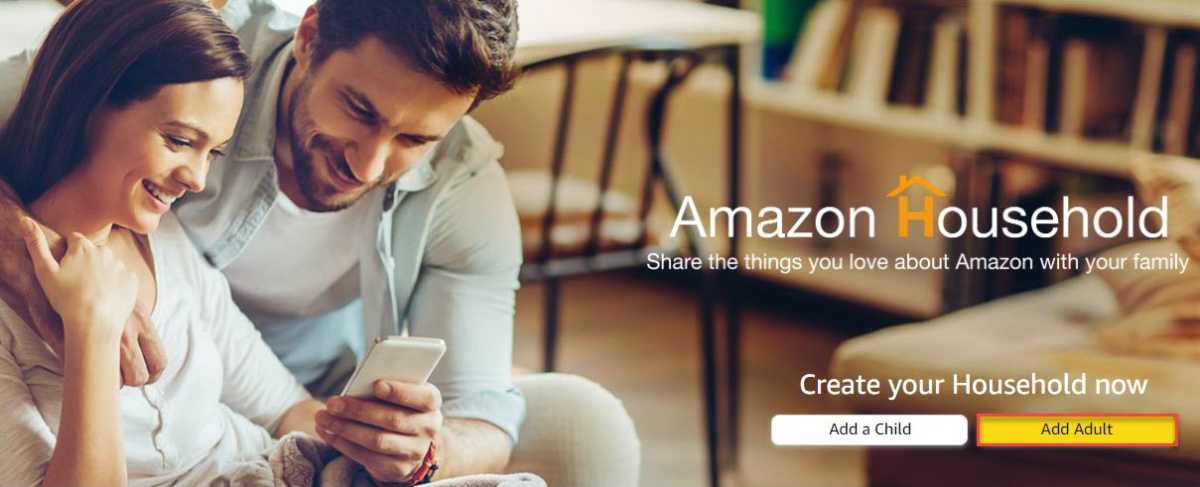
Start creating Amazon Household
Anyron Copeman / Foundry
From the screen that appears, click ‘Add Adult’.
If the option is greyed out, you’ve already set this up. If you decide to remove the adult, you have to wait 180 days before re-adding anyone else.
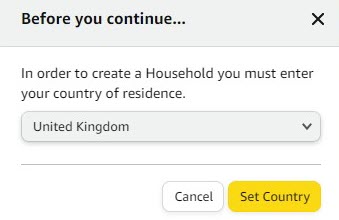
Choose where you’re living
Anyron Copeman / Foundry
Use the drop-down box to find your country of residence, then click the ‘Set Country’ button.
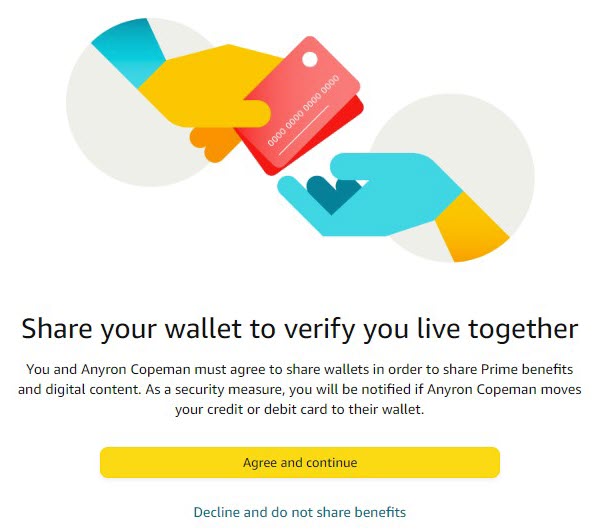
Agree to share benefits
Anyron Copeman / Foundry
From the next screen, click ‘Agree and continue’.
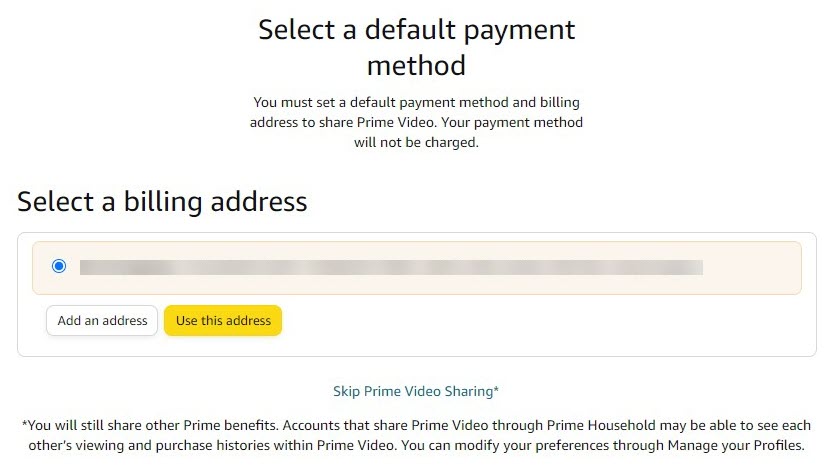
Choose your billing address
Anyron Copeman / Foundry
This is the one linked to the payment method you use for Prime. Select one of the existing addresses or add a new one, then click ‘Use this address’.
If you’d like, you can also click ‘Skip Prime Video Sharing’ here.
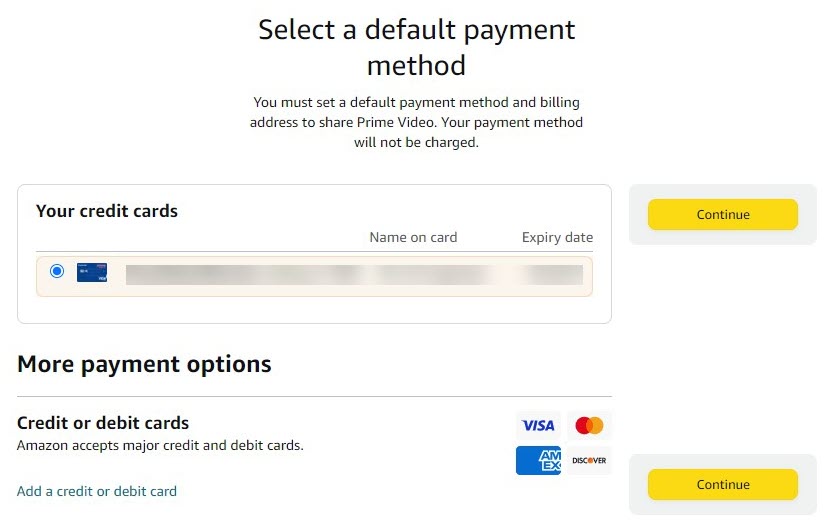
Choose your payment method
Anyron Copeman / Foundry
Select one of the existing payment methods or add a new one, then click ‘Continue’.
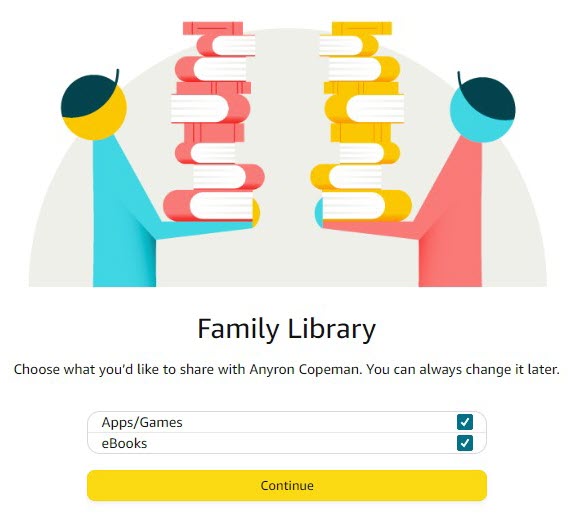
Decide if you’d like to share apps/games and eBooks
Anyron Copeman / Foundry
Uncheck the box next to either or both if you’d prefer they weren’t shared, then click ‘Continue’.
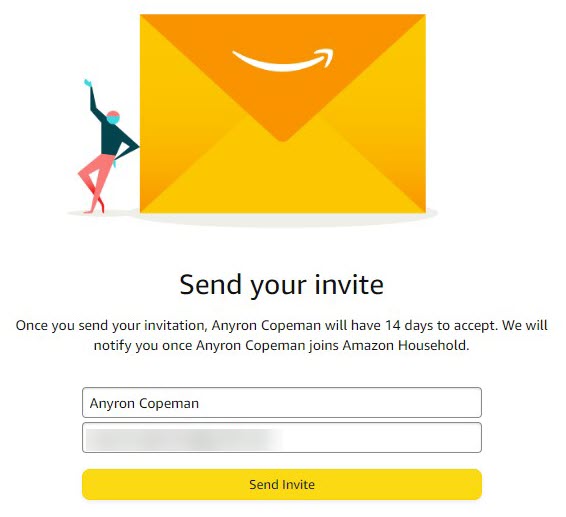
Send invite
Anyron Copeman / Foundry
Enter the name and email address of the person you’d like to share Prime with, then click ‘Send Invite’.
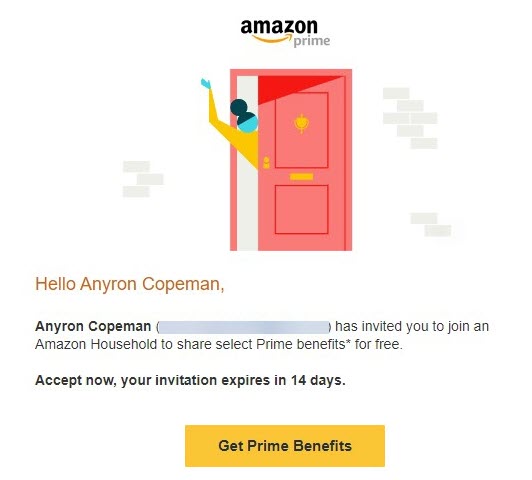
Check email for invitation
Anyron Copeman / Foundry
The person receiving the invite now needs to check their email. The subject should be along the lines of ‘*Name* invited you to share their Prime membership!’.
Open it, then click the ‘Get Prime Benefits’ button. You have 14 days to accept the invitation before it expires.
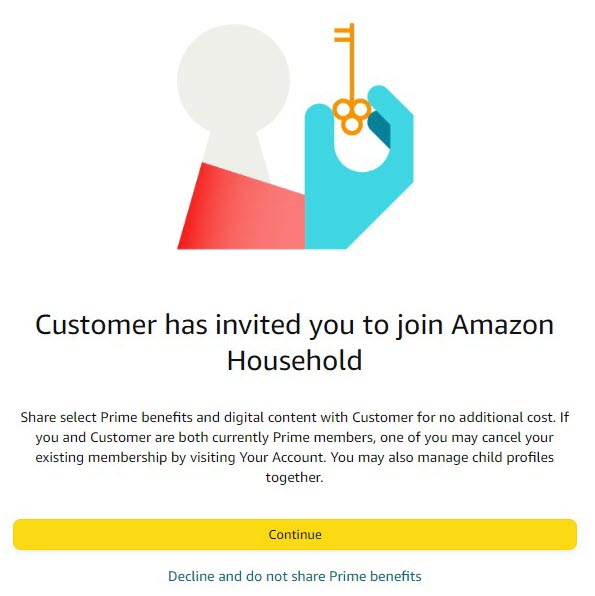
Confirm you’d like to share benefits
Anyron Copeman / Foundry
From the screen that appears, click ‘Continue’.
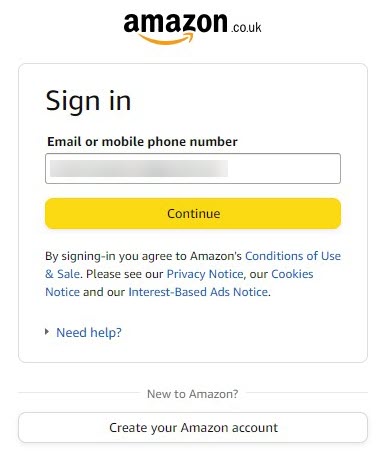
Sign in or create a new Amazon account
Anyron Copeman / Foundry
If you already have an account, enter the email address (followed by ‘Continue’) then password (followed by ‘Sign in’) associated with it.
But if you’re new to Amazon click ‘Create your Amazon account’ and follow the instructions.
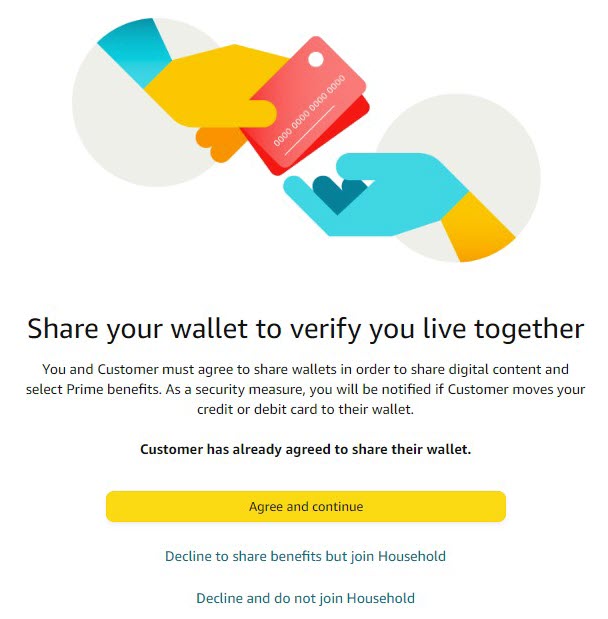
Agree to share payment information with Prime subscriber
Anyron Copeman / Foundry
The person joining the household must repeat Step 5, allowing payment information to be shared with the person who subscribes to Prime. Click ‘Agree and continue’ to proceed.
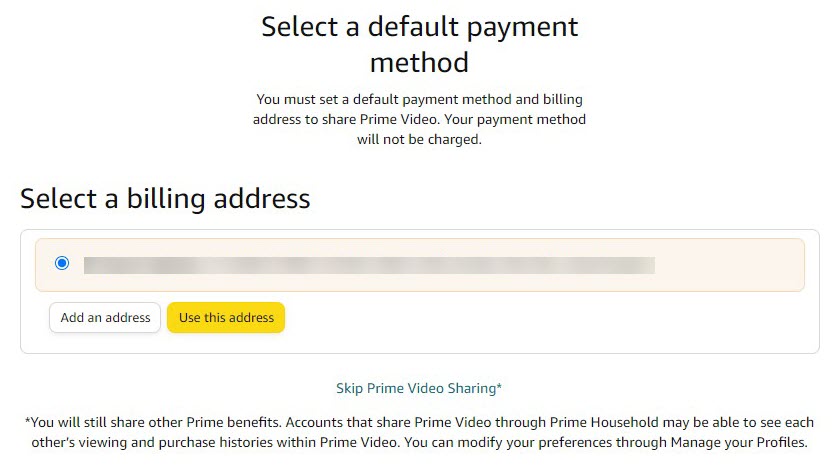
Choose a billing address
Anyron Copeman / Foundry
Choose which existing billing address is linked to your main payment method, or add a new one. Once selected, click ‘Use this address’. This is only necessary if you’d like to access the Prime Video subscription service. If you’d rather not, simply click ‘Skip Prime Video Sharing’.
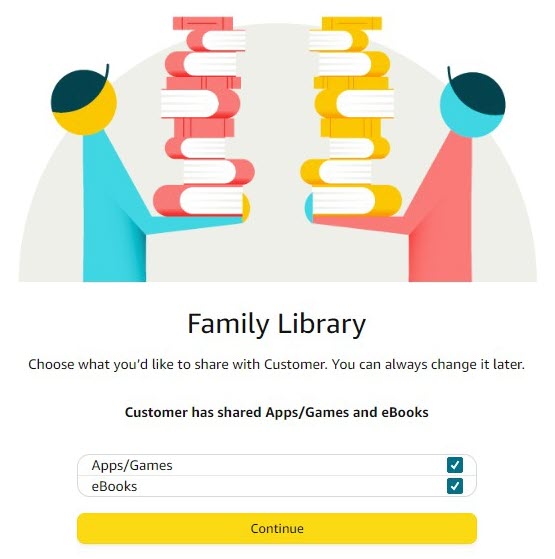
Decide if you’d like to share apps/games and eBooks
Anyron Copeman / Foundry
The person joining the household must repeat Step 8, unchecking the boxes if you’d rather apps, games and/or eBooks weren’t shared. Once you’re happy, click ‘Continue’.
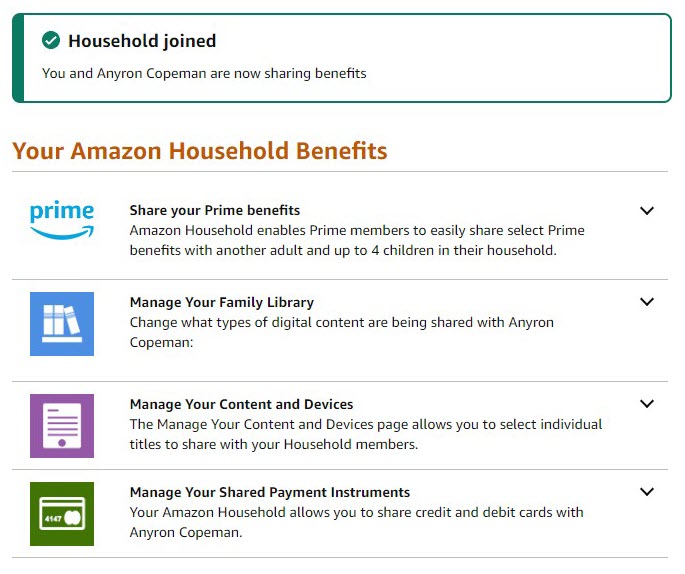
Enjoy the benefits
Anyron Copeman / Foundry
That’s it! You now have access to many of the benefits of Prime at no extra cost.
From this screen, you can see what’s available and change how much you share.
Which Prime benefits can you share?
The second adult using your Amazon Prime account will get access to many – but not all – benefits of Amazon Prime. Kids don’t really get these benefits, except indirectly.
For example, they can watch Prime Video and have their own user profile, but they’ll still need to log into the app with your Amazon account.
The other adult in your household gets the following benefits:
Delivery
- Prime Delivery
- Amazon Fresh
Digital
- Prime Video streaming
- Prime Reading
- Family Library, where you can share digital content like apps, eBooks, games and other media.
Discounts / Exclusives
- Access to Lightning Deals
- Try before you buy
- Prime-exclusive items
- Discounts on Amazon Music, Kids+
- Extra deals and discounts, such as 20% off nappies and baby food
Invitees won’t be able to share benefits like Amazon First Reads, Twitch Turbo, or be able to invite more people to Prime.
Note: You can’t share Amazon Prime Music or Amazon Video Channels. If you wanted to let your spouse, say, listen to Prime Music, they’d need to log in with your account.
One easy way to share Prime Music is to use a smart speaker such as an Amazon Echo. Anyone in your home can ask Alexa to play music. The only disadvantage is that all the recently played songs will appear in your Alexa app, and you may end up getting recommendations for songs you, personally, don’t like. It’s a small price to pay, though.
If you want to have individual accounts, then you’d need to pay separately for Amazon Music Unlimited or a rival streaming service where you’d need their Family subscription.
Prime Music offers full access to all 100+ million songs, but you’ll have to be content with shuffle play unless you pay for a full subscription.


