




A few years ago, swapping a face in a video meant either academic Python scripts (InsightFace, DeepFaceLab – take your pick) or a cloud API that charged per second and sent your footage who‑knows‑where. Neither was creator‑friendly: hours of tinkering or immediate privacy flags.
Then came all‑in‑one tools like VidMage – a video face swap AI that runs locally on a Mac, no uploads, no command line. But here’s the question sponsored content rarely asks: how do these integrated tools stack up against the loose‑cannon standards they’re trying to replace? Not in “best” or “top” terms. In raw capability: tracking accuracy under difficult lighting, fast motion, batch processing, and keeping sensitive footage off strangers’ servers. Because if a tool falls apart the moment you point at a backlit subject, simplicity doesn’t matter.
How to Choose a Video Face Swap AI: 5 Criteria + 4 Hidden Pitfalls
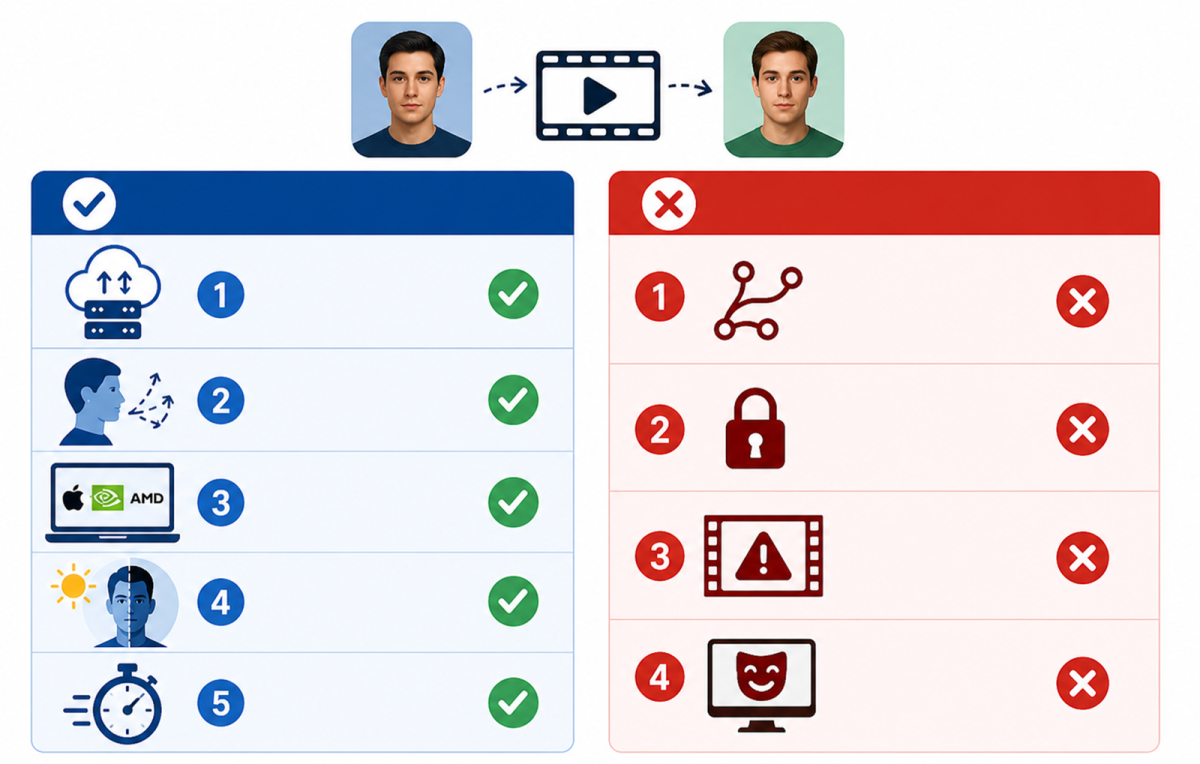
Not all face swap tools are built for the same job. Before you commit to any tool, run it against these 5 selection criteria. Then watch out for the 4 common pitfalls that users only discover after rendering 20 minutes of unusable footage.
VidMage

Local vs. cloud
- What to ask: Does it process on my device or upload to a server?
- Why it matters: Privacy, speed, and internet dependence. Local = safe but requires CPU/GPU; cloud = convenient, but your footage leaves your control.
Motion & angle tolerance
- What to ask: How well does it track faces that turn >45° or move fast?
- Why it matters: Most tools flicker or lose tracking. Check if the tool has published examples of side profiles, backlight, or rapid turns.
Hardware compatibility
- What to ask: Does it run on my machine (Mac / NVIDIA / AMD / CPU)?
- Why it matters: Open‑source tools often require NVIDIA. Mac users need native apps or Docker workarounds.
Output quality under “real” conditions
- What to ask: Does the tool provide a stress‑test table (like the one below)?
- Why it matters: Marketing demos always show perfect lighting. You need to know what happens in low light, backlight, or with glasses.
Effort to first usable result
- What to ask: From download to finished swap: 5 minutes or 5 hours?
- Why it matters: Some tools need Python, branches, and Discord troubleshooting. Others are one‑click. Be honest about your patience.
Four Hidden Pitfalls That Ruin a Face Swap Project
Pitfall 1: Branch hell. You download an open‑source tool, and it fails. Then, a Reddit thread says “use the pearl branch, not next”. Hours later, you’re still installing dependencies. If you don’t enjoy compiling code, choose a stable pre‑built binary or a desktop app that just works.
Pitfall 2: Assumed privacy. Many “free online” face swap services store or reuse your uploads. For any sensitive footage (internal videos, NDA content), verify that the tool processes locally with no upload.
Pitfall 3: Flicker after full render. The preview looks fine, but the final 5‑minute export has glitches every 10‑15 seconds. Always test on a representative 30‑second clip that includes your worst lighting and motion.
Pitfall 4: The demo‑only tool. The website shows a flawless swap of a well‑lit person talking slowly. Your footage has side light, quick turns, or a hand near the face – and the results are terrible. If the tool doesn’t publish its limits, assume it fails outside perfect studio conditions.
Step-by-step guide to video face swap with VidMage
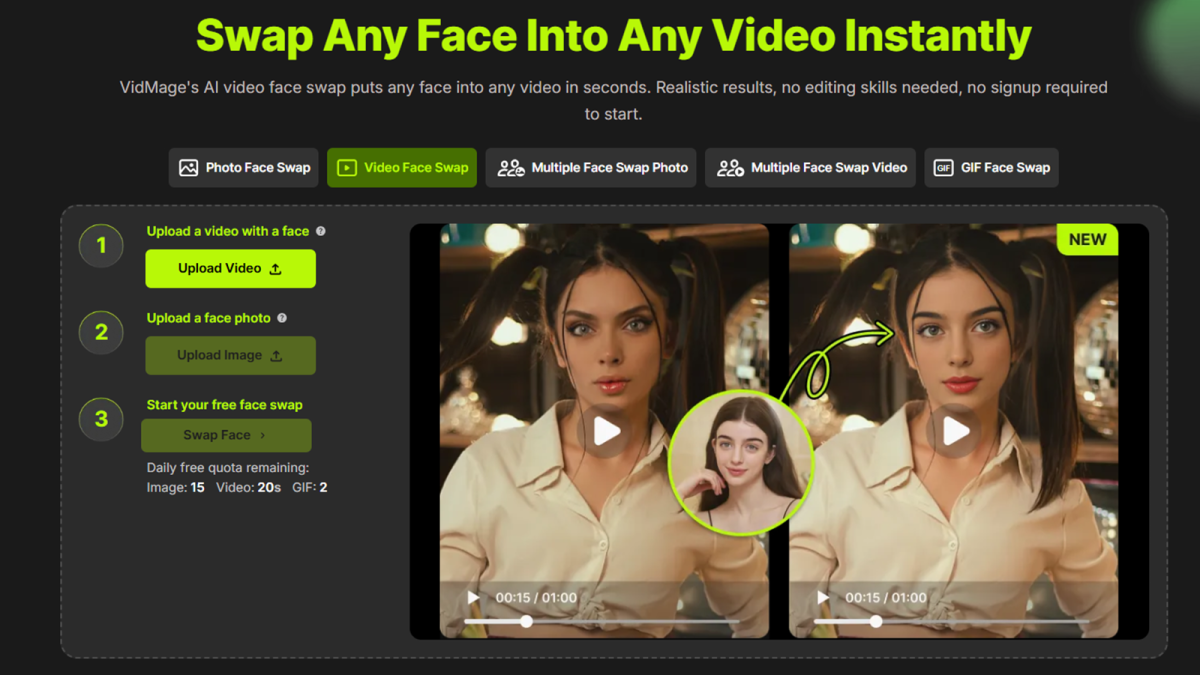
VidMage’s video face swap AI follows a simple three‑step workflow. Before using VidMage for video face swap, you’ll need:
- A source video file (MP4, MOV, M4V, or WebM). Best results come from well‑lit, front‑facing clips with minimal fast head movement.
- One or more source face images (JPG, PNG, or GIF). Use high‑resolution photos (minimum 512×512 pixels) where the face is clearly visible and well‑lit. Low‑res images will be sharpened automatically.
VidMage
Step 1: Upload your video
Go to VidMage’s video face swap page. Click the upload button and select the video file from your device. The tool supports MP4, MOV, M4V, and WebM formats.
What to know about file limits:

VidMage
If your video exceeds these limits, consider trimming it or upgrading to a paid plan.
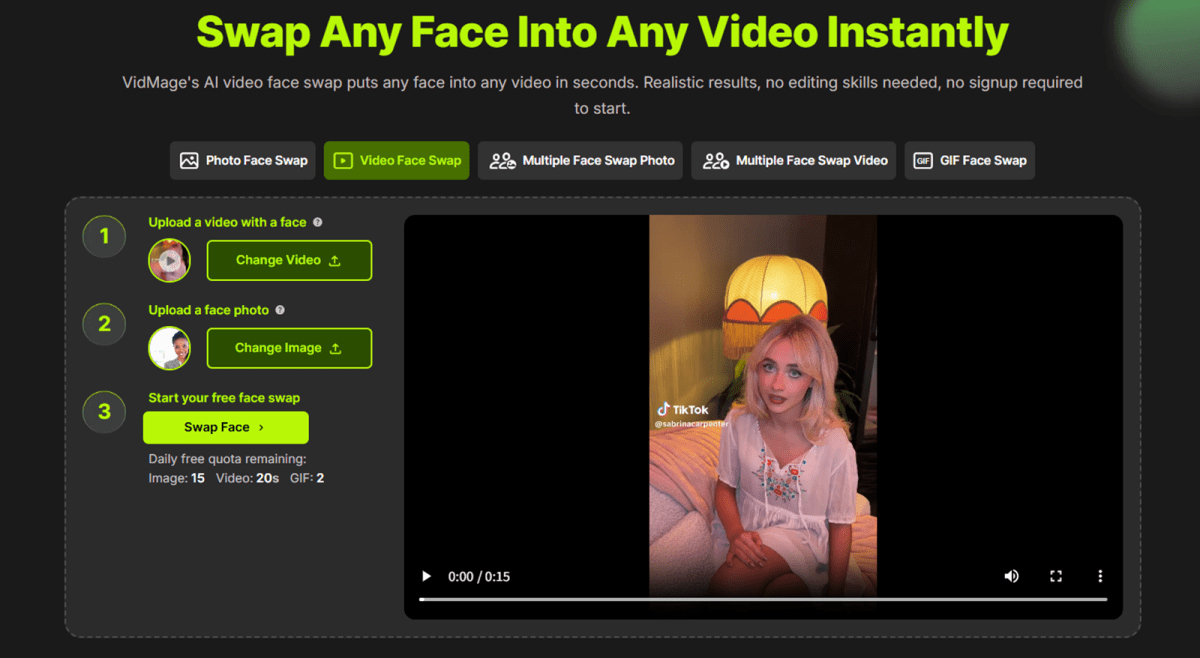
Step 2: Upload your face image
VidMage
Upload a clear face photo (JPG or PNG). For the best output quality from the video face swap AI, use a high‑resolution image with good lighting where the face is fully visible.
Tip: If the only available photo is a small social media crop, VidMage’s source face enhancement feature can automatically sharpen low‑resolution input images before mapping.
Step 3: Generate the face swap
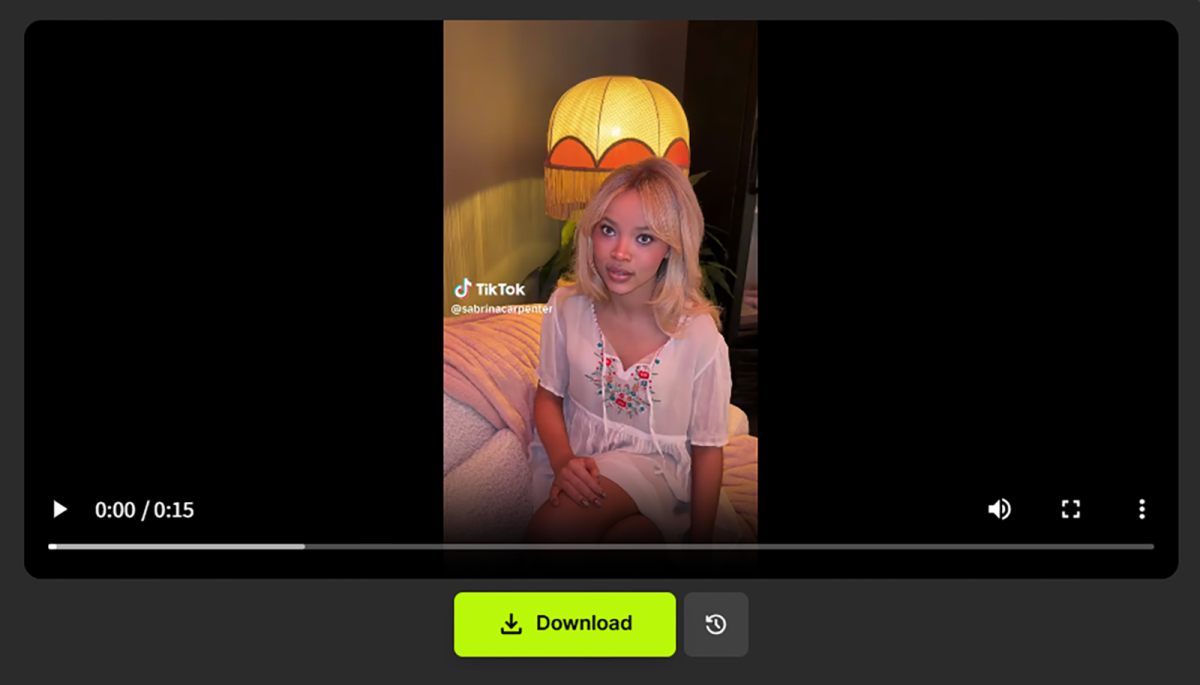
Click the “generate” (or equivalent) button. The video face swap AI will process the clip frame by frame, detecting and tracking the face throughout the video. For detailed information on processing times and advanced settings, see the [Link to product page].
Once processing is complete, the swapped video can be downloaded and used directly – no additional editing required.
VidMage
How to Optimize Results for Different Scenarios
Not all lighting is created equal, and not every video clip plays nicely with face‑swap models. Push any tool – VidMage included – past certain conditions, and results start to break down. The question is: where exactly are those breaking points? Below is a scenario‑by‑scenario breakdown of what VidMage actually delivers, plus what you can tweak when reality doesn’t look like a studio.
| Scenario | Result | Notes |
|---|---|---|
| Single face, front‑facing, consistent lighting | Smooth, natural swap | Minimal glitches; tracking is stable throughout. |
| Single face, moderate side lighting, or slight head turns (under 45°) | Good quality | Occasional softness on the jawline or hair edge, but no tracking loss. |
| Single face, strong backlight, or rapid head movement (>70° per second) | Occasional flicker (2-3 original frames) | Usable for B‑roll, not hero shots; keep clips short. |
| Low‑light scenes (evening room, no key light) | Tracking unstable after ~20 seconds | Best kept under 15 seconds per clip. |
Optimization by scenario
For well‑lit, front‑facing clips (best case)
- No special adjustments needed. Use the highest resolution source face image available (minimum 512×512).
- If the output still shows edge softness, try a different source photo with more even lighting on the face.
For moderate side lighting or head turns
- Slight head turns (under 45°) are fine. For turns beyond that, consider trimming the clip to exclude extreme angles.
- Side lighting can cause jawline softness. Fix by adding a fill light on the shadow side of the face during recording, or use a source photo that matches the lighting direction.
For strong backlight or fast head movement
- Backlight confuses most face tracking models. Reduce the backlight by moving the subject or adding a front‑facing light. If that’s impossible, keep backlit segments under 5 seconds.
- Fast head movement (>70° per second) causes flicker. Slow down the movement in the source clip (if possible) or replace only the segments where the face is relatively still.
This scenario produces a flicker every 10-15 seconds. Plan your edit to cut away during those flicker frames.
For low‑light scenes
- VidMage’s tracking becomes unstable after about 20 seconds. Break longer low‑light clips into 10-15 second chunks and process them separately.
- If you cannot add more light, use a source face image with similar brightness levels to the video. A bright source photo mapped onto a dark video will look unnatural and may increase tracking errors.
Summary
VidMage’s video face swap AI offers a simple workflow: upload a video, upload a face image, and process. The tool supports common formats like MP4 and MOV, offers watermark‑free outputs on the free tier, and includes advanced features such as multiple face swaps (up to four faces) and real‑time live swapping for Mac users.
For solo presenters or small production teams working with consistent lighting, VidMage can efficiently handle typical video face-swap tasks. Under more challenging conditions – strong backlight, fast motion, low light – results remain usable but may show occasional tracking glitches. Understanding these parameters before starting allows users to plan shoots accordingly and get the most out of this video face swap AI.


