




2026 has seen some of the best Android phones yet. There’s the S26 Ultra from Samsung, the OnePlus 15, multiple flagships from Vivo, and a few strong entries from Honor, among others. I’ve had the chance to try most of them, and each one brings something unique to the table.
For instance, the OnePlus 15 packs a massive battery that even Samsung and Apple struggle to match. The S26 Ultra comes with its own set of standout features, including an enhanced privacy mode, improved display tech, and a slew of AI features. They’re all great phones in their own right.
But there’s one brand that keeps pulling me back to its flagships: Xiaomi.
Xiaomi seems to understand that getting people to switch from a Samsung or an iPhone isn’t just about stacking features. It’s about making your phone work seamlessly with the devices people already own and use every day.

Instead of trying to replace something like a MacBook, Xiaomi has taken a different route. It has built features that make its phones work better with products such as the MacBook and iPad. Its interconnectivity offers a surprisingly similar experience to what you’d expect between an iPhone and a MacBook.
Air Drop between Xiaomi and MacBook
To me, the biggest advantage of using an iPhone with a MacBook is AirDrop. I transfer a lot of data between my phone and my MacBook. It could be a picture I’ve taken or a product shot I want to upload to an article or post on social media. With AirDrop, I can send it across in seconds.
If you’re using an Android phone with a MacBook, the process is nowhere near as smooth. You end up sending files to yourself on WhatsApp and downloading them again, or uploading them to Google Drive and pulling them down on your Mac. Sometimes you email them to yourself. None of this is fast or convenient, especially when you’re doing it multiple times a day.
This was the main reason I couldn’t fully switch to Android
For the longest time, this was the main reason I couldn’t fully switch to Android. I’ve been using an iPhone for years. While I’ve repeatedly tried Android phones, I always ended up going back because I didn’t want to lose AirDrop. It might not sound like a big deal, but for the kind of work I do, it absolutely is.
Earlier this year, I started using the Xiaomi 15T Pro as my daily driver, and right now I’m on the Xiaomi 17. Both of these phones support Xiaomi’s interconnectivity features, which are available through an app on Apple’s App Store. You install it on your Mac, connect your Xiaomi phone, and you’re good to go.
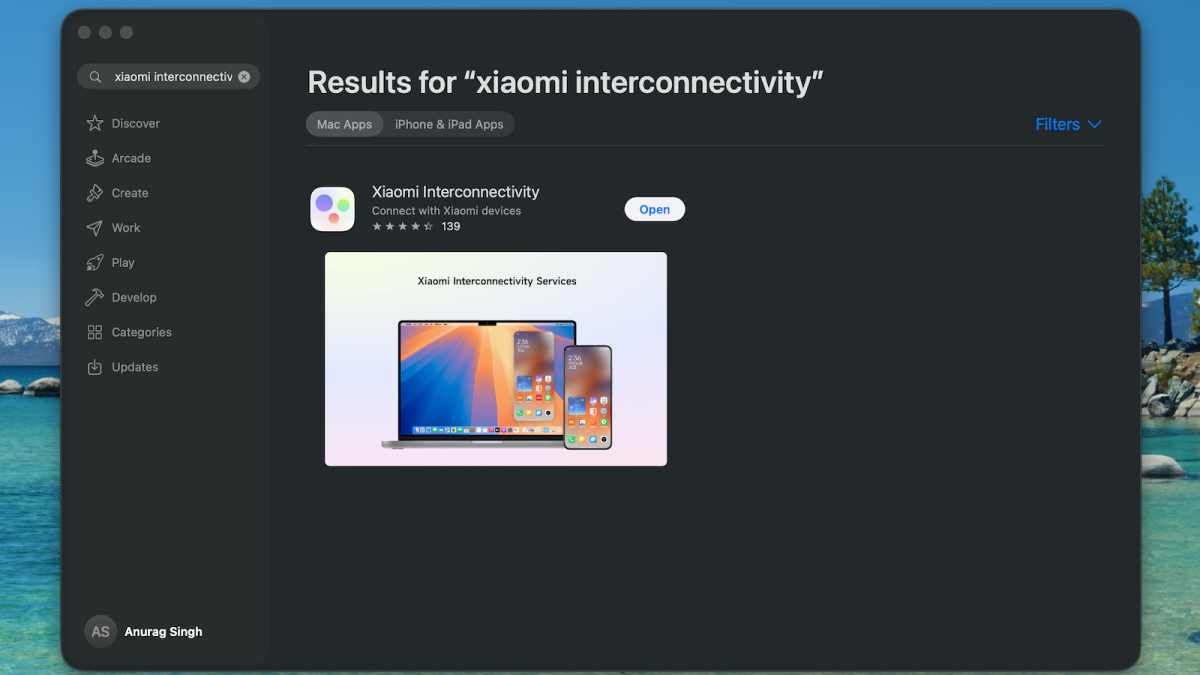
Anurag Singh / Foundry
Once it’s set up, the experience feels very familiar. Open your gallery or a file, hit the share button, and instead of AirDrop, select Xiaomi Share. Your MacBook shows up as a nearby device, and when you tap it, the file is transferred instantly.
You don’t even need to manually accept it on your Mac. What makes this even better is that it’s not limited to your own devices. If someone nearby also has a Xiaomi phone, you can send files to each other just as easily, much like AirDrop.
Xiaomi Interconnectivity has a lot more to offer
AirDrop is just one aspect of what Xiaomi Interconnectivity offers. For instance, on a Mac, you can’t natively share files to an Android phone the way you can with an iPhone. You can’t just open Finder and send something directly to your Android device, and that still doesn’t fully change – even with Xiaomi’s solution.
What you can do is use the Xiaomi Interconnectivity app on your Mac. It includes a inbuilt file transfer option. You click on send files, it opens Finder, you select what you want, and the file is sent to your phone. It feels similar to AirDrop, although there’s still a bit more friction compared to Apple’s native implementation.
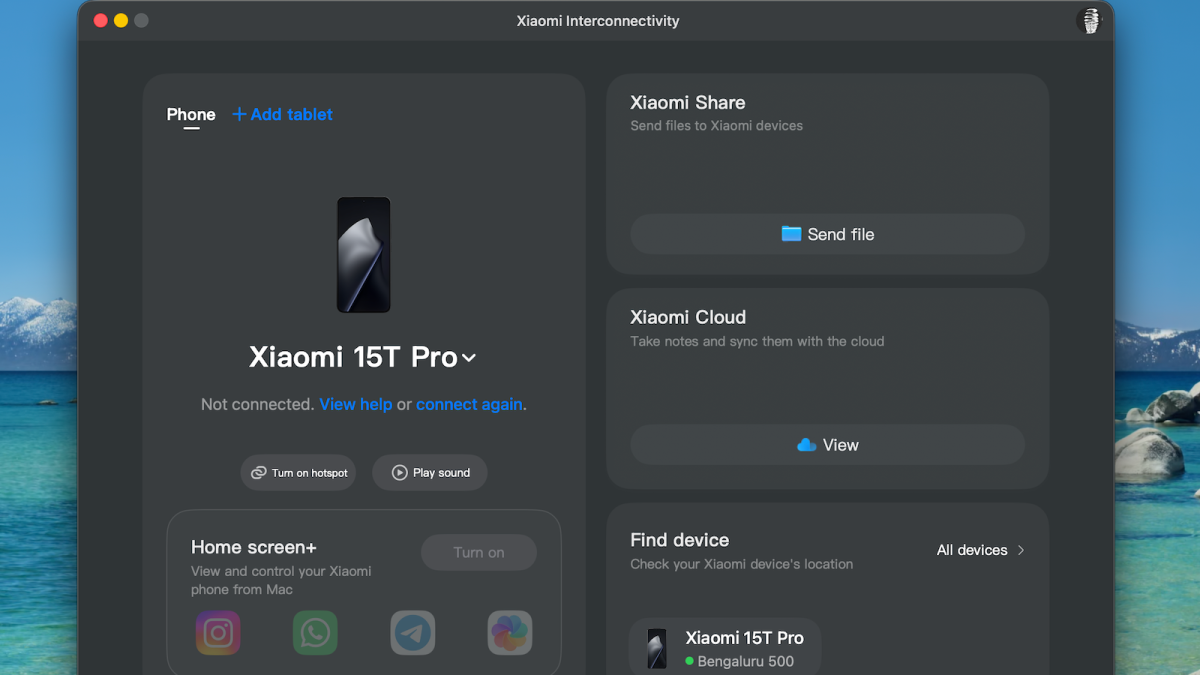
Anurag Singh / Foundry
Where things get much more interesting is screen access. MacBooks now have iPhone mirroring, which lets you view and control your iPhone directly from your Mac. That level of integration is rare outside Apple’s ecosystem, but Xiaomi comes surprisingly close. Inside the Xiaomi Interconnectivity app, there’s an option to access your phone’s screen.
Once you enable it, your phone’s interface shows up on your Mac. You can interact with it almost as you would the device itself. That means you can view photos, go through chats, open apps, and navigate your phone without actually picking it up.
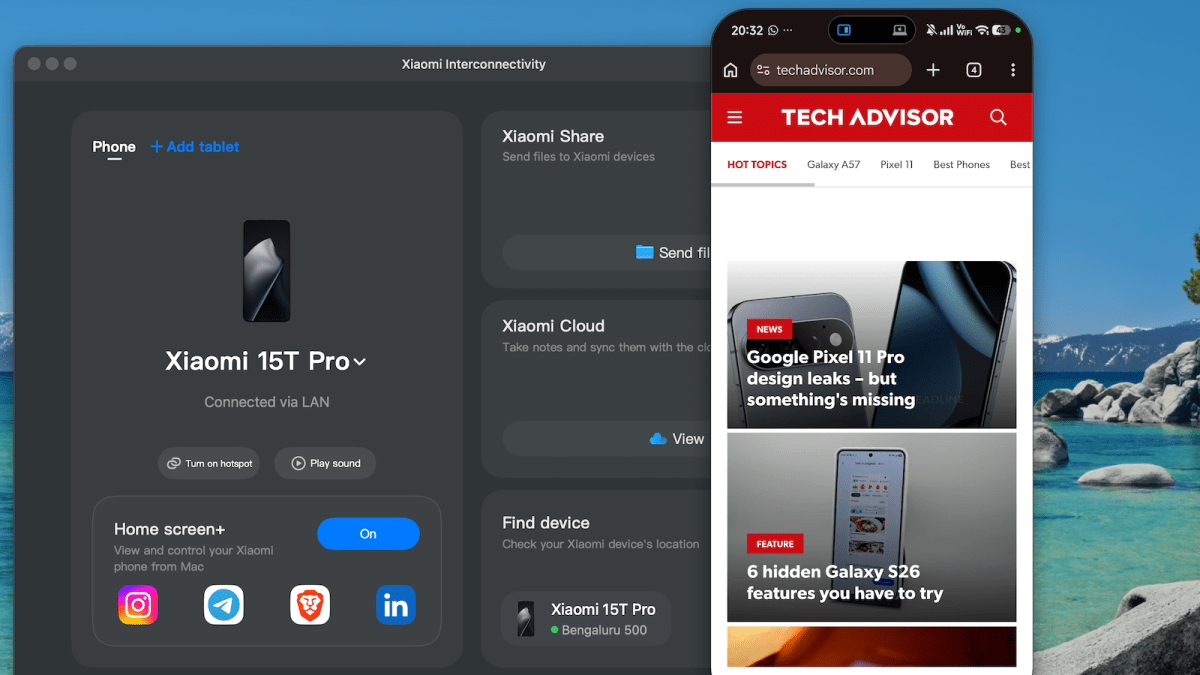
Anurag Singh / Foundry
There is a slight delay, but it’s minimal and doesn’t affect everyday use. I ended up using this more than I expected. Sometimes my phone is in another room or on charge, and I just need quick access to something. Instead of getting up, I can pull it up on my Mac and get it done.
There’s also a more private way to use it. If you don’t want to mirror your entire screen, you can choose specific apps instead. You can open your gallery, Google Photos, or your file manager directly on your Mac without exposing everything else on your phone.
Instead of getting up, I can pull it up on my Mac
On top of that, there are a few additional utilities. You can make your phone ring if you can’t find it, use Find Device to locate it, lock it, or erase data if needed. You can even enable your phone’s hotspot from your Mac.
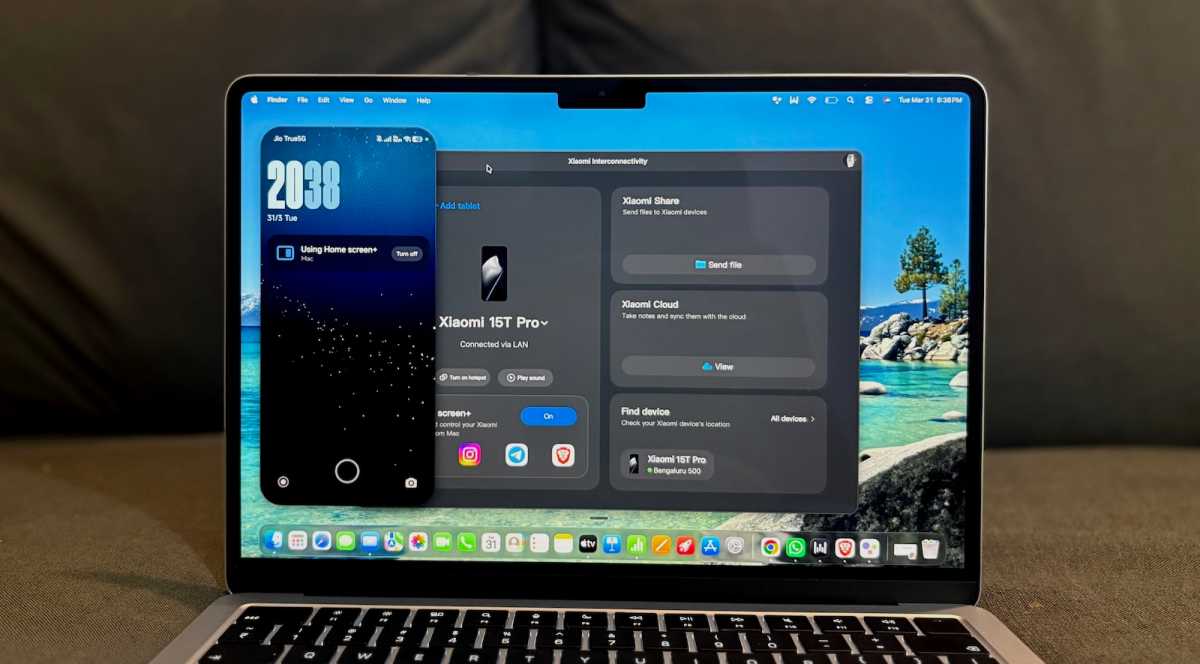
Anurag Singh / Foundry
Interconnectivity matters more than phone makers think
Put together, this is one of the most useful feature sets I’ve used on any Android phone, period. It doesn’t try to copy Apple feature for feature, but it solves the one problem that actually matters – switching.
For the first time, I don’t feel like I’m breaking my workflow by leaving the iPhone behind. I can still use my Mac the way I always have, still move files instantly, still access my phone when I need to. That changes everything, and it’s exactly why I keep coming back to Xiaomi.


