




Synology’s DSM 7.3 introduces data tiering, a feature that promises to transform how we manage storage by automating the movement of files between high-performance “hot” storage and budget-friendly “cold” storage. But as with any innovative technology, the devil is in the details. Is this beta feature ready to deliver on its bold claims, or does it fall short of expectations? In this comprehensive rundown, SpaceRex dives deep into the setup, testing, and real-world performance of DSM 7.3’s data tiering to uncover whether it’s a fantastic option or just another tech experiment.
Throughout this guide by SpaceRex, you’ll discover how DSM 7.3’s storage optimization tool balances speed and cost, the quirks and limitations of its beta release, and whether it’s a fit for your workflow. From the nitty-gritty of configuring tiering policies to the surprising results of performance testing, this exploration leaves no stone unturned. Whether you’re a video editor juggling massive projects or a data manager seeking efficiency, this feature could redefine how you think about storage. But does it truly live up to its potential? Let’s explore the possibilities, and the pitfalls, of Synology’s latest innovation.
Synology DSM 7.3 Tiering
TL;DR Key Takeaways :

- Synology DSM 7.3 introduces a beta data tiering feature to optimize storage by automatically moving files between high-performance “hot” storage and cost-effective “cold” storage based on usage patterns.
- Data tiering dynamically transfers files between two Synology NAS devices, making sure frequently accessed files remain in “hot” storage while rarely used files are moved to “cold” storage for efficient utilization.
- Setting up data tiering requires two Synology NAS devices with BTRFS volumes, DSM 7.3 installed, and compatible models as per Synology’s official list.
- The beta feature has limitations, including support for only one “hot” and one “cold” storage device, a maximum file size of 1 TB, and incompatibility with features like Cloud Sync and Synology Drive.
- Data tiering is ideal for workflows balancing high-capacity storage and frequent file access, such as video editing and large dataset management, but further enhancements are needed for broader adoption and functionality.
Understanding Data Tiering
Data tiering in DSM 7.3 is a storage optimization tool that balances performance and cost by dynamically transferring files between two Synology NAS devices. Files that are frequently accessed are stored in “hot” storage, typically SSDs or high-speed HDDs, making sure quick access. Meanwhile, files that are rarely used are moved to “cold” storage, such as slower HDDs, to free up space on the high-performance tier. When a file in “cold” storage is accessed, it is automatically retrieved and temporarily placed in “hot” storage for faster access. This process ensures efficient storage utilization without compromising data accessibility.
The system is particularly beneficial for users managing large datasets or workflows that require a mix of high-speed access and long-term storage. By automating file movement, DSM 7.3 reduces the need for manual data management, allowing users to focus on their core tasks.
Requirements for Setting Up Data Tiering
To enable and configure data tiering in DSM 7.3, you will need the following:
- Two Synology NAS devices with BTRFS volumes to support the tiering process.
- DSM 7.3 installed on both devices, as earlier versions do not support this feature.
- Compatible Synology models, as not all devices are supported (check Synology’s official compatibility list).
The setup process involves linking the two NAS devices and configuring tiering policies. These policies define how and when files are moved between the storage tiers, making sure that the system operates according to your specific needs.
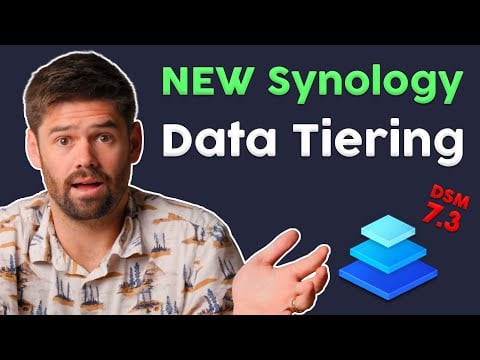
Full Setup, Testing & Performance Review by SpaceRex
Here are more detailed guides and articles that you may find helpful on Synology.
Configuring Data Tiering
DSM 7.3 offers customizable options for configuring data tiering, allowing users to tailor the feature to their workflows. Key configuration options include:
- Tiering rules: You can set rules based on file access or modification times, making sure that only relevant files are moved between tiers.
- Scheduling: Tiering tasks can be scheduled during off-peak hours to minimize any potential impact on system performance.
- Capacity-based triggers: The system can automatically initiate tiering when storage usage reaches a specified threshold, making sure efficient space management.
These options provide flexibility and control, allowing users to optimize their storage setup while minimizing disruptions to their workflows.
Performance and Testing Insights
The data tiering feature in DSM 7.3 employs a file-based synchronization model, using scripts to move files between the “hot” and “cold” storage tiers. Testing has shown that the performance impact during tiering operations is minimal, even when the system is actively in use. This ensures that users can continue their tasks without noticeable slowdowns.
For urgent storage management needs, DSM 7.3 allows users to manually trigger tiering tasks. This feature provides additional flexibility, allowing users to address storage issues promptly. While the system is designed for efficiency, it is worth noting that tiering operations may take longer for large files or datasets, depending on network speed and device performance.
Limitations of the Beta Feature
As a beta feature, data tiering in DSM 7.3 has several limitations that users should consider before implementation:
- Supports only one “hot” and one “cold” storage device, limiting scalability for larger setups.
- Maximum file size is restricted to 1 TB, which may not be sufficient for certain workflows.
- Incompatibility with features like Cloud Sync, Synology Drive, and data scrubbing, which may limit its integration with existing workflows.
- Snapshots are supported but can reduce storage efficiency due to retained data, potentially impacting overall capacity.
These constraints make the feature less suitable for complex environments or workflows requiring advanced functionality. Users should carefully evaluate their needs before adopting the feature.
Reliability and Data Recovery
DSM 7.3 incorporates integrity checks to ensure data consistency during tiering operations. These checks help prevent data corruption and maintain system reliability. In testing, the system has demonstrated resilience against interruptions, such as power outages, with reliable recovery mechanisms in place. However, users should exercise caution, as there is still a risk of data corruption if interruptions occur during active tiering processes. Regular backups are recommended to mitigate this risk.
Ideal Use Cases for Data Tiering
Data tiering is particularly beneficial for workflows that require a balance between high-capacity storage and frequent access to specific files. Examples of ideal use cases include:
- Video editing: Active projects can be stored in “hot” storage for quick access, while completed projects are archived in “cold” storage to free up space.
- Data management: Organizations handling large datasets can optimize costs by storing infrequently accessed data in “cold” storage while keeping critical files readily available.
This approach allows users to achieve a balance between performance and cost, making it particularly valuable for industries dealing with large volumes of data.
Potential Enhancements for Data Tiering
To improve the functionality and usability of data tiering, several enhancements could be considered:
- Introducing manual controls to allow users to move specific files or folders between tiers as needed.
- Allowing automatic tiering during periods of high-capacity usage to adapt to dynamic workflows more effectively.
- Expanding compatibility with other Synology features, such as Cloud Sync and Synology Drive, to integrate tiering into a broader range of use cases.
These improvements would make the feature more robust and versatile, increasing its appeal to a wider audience and allowing it to address more complex storage needs.
Future Potential of Synology Data Tiering
Synology’s data tiering feature in DSM 7.3 represents a significant step toward automated storage optimization, offering a practical solution for managing large datasets efficiently. While its beta status and current limitations mean it is best suited for specific use cases, the feature shows considerable potential for future development. With further refinement and expanded compatibility, data tiering could become a cornerstone of Synology’s storage management capabilities, providing users with a powerful tool to balance performance and cost in their storage environments.
Media Credit: SpaceRex
Latest viraltrendingcontent Gadgets Deals
Disclosure: Some of our articles include affiliate links. If you buy something through one of these links, viraltrendingcontent Gadgets may earn an affiliate commission. Learn about our Disclosure Policy.


