




Every year, UK station Radio 1 brings together some of the biggest artists from across the world for a three-day music festival. It moves across different towns and cities every year – 2024’s event kicks off in Stockwood Park in Luton.
If you can’t make it in person, then never fear. Radio 1’s Big Weekend is available across a range of mediums, and we’ve even found a method of tuning in from outside of the UK. Read on to find out more.
When is Radio 1’s Big Weekend 2024?
Radio 1’s Big Weekend in Luton takes place from Friday 24 May 2024 until Sunday 26 May 2024.
According to the Radio 1 website, the first headline act will start from 4pm BST on Friday. The event will end at 10pm BST on Sunday, though coverage will be available on-demand, and some televised content will air later than the live timetable.

Who is performing at Radio 1’s Big Weekend 2024?
You can see the full schedule of the Luton Big Weekend here, but these are some of the highlights from the main stage:
Friday 24 May
- Becky Hill – 4pm
- Nathan Dawe – 5:30pm
- Ella Henderson – 7:45pm
- Rudimental – 8:30pm
- Chase and Status – 10:00pm
Saturday 25 May
- Joel Corry – 1pm
- Rag n Bone Man – 2:20pm
- Jax Jones – 3:40pm
- Aitch – 5:00pm
- Griff – 6:30pm
- Mabel – 7:30pm
- Raye – 9pm
Sunday 26 May
- AJ Tracey – 1pm
- London Grammar – 2:10pm
- Declan McKenna – 3:30pm
- Sabrina Carpenter – 4:40pm
- Olly Alexander – 6:05pm
- Alyx Holcombe – 6:40pm
- Vampire Weekend – 7:20pm
- Coldplay – 9pm
How to watch Radio 1’s Big Weekend 2024 in the UK
If you’re in the UK, the easiest way to watch Radio 1’s Big Weekend is via BBC iPlayer, the official BBC streaming service. You can also listen to the event via, you guessed it, Radio 1. BBC Sounds should also have some content.
Raye’s highly anticipated set will also be broadcast on BBC One at 11:10pm on Saturday, while Coldplay’s performance will be on the same channel at 10:30pm on Sunday.
As these are all BBC properties, you should have a TV licence. If you don’t have that, then Radio 1 will likely upload some of its biggest performances to its YouTube channel as it did last year.
How to watch Radio 1’s Big Weekend 2024 in the US and abroad
As far as we know, Radio 1’s Big Weekend 2024 will only be broadcast on BBC’s UK channels. The exception will be performances that are uploaded to YouTube.
The BBC website states that most content is available live for radio and BBC Sounds, but not all – so there is a chance that the Big Weekend will not be available for international listeners.
In addition, BBC iPlayer is geo-locked to people in the UK. However, there is a way to still watch this streaming platform if you’re travelling abroad – by using a VPN. This stands for virtual private network and allows you to browse the internet securely by rerouting your IP address.
You can connect to different servers across the world, including the UK. This means that you can browse the web and appear as if you’re from another country, giving you access to websites you wouldn’t normally be able to visit.
There are lots of VPN providers out there, but we recommend NordVPN for unblocking BBC iPlayer. This is because it offers a wide range of servers, good user experience and decent pricing.
We’ve broken down the steps below:
Sign up for NordVPN
Jim Martin / Foundry
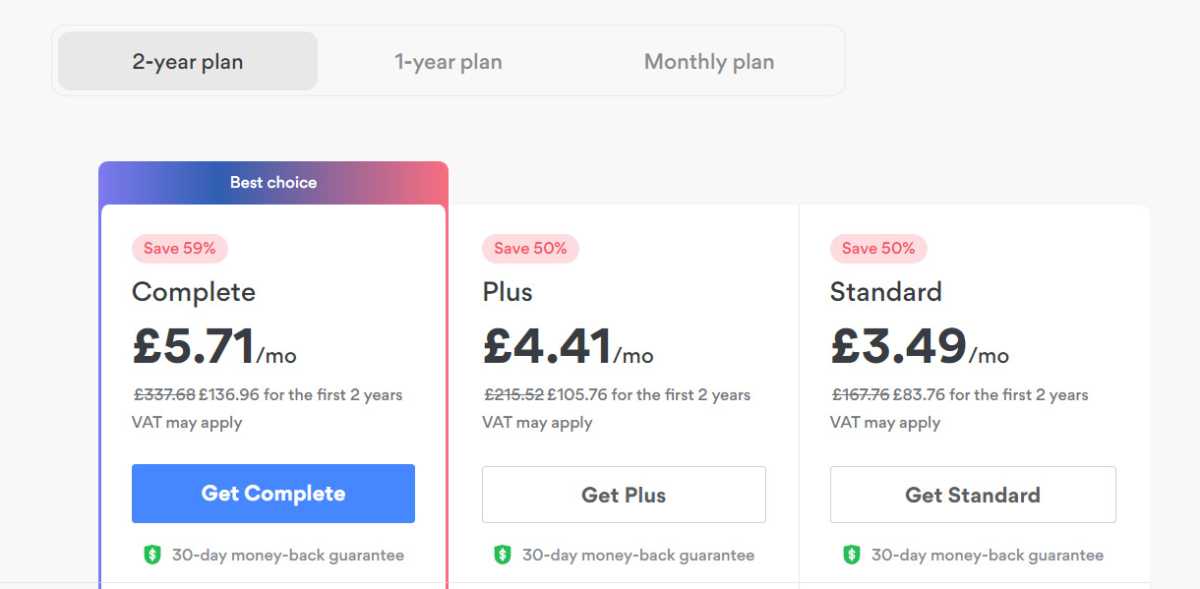
You can sign up here. By default, the Complete plan is selected, but if you only need the VPN, click on Get Standard. At the top, choose between a two-year, one-year and one-month plan.
Follow the prompts to create your account and pay.
Install the NordVPN app
Jim Martin / Foundry
If you’re using a phone or tablet, just head to its app store and search for NordVPN, then install it.
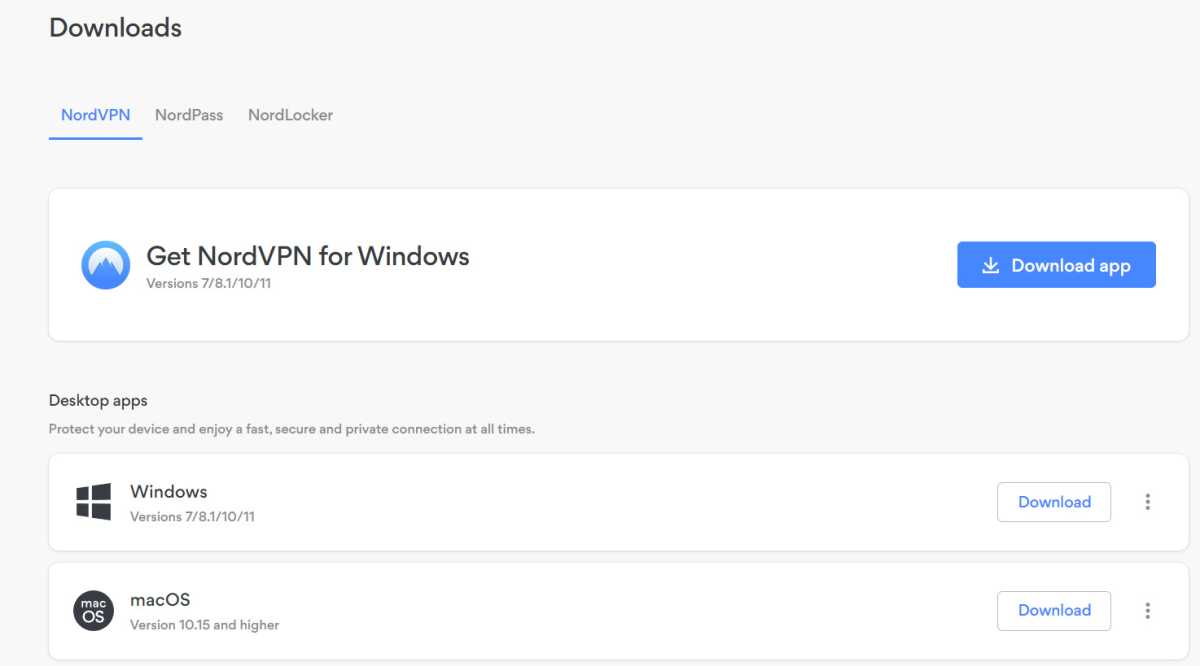
If you’re on Windows, then log into your NordVPN account in a web browser, go to the Downloads section and click Download app next to Get NordVPN for Windows. Run the downloaded file to install it.
Launch NordVPN
Jim Martin / Foundry
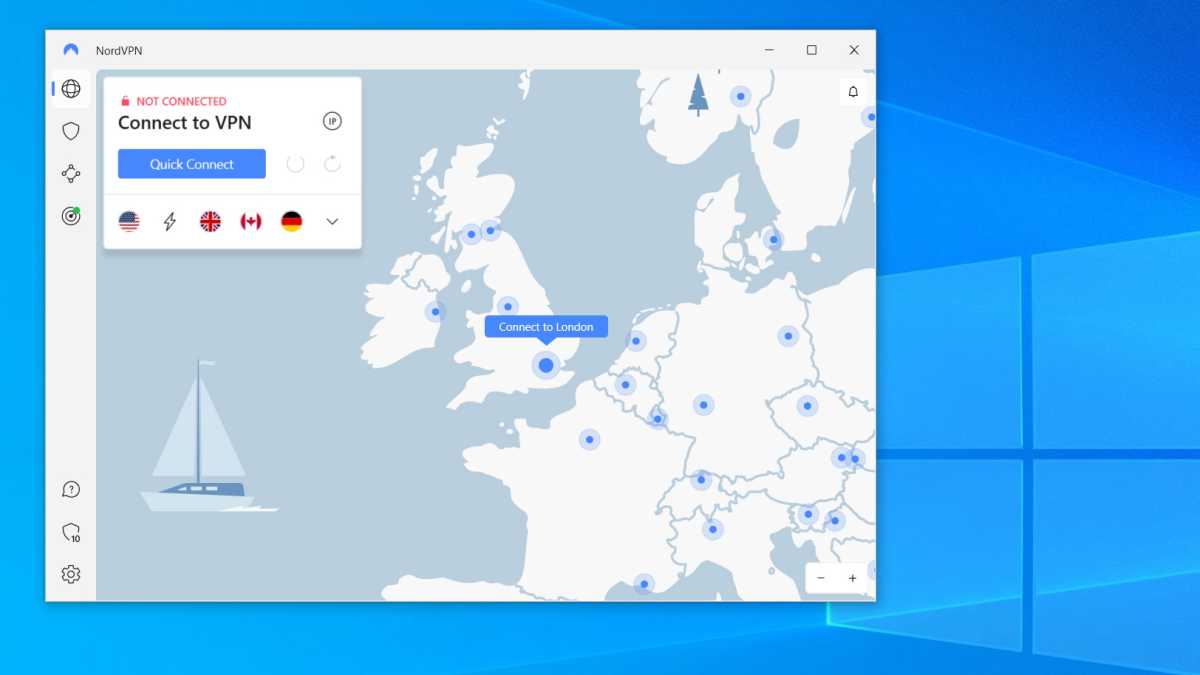
Launch the app, and sign in using the email address and password you entered when creating an account with NordVPN. On Windows you should see a screen like this, but other apps are very similar.
Either use the list of locations (the word icon at the top left) or scroll the map to the UK and tap on Connect to London. If prompted, allow NordVPN to set up a VPN connection. You might have to enter your Windows password or, on a mobile device, your passcode.
Wait until the VPN is connected
Jim Martin / Foundry
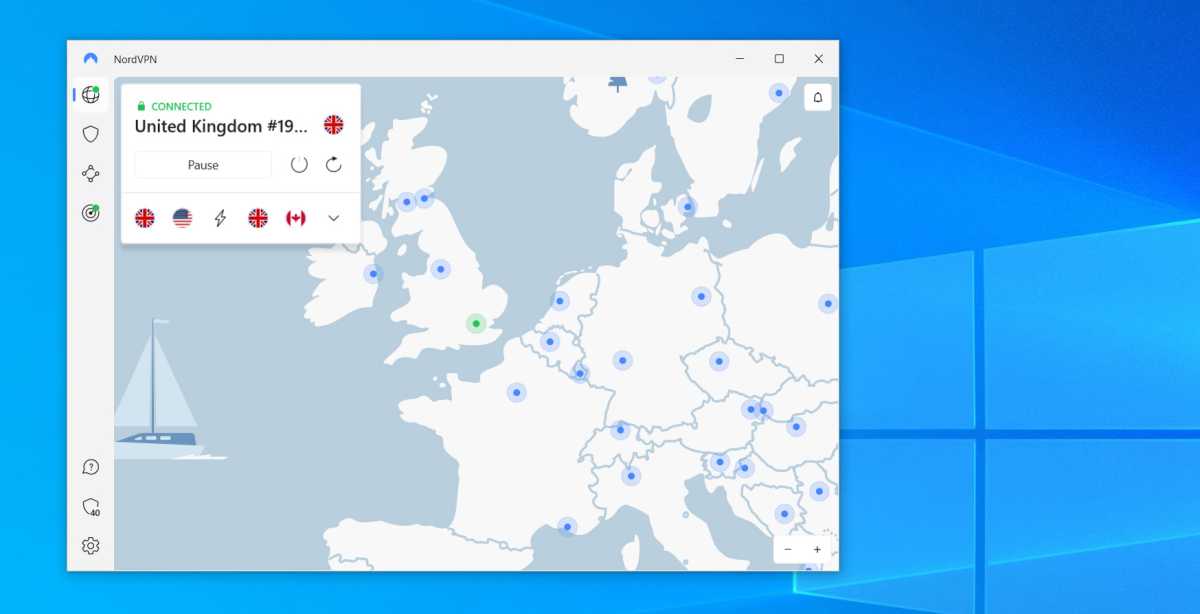
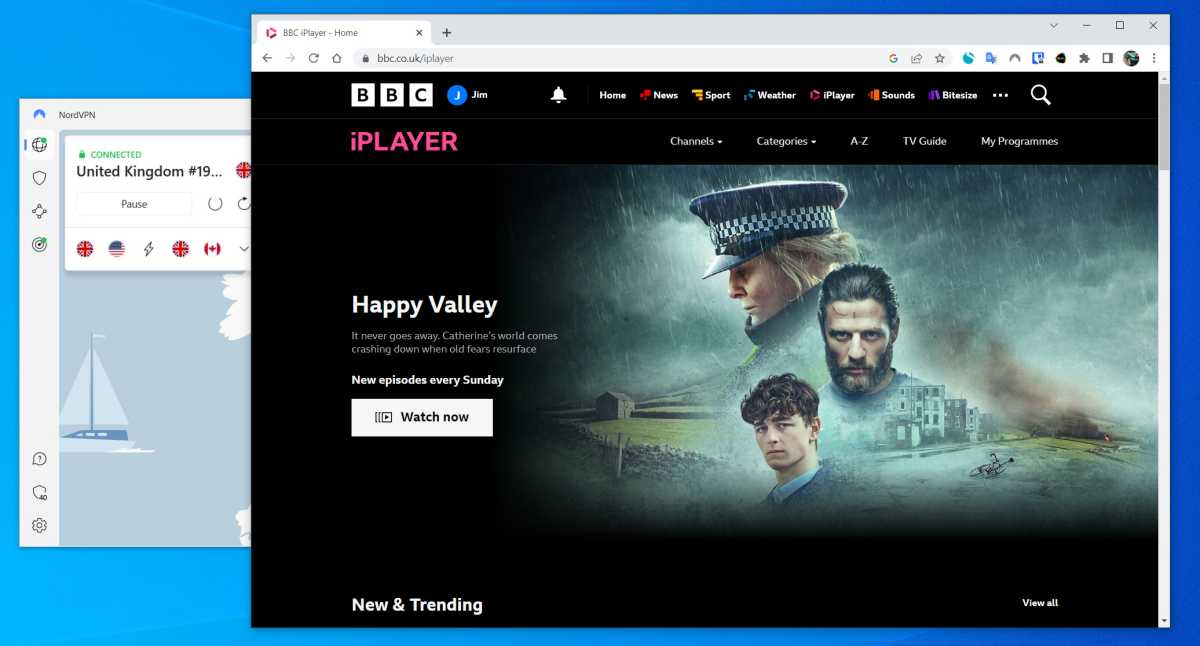
You should see a message to tell you the VPN is connected. You can see this with the green CONNECTED and a padlock above United Kingdom.
Open iPlayer
Jim Martin / Foundry
Sign in with your BBC account (create one if you haven’t got one) and then find something to watch. It should play just fine as the VPN makes it appear that you’re in the UK.
You can read more about the process and guidelines in our our article on how to watch BBC iPlayer from abroad.

/origin-imgresizer.eurosport.com/2024/04/29/3958094-80375588-2560-1440.jpg?w=150&resize=150,150&ssl=1)


