




Not being a Medieval peasant, I like to start the day by brushing my teeth. And, although my bathroom is cluttered with a selection of electric toothbrushes from previous reviews (you may not be surprised to hear that brands often don’t want their gunky, used models returned), my go-to brush is an Oral-B iO. Specifically, the iO4.
But one day, it wouldn’t switch on.
I’ve tested a lot of electric toothbrushes, and for my money – and dental health can get pretty pricey if you don’t look after your teeth at home – the iO line has the best brushing performance around. And I rely on mine to keep my dental hygienist from getting out her scarier tools when I’m in the chair.
In short, I need it.

I had my suspicions about the battery. I know a couple of people whose iO brushes mysteriously died, and I’ve read some similar complaints on social media platforms but, as we all know, social media is filled with bots and lunatics, so before panicking, I set about replacing the charger.
With all the alacrity of a person used to running to the internet to solve all their problems – environment and wellbeing of Amazon drivers be damned – I ordered a new one online. But it transpired that the charger wasn’t the problem. It was the brush and therefore, very probably, the battery.
The next port of call was the Oral-B website, but the brand’s official advice is along the lines of “Is it actually plugged in?” and “Oh well, maybe the problem is your wall”.
But I struck gold with the /oralbtoothbrush subreddit. Several people with an iO6 or above (which features a battery percentage display on the handle) noted that their battery level was inexplicably dropping from a 40 or 50% charge to zero.
Others found that their brush stopped holding a charge altogether, or that it had refused to switch on one day, as mine did. Fortunately, other Redditors had advice.
How to sort your Oral-B iO’s battery issues
The first thing to note is that if the brush is within warranty, you should send it back and get a replacement. If you open up the brush, it’ll void the warranty and it may compromise the iO’s water resistance.
You may be able to get an extended warranty if the brush stops working just outside of the warranty period, so that’s worth a shot too.
But if not, you might as well try one of the following Reddit-approved methods of fixing it. Before doing anything, remove your toothbrush head and switch off the brush.
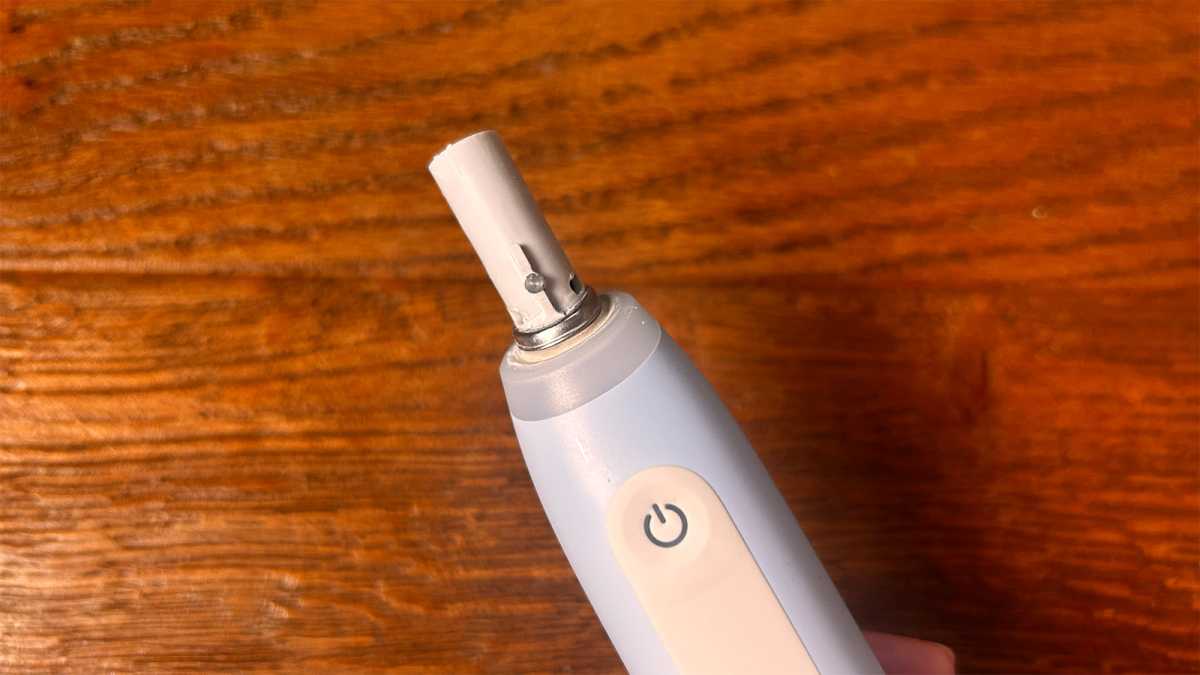
1. Clean the metal ring at the top of the brush handle
This simple solution is the first one you should try. It may work on all iO models.
Emma Rowley / Foundry
2. Factory reset the brush
If your iO6 or above isn’t holding a charge, give this a go. You’ll find the option in the settings menu on your brush.
3. Discharge the battery and let it recharge
Here’s the next thing to try for brushes not holding a charge (again for an iO6 or above). Remove the brush head, switch the brush on and leave it to run for around 20 minutes. Then charge it again.
4. Remove and replace the battery
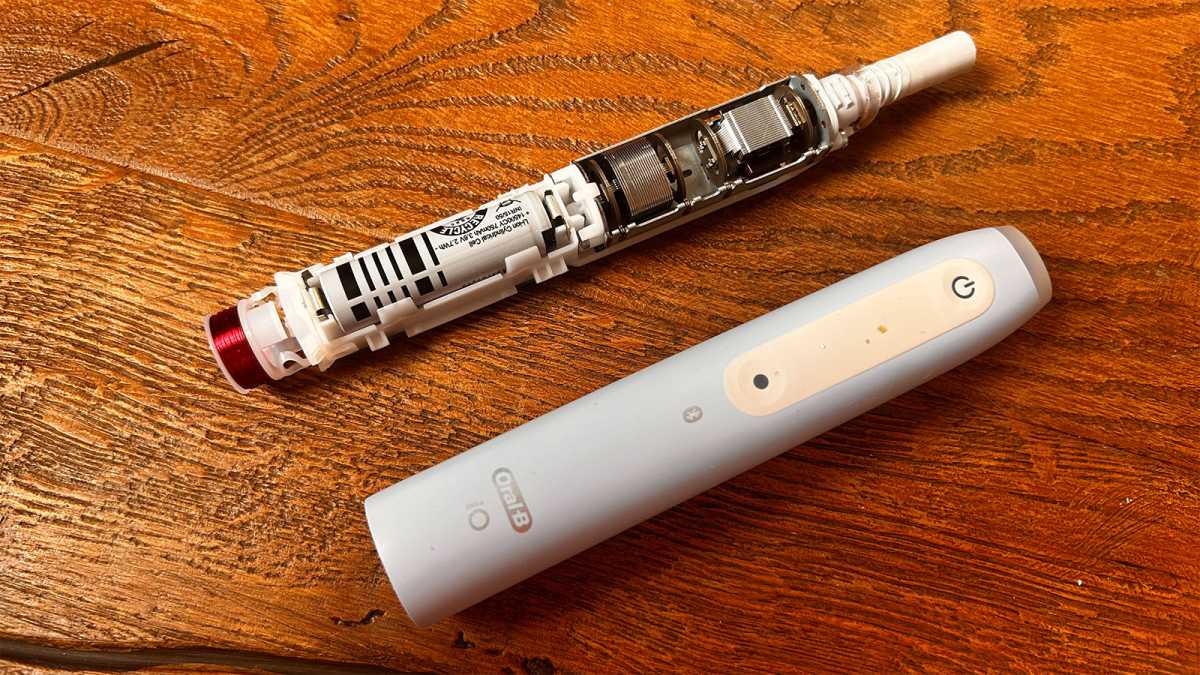
This should be a last resort, but my brush, the iO4, is a simple model without a screen. That means there’s no battery percentage indicator and more straightforward internal workings. So the only way to sort out the battery is to get to physically access it. Here’s what fixed my brush for me.
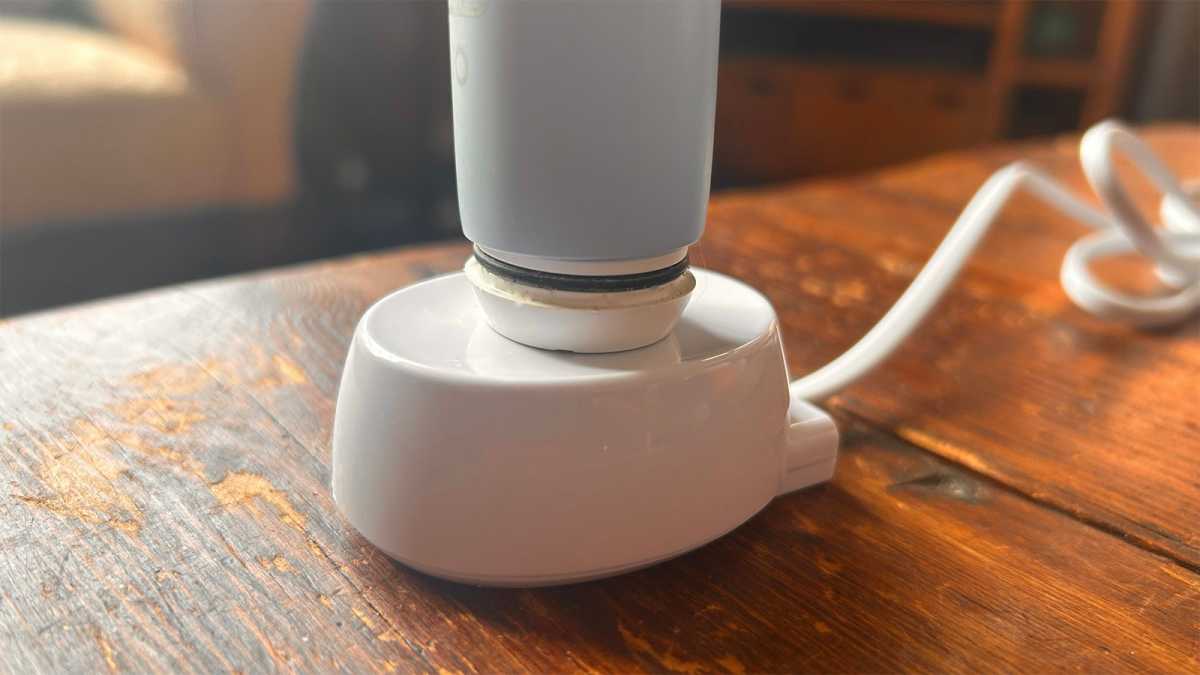
The base of the brush is sealed, but it will unscrew. There are three notches on the base and if you have a brush that fast-charges, you’ll find three corresponding raised strips on the base of the charger which you can fit in and use to unscrew it.
If you have a brush with a traditional Oral-B charger, stand it on the base and turn it anticlockwise.
Emma Rowley / Foundry
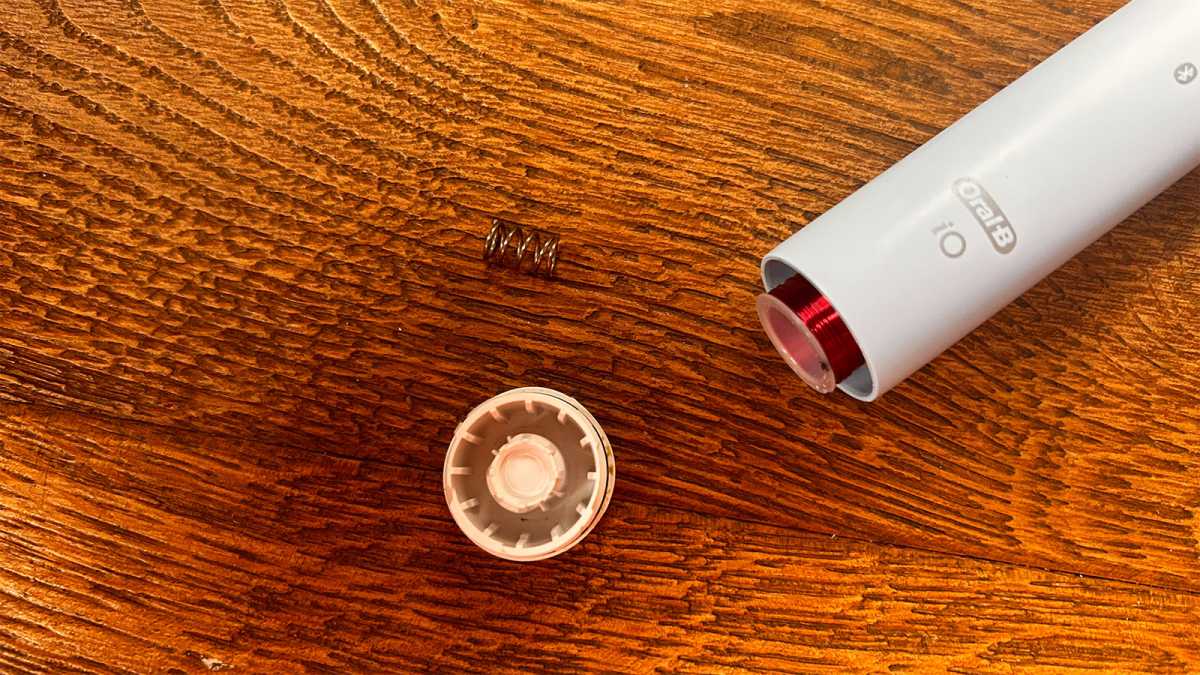
I couldn’t exert enough pressure to do that, so I used a flathead screwdriver and the base came off.
Emma Rowley / Foundry
When you remove the base, a spring will pop out: don’t lose this.
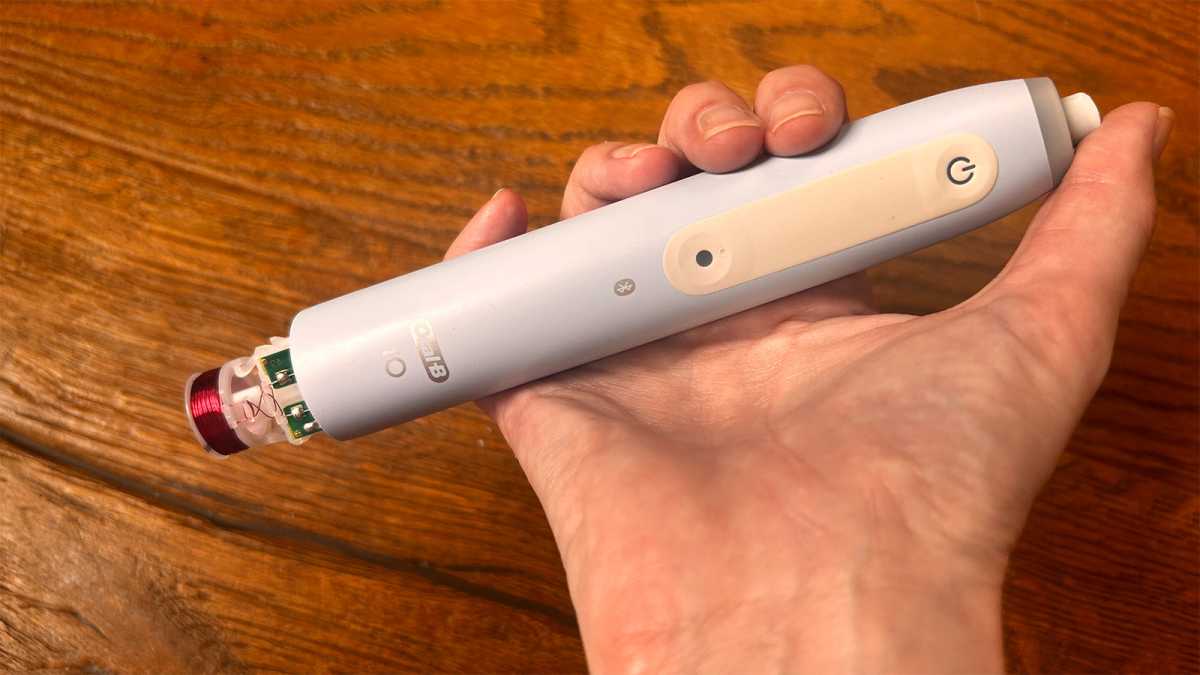
You’ll then be able to press down on the exposed head connector at the top and remove the brush’s workings. Again, don’t lose the metal ring around the neck of the brush.
Emma Rowley / Foundry
In my case, all I needed to do was remove the battery, wipe down the terminals and replace it. Once I’d put my brush back together again, it started charging as normal.
Emma Rowley / Foundry
If you need to replace the battery, you can buy compatible rechargeable batteries from Amazon UK (a pair costs £26.33 at the time of writing) or Amazon US (a single battery is $20.38).
In spite of their issues, we’d still recommend Oral-B iO brushes. Check out our complete Oral-B iO guide to find out the differences between each model, their pros and cons, and what you should actually pay for each one.
To see which Oral-B brush we think is best overall, see our Oral-B round-up. We’ve also got recommendations from among all brands in our round-up of the best electric toothbrush, and you can see our picks from best budget-friendly models too.


