By using this site, you agree to the Privacy Policy and Terms of Use.
Accept
Viral Trending contentViral Trending content
  • Home
  • World News
  • Politics
  • Sports
  • Celebrity
  • Business
  • Crypto
  • Gaming News
  • Tech News
  • Travel
Reading: How To Watch Europa League Live: Online, on TV & Abroad
Notification Show More
Viral Trending contentViral Trending content
  • Home
  • Categories
    • World News
    • Politics
    • Sports
    • Celebrity
    • Business
    • Crypto
    • Tech News
    • Gaming News
    • Travel
  • Bookmarks
© 2024 All Rights reserved | Powered by Viraltrendingcontent
Viral Trending content > Blog > Tech News > How To Watch Europa League Live: Online, on TV & Abroad
Tech News

How To Watch Europa League Live: Online, on TV & Abroad

By Viral Trending Content 5 Min Read
Share
SHARE

Who will win the 2023-24 Europa League? You don’t have to wait long to find out.

Contents
Europa League fixturesThu 2 MayThu 9 MayHow to watch the Europa League in the UKHow to watch the Europa League in the USHow to watch the Europa League outside the UK and USDownload the relevant VPN appConnect to a US or UK serverStart watching as usual

We’ve reached the semi-finals, meaning the four remaining teams just three matches away from glory.

But who will make it to the final in Dublin on 22 May? We know there’ll be no British teams there, after Liverpool and West Ham were both eliminated in the quarter-finals.

Instead, Marseille are up against Atalanta, while Roma take on Bayer Leverkusen. Here’s how to watch both semi-final ties live, wherever you are in the world.

Europa League fixtures

Here are the semi-final matches you have to look forward to:

Thu 2 May

  • Marseille vs Atalanta – KO 8pm BST/3pm EDT/12pm PDT – TNT Sports (UK)/Paramount+ (US)
  • Roma vs Bayer Leverkusen – KO 8pm BST/3pm EDT/12pm PDT – TNT Sports (UK)/Paramount+ (US)

Thu 9 May

  • Atalanta vs Marseille – KO 8pm BST/3pm EDT/12pm PDT – TNT Sports (UK)/Paramount+ (US)
  • Bayer Leverkusen vs Roma – KO 8pm BST/3pm EDT/12pm PDT – TNT Sports (UK)/Paramount+ (US)

How to watch the Europa League in the UK

BT Sport has been rebranded as TNT Sports, but it still has the exclusive rights to the Europa League in the UK. Not much has changed in terms of the plans available, either.

At full price, the cheapest package costs £20 per month on a monthly rolling contract, though you’re limited to the discovery+ app. However it also includes Eurosport 1 & 2 and the discovery+ Premium streaming service.

But if you’d rather stream all the action and don’t want a recordable TV box, it makes more sense to simply add TNT Sports to discovery+. That costs £20 per month for BT Broadband customers, but you’ll need to get the monthly pass for £30.99 per month otherwise.

And if you’d like to combine TNT Sports with Sky Sports (known as ‘Big Sport’), it’ll cost you £45 per month at full price.

How to watch the Europa League in the US

In the US, CBS has the exclusive English-language rights to the Europa League, with every match being broadcast live. If you already have cable TV, check if it’s supported on the CBS website and then contact your provider.

But if you don’t want to get cable, there’s an easy alternative. Simply sign up to the Paramount+ streaming service (from $5.99 per month) and you’ll have full access on all your devices.

The most hassle-free way is to sign up for a live TV streaming service. YouTube TV ($72.99 per month), Hulu+ Live TV ($76.99 per month), Fubo Pro ($79.99 per month) and DirecTV Stream ($69.99 per month) all include CBS Sports. None of these are cheap, but they offer plenty of other benefits.

How to watch the Europa League outside the UK and US

Before trying to watch UK or US TV from abroad, it’s worth checking which broadcaster has the rights to the Europa League where you’re based. See the full list of international broadcasters on the UEFA website.

But if you’re just visiting another country, it makes sense to access your US or UK subscription, which requires a VPN. We’re using NordVPN for the purposes of this tutorial, but there are plenty of great alternatives in our best VPN chart.

1.

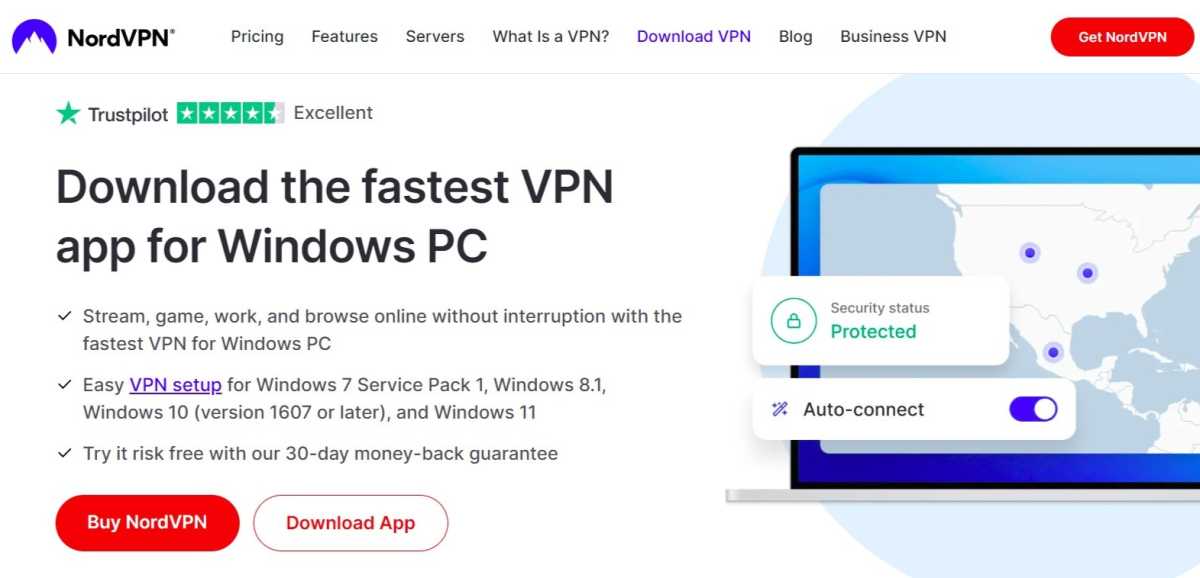
Download the relevant VPN app

NordVPN download page

Anyron Copeman / Foundry

Head to the download page for the VPN you’d like to install and click ‘Download App’. The likes of NordVPN are available on a range of devices.

2.

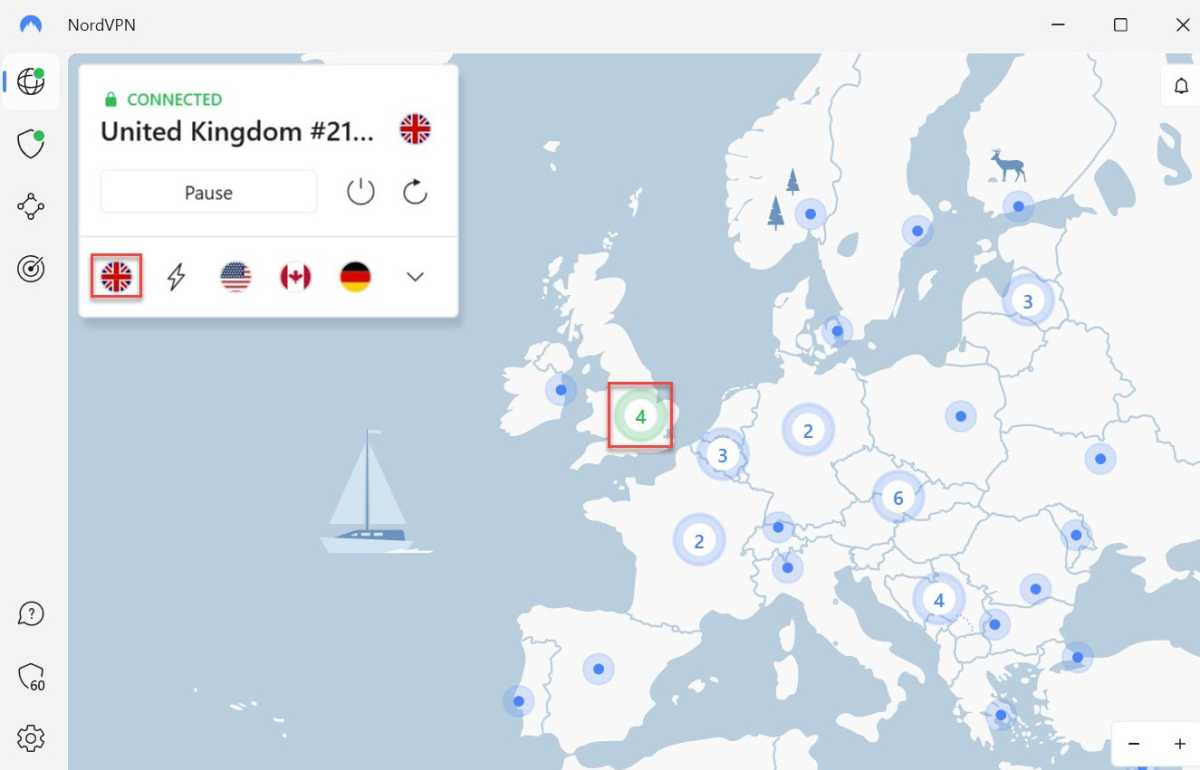
Connect to a US or UK server

NordVPN connected to a UK server

Anyron Copeman / Foundry

Open the app and sign in to your account if necessary. Then, select any US or UK server and connect to it.

Depending on the service you’re using, it might look quite different to the above. But this should be relatively easy to find.

3.

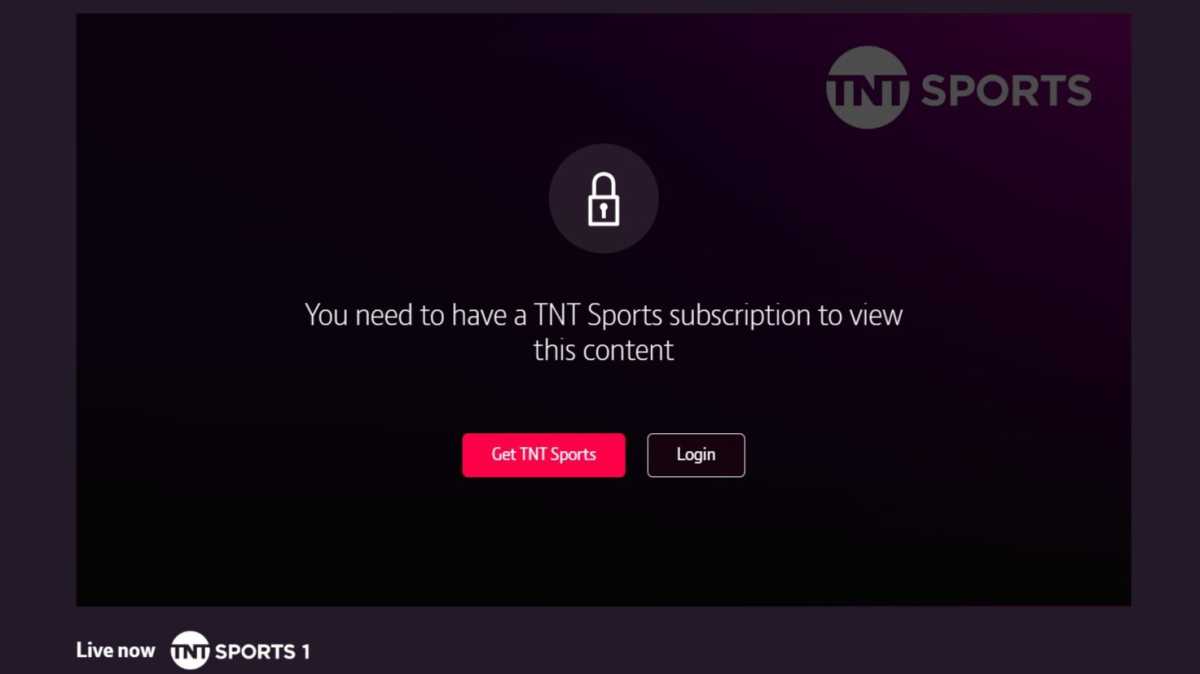
Start watching as usual

Watch TNT Sports online

Anyron Copeman / Foundry

Head to the website or app you’d usually use to start watching. You should now be able to stream content as normal and without any restrictions.

Want more football? Here’s how to watch the Premier League and Champions League.

You Might Also Like

Apple AI Pin Specs Leak: Dual Cameras, No Screen & More

The diverse responsibilities of a principal software engineer

OpenAI Backs Bill That Would Limit Liability for AI-Enabled Mass Deaths or Financial Disasters

Google’s Fitbit Tease has me More Excited for Garmin’s Whoop Rival

Why the TCL NXTPAPER 14 Is One of the Best Tablets for Musicians and Sheet Music Reading

TAGGED: cool tech, latest technology, latest technology news, new technology, science and technology, tech, Tech News, tech review, technews, technological advances, technology definition, technology reviews, what is technology
Share This Article
Facebook Twitter Copy Link
Previous Article 75% of Americans think mental health issues are treated worse than physical illness, new survey says. Here’s why
Next Article Green claims wrangling, Newsletter | Euronews
Leave a comment

Leave a Reply Cancel reply

Your email address will not be published. Required fields are marked *

- Advertisement -
Ad image

Latest News

JPMorgan CEO Jamie Dimon says he’s ‘learned and relearned’ to not make big decisions when he’s tired on Fridays
Business
Apple AI Pin Specs Leak: Dual Cameras, No Screen & More
Tech News
A ‘glass-like’ battlefield: German Army chief on the future of warfare
World News
Polymarket Sees Record $153M Daily Volume After Chainlink Integration
Crypto
Natasha Lyonne Then & Now: See Before & After Photos of the Actress Here
Celebrity
Cult Hit Doki Doki Literature Club Fights Removal From Google Play Store Over ‘Depiction Of Sensitive Themes’
Gaming News
Dead as Disco Launches Into Early Access on May 5th, Groovy New Gameplay Released
Gaming News

About Us

Welcome to Viraltrendingcontent, your go-to source for the latest updates on world news, politics, sports, celebrity, tech, travel, gaming, crypto news, and business news. We are dedicated to providing you with accurate, timely, and engaging content from around the globe.

Quick Links

  • Home
  • World News
  • Politics
  • Celebrity
  • Business
  • Home
  • World News
  • Politics
  • Sports
  • Celebrity
  • Business
  • Crypto
  • Gaming News
  • Tech News
  • Travel
  • Sports
  • Crypto
  • Tech News
  • Gaming News
  • Travel

Trending News

cageside seats

Unlocking the Ultimate WWE Experience: Cageside Seats News 2024

Investing £5 a day could help me build a second income of £329 a month!

JPMorgan CEO Jamie Dimon says he’s ‘learned and relearned’ to not make big decisions when he’s tired on Fridays

cageside seats
Unlocking the Ultimate WWE Experience: Cageside Seats News 2024
May 22, 2024
Investing £5 a day could help me build a second income of £329 a month!
March 27, 2024
JPMorgan CEO Jamie Dimon says he’s ‘learned and relearned’ to not make big decisions when he’s tired on Fridays
April 10, 2026
Brussels unveils plans for a European Degree but struggles to explain why
March 27, 2024
© 2024 All Rights reserved | Powered by Vraltrendingcontent
  • About Us
  • Contact US
  • Disclaimer
  • Privacy Policy
  • Terms of Service
Welcome Back!

Sign in to your account

Lost your password?